Troubleshooting
Replacing the control unit
7160-9001-560
01. December 2020
64 / 74
Installing the control unit
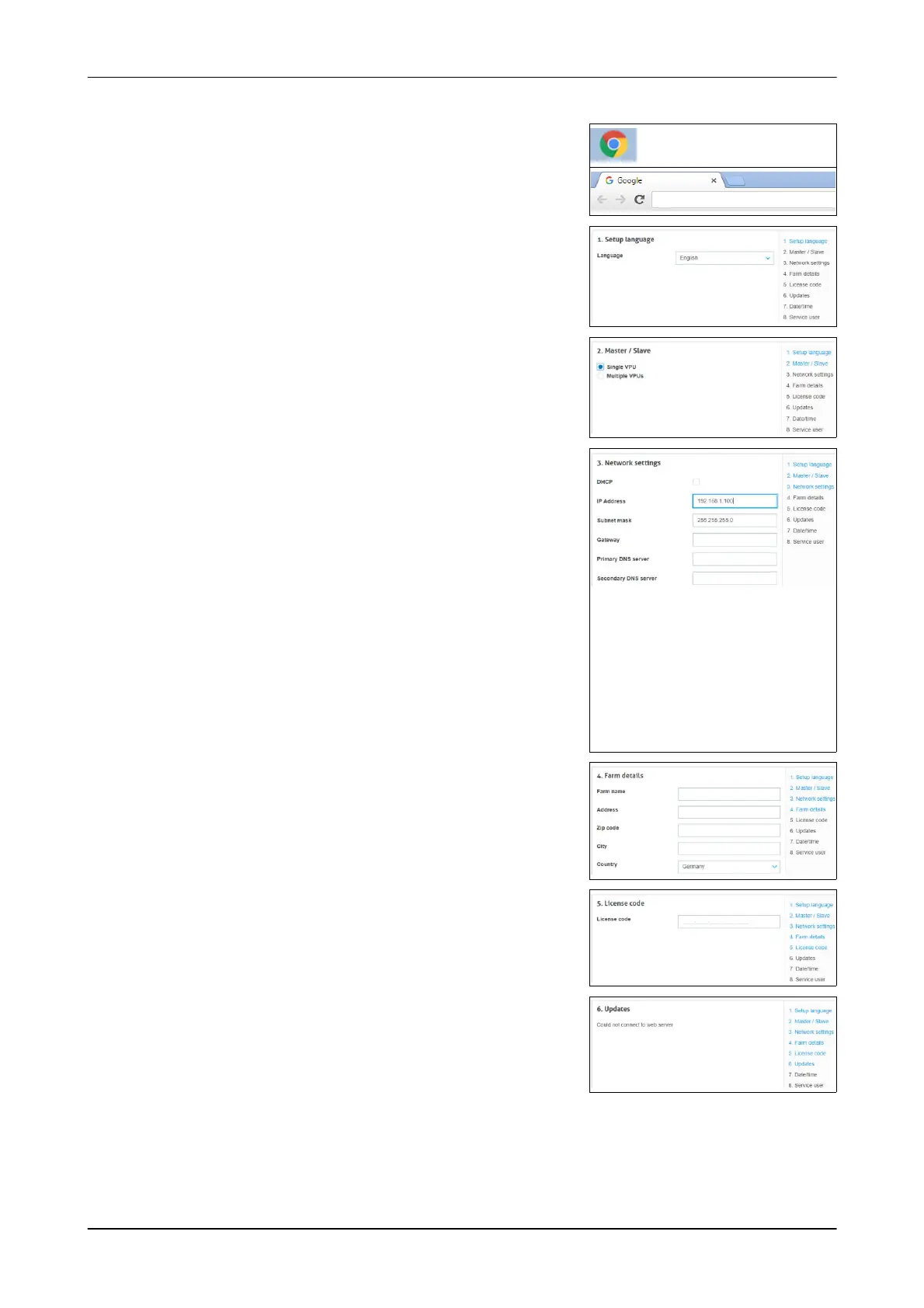
1. Open the Web browser
E.g.: Google Chrome
2. Enter the address:
Example: http://192.168.1.100/
http://192.168.1.100/
- The setup window appears
3. Select a language
- Select the next menu point (Next)
4. Select an option (Single VPU)
- Select the next menu point (Next)
5. Select a network
- For the control unit 7160-9067-340 GEA
AMS:
Activate DHCP
Set the IP address (10.150.1.1)
Set the subnet mask (255.255.0.0)
- For the control unit 7160-9067-310
CowScout:
Set the gateway (IP address of the
internet router)
- No action required for other control
units.
- Open the next point (Next)
6. Enter the farm details
- Open the next point (Next)
7. Enter the licence code
(the code is on the decal)
- Open the next point (Next)
8. Install the updates
(no action required)
- Open the next point (Next)













 To Next Page