Troubleshooting
Replacing the control unit
7160-9001-560
01. December 2020
63 / 74
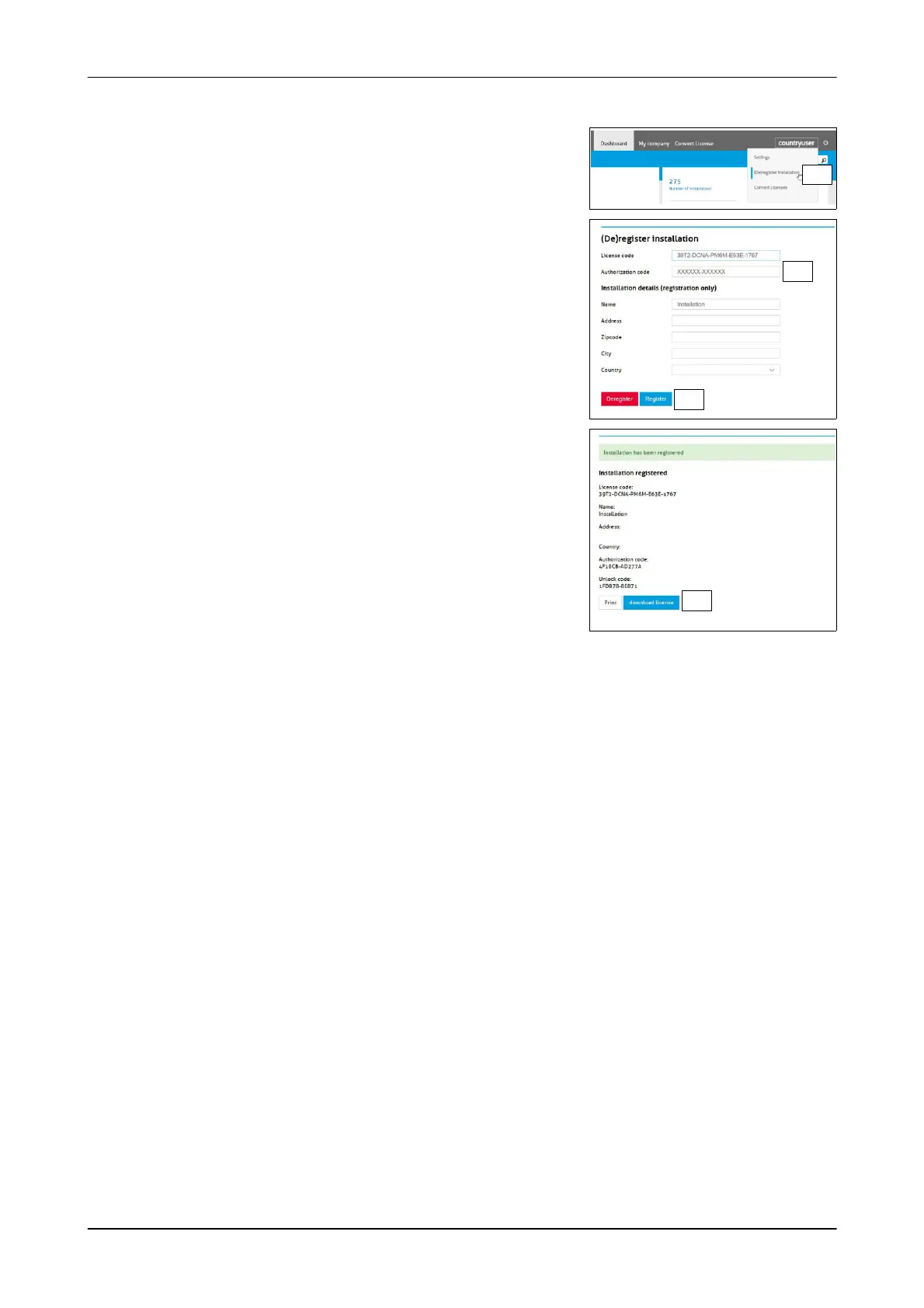
Registering the installation
1. Open the section ((De)register License)
1.
- The display shown appears
2. Enter the authorisation code of the control
unit (Authorization code)
- The code is on the control unit decal
3. Enter the installation details
4. Click the button (Register)
2.
3.
- An information window appears
5. Print out the information window (Print)
The unlock code is required when
activating the control unit. (Unlock code)
6. Click the button (Download license)
- The licence file is downloaded and
saved locally
→ The control unit is registered
6.













 To Next Page