Commissioning
Basics of commissioning
7160-9001-560
01. December 2020
35 / 74
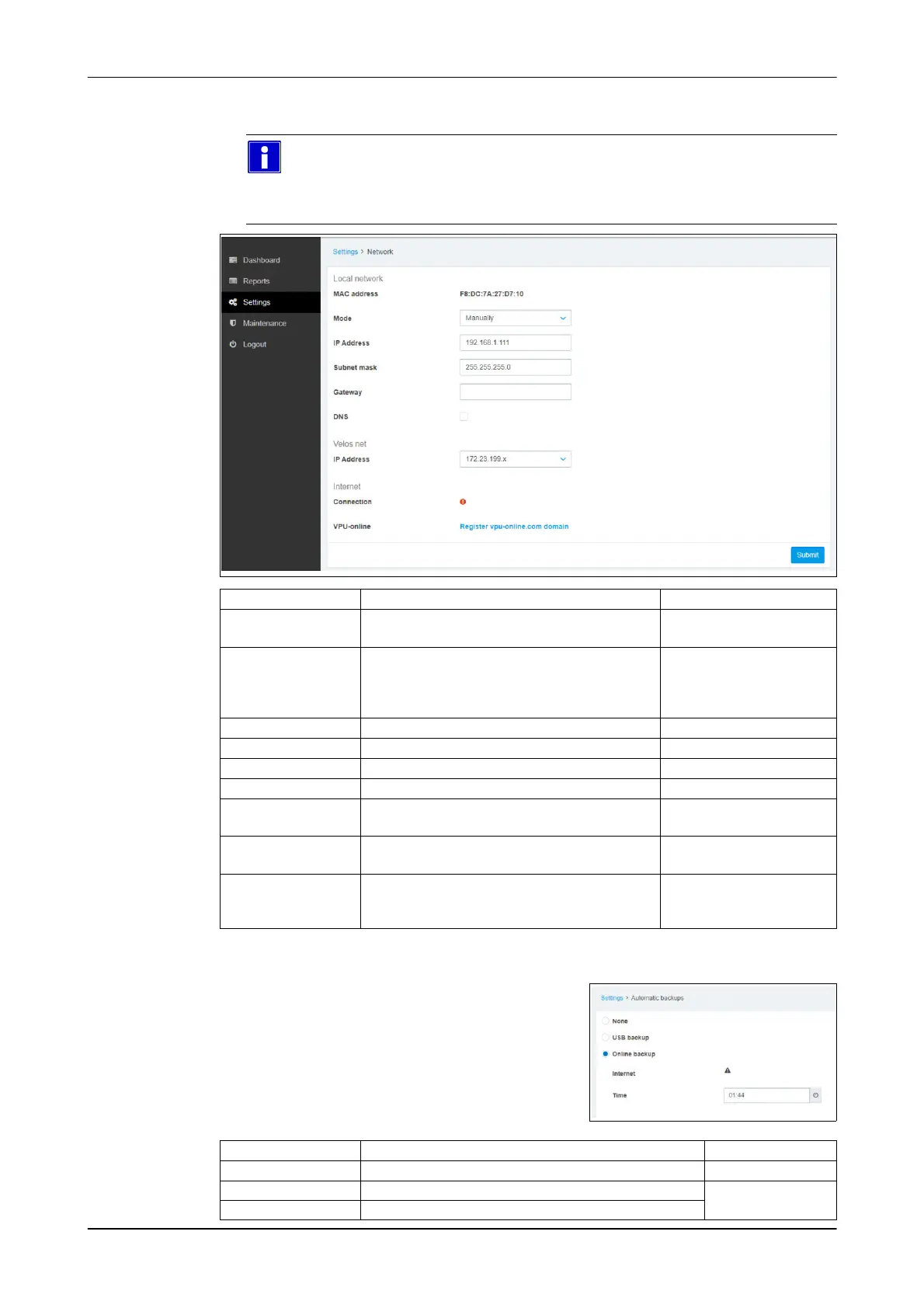
Menu item: Settings -> System -> Network
● Setting networks (Ethernet)
Please note
IP address and section are transferred automatically during installation
via DPService.
No changes are required!
Set-up Description
Local network
● MAC address
● Mode ● DHCP: IP address assigned
automatically
● Manually: Fixed IP address (manual)
Default setting
● IP address
● Subnet mask
● Gateway
● DNS
Velos net
● IP address
Internet
● Connection
Indicates whether the control unit is
connected to the internet
● VPU online The control unit can also be connected to the
Velos online portal using an internet router
(optional). (VPU-online)
(only applies to
CowScout)
Menu item: Settings -> System -> Automatic Backups
Automatic backups
(only applies to CowScout)
Einstellungen Description
Non No automatic data backups
USB-Backup Data backup on a USB data storage device
(only applies to
CowScout)
Online-Backup Data backup in cloud storage (VPU-online)













 To Next Page