Commissioning
Commissioning the control unit
7160-9001-560
01. December 2020
46 / 74
Aufforderun erscheint
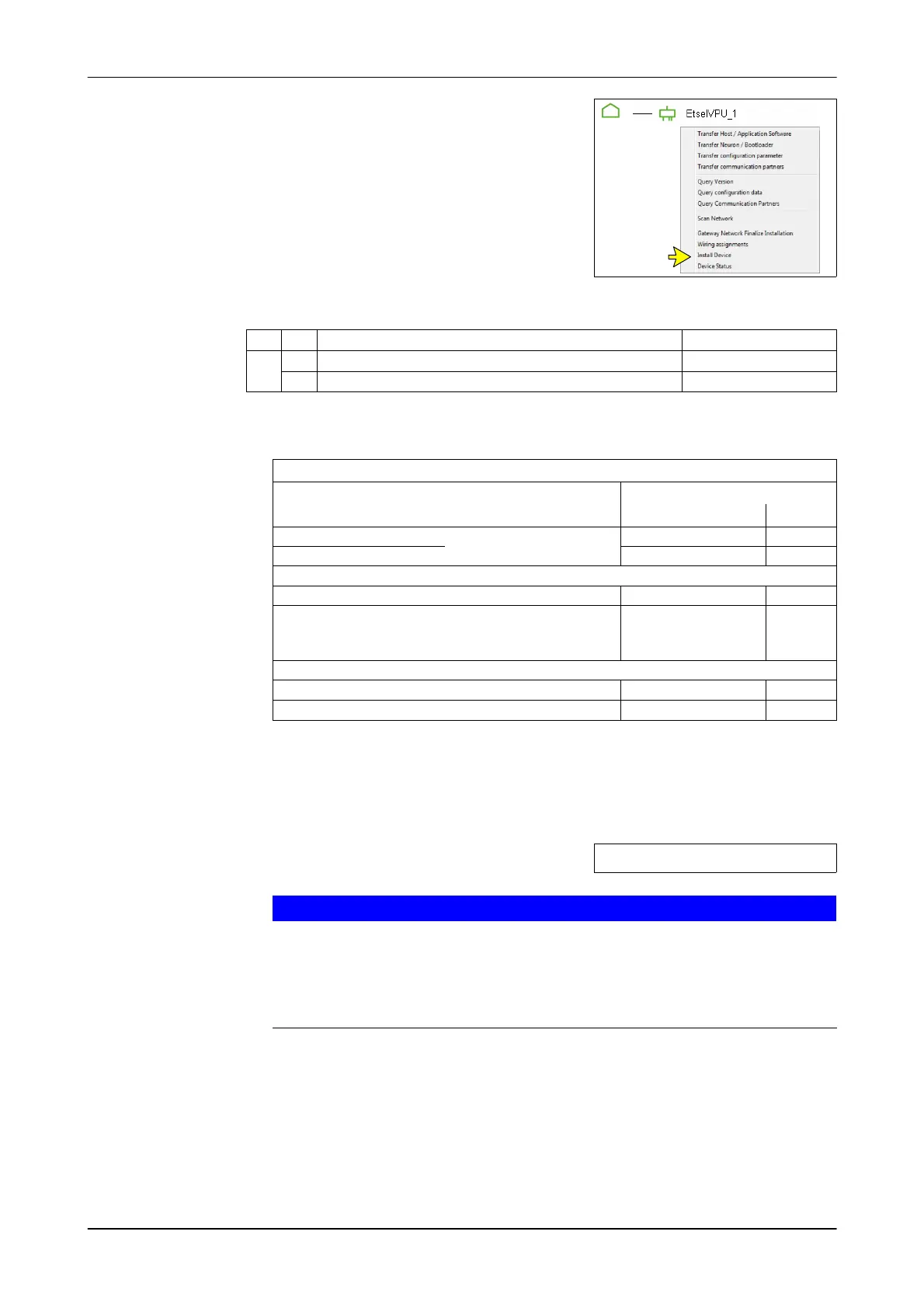
4. Right-click on the component to be installed
Example: EtselVPU
- Context menu appears
5. Select menu option
(Install Device)
- The prompt appears:
"Press the service PIN"
6. Activate the service PIN on the control unit
SP
Service PIN
OF
ON
Send service PIN DPNet service PIN
- The IP address and section are transferred
The section is set using the last two digits of the IP address.
Examples
Barn equipment
Default setting
IP address Section
1. Milking parlour
Separates Steuergerät je
Melkstand
XXX.YYY.ZZZ.121 21
2. Milking parlour XXX.YYY.ZZZ.122 22
1. Animal segregation XXX.YYY.ZZZ.111 11
2. Animal segregation
- if assigned to a separate control unit
- Setting: 999/910/002 >1
XXX.YYY.ZZZ.112 12
Per place identification (PPID) XXX.YYY.ZZZ.101 01
DairyRobot R9500 XXX.YYY.ZZZ.1xx 01 (-09)
- Behaviour component "DPNet" is created
The control unit communicates with the herd management system via the
"DPNet" behaviour component.
- The installation status is displayed
S9 = Installation successful
S9
Important!
If the installation status "S9" is not reached, the installation is not
complete.
► Nevertheless, continue and complete the installation.
► Eliminate the cause of incomplete installation after installation
(See related section)
- After the installation, the component is highlighted in grey and marked with
a green check mark.













 To Next Page