98
Positioning the TextGroup Using Coordinates
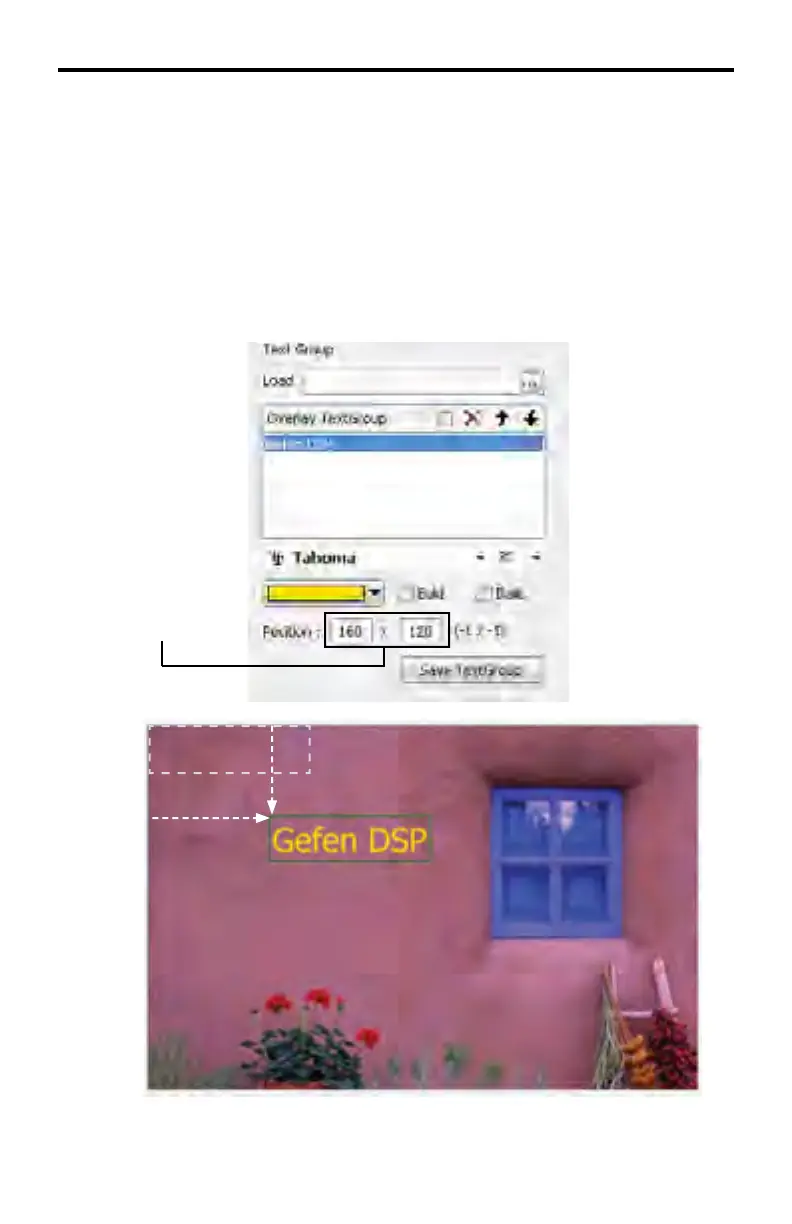
In the example below, the text will be moved to position (160, 120).
Click the mouse in the fi rst box (the x-coordinate) on the left and type in the num-
ber 160 then press the TAB key to advance to the next fi eld. The TextGroup will
move to the right 160 pixels.
In the second box (y-coordinate), type in the value 120. The TextGroup will move
down, vertically, 120 pixels.
DSP DESIGNER TUTORIAL
160 pixels
120 pixels
Enter values in
these boxes



 To Next Page