ADP200 Application PID-IMM User Manual Pag. 24 of 80
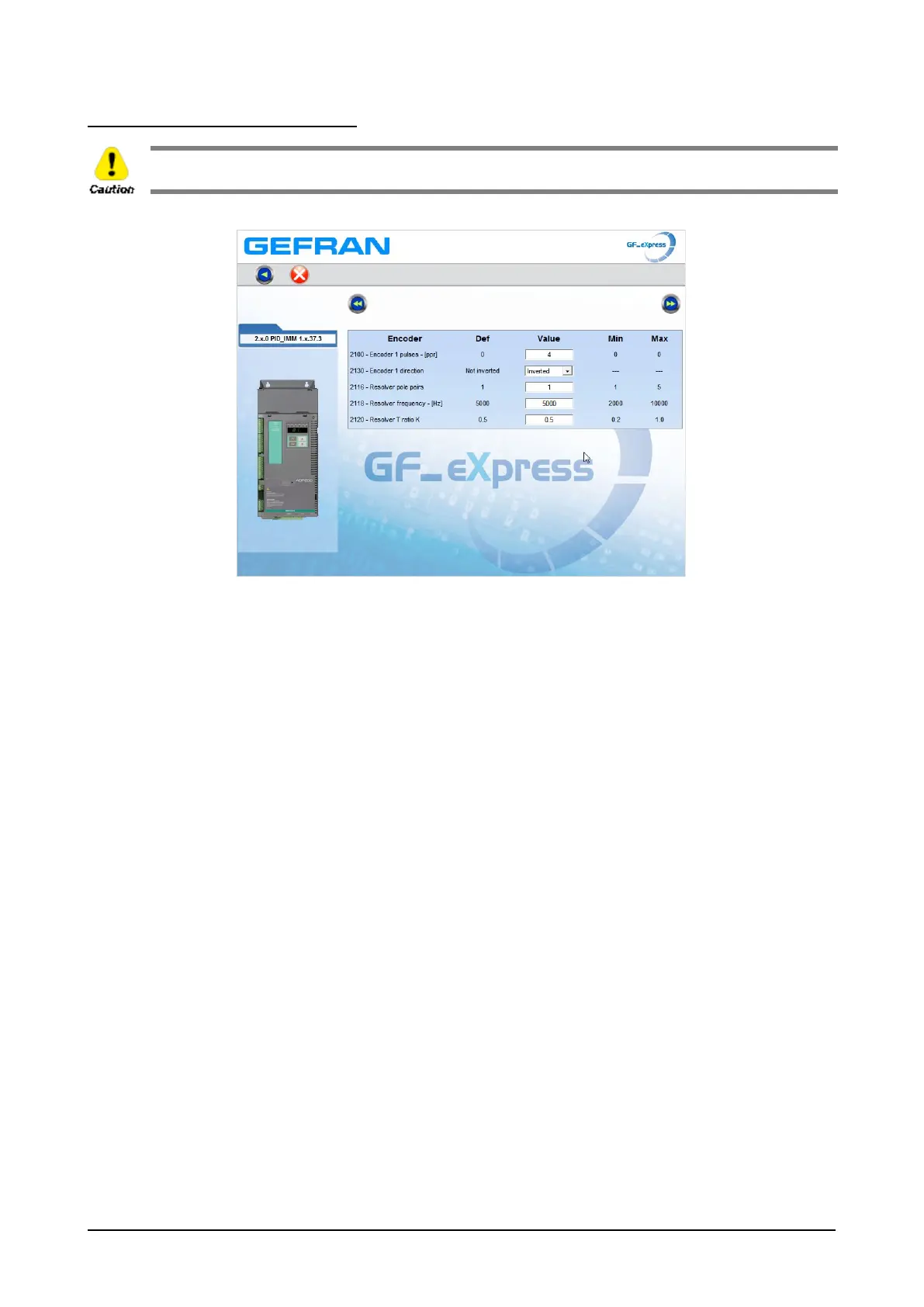
Step 4 – Setting encoder parameters
The incorrect configuration of the encoder tension can permanently damage the device; therefore, it is advisable to
check the values on the encoder’s specification plate.
Enter the resolver / encoder parameters and then go to the next page.



 To Next Page