EasyManua.ls Logo

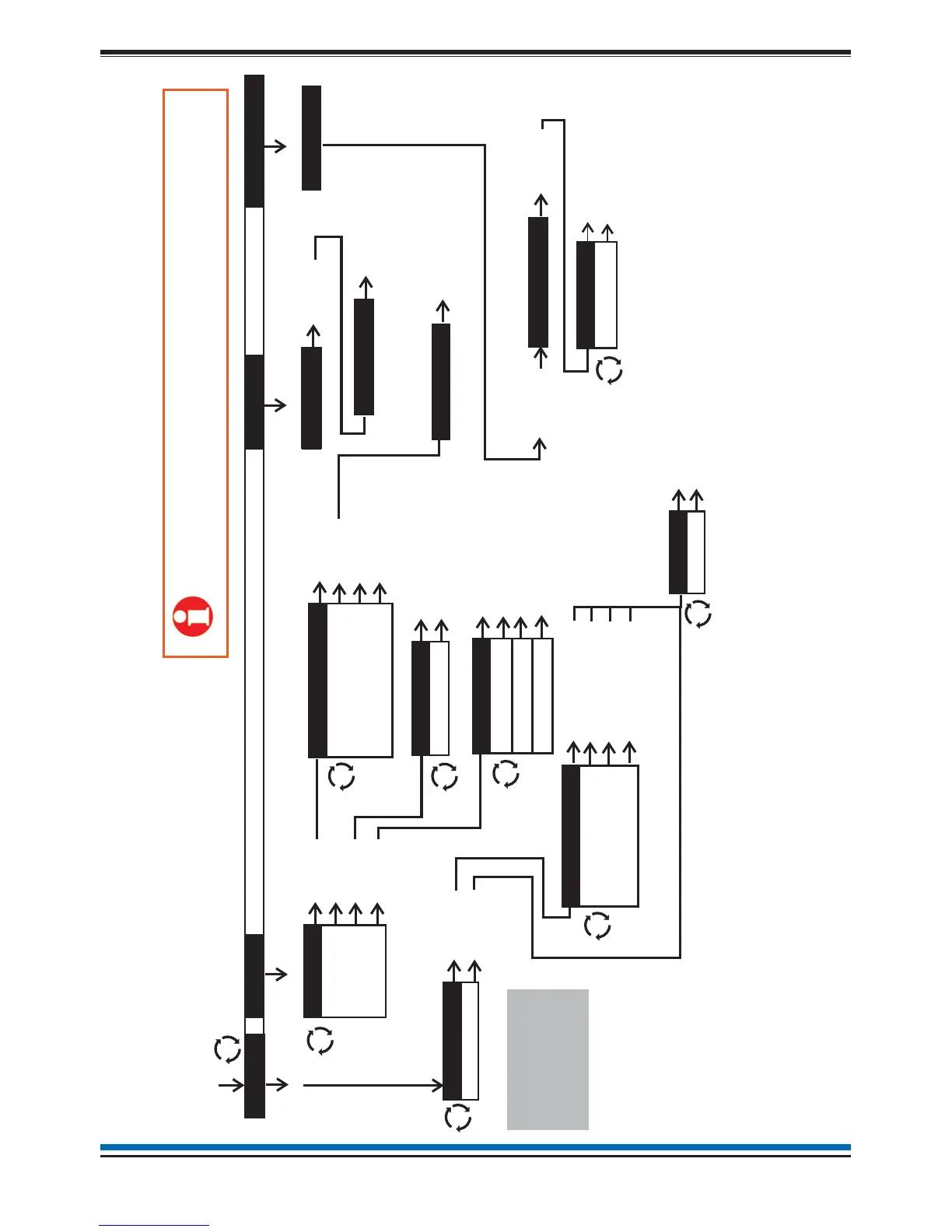
Gent Nano - Quick Reference: Customer Mode Menu Maps

Gent Nano
28 pages
Print Icon
To Next Page IconTo Next Page
To Previous Page IconTo Previous Page
Loading...
NANO fire system
27
SELECT
Quick Reference
Customer Mode - Access Level 2 Menu maps
‘( Where you see the P signify ‘see page’
and the associated number xx is the page number.
Pxx)
Access Level 2
(Customer)
Factory default
PIN: 0000
Logs
Historic >
Active >
Fault >
Fire >
Disablement >
Test >
User
Start/Stop
System
Zones
Alarms >
Loop >
Settings
System >
Clock
SELECT
Sectors
Other
Code
Weekly Test >
Day Night Mode
Display Test
SELECT
Device
Channel
Repair
Status
SELECT
MENU
SELECT
SELECT
SELECT
(P19)
SELECT
(P10 & P11)
SELECT
(P18)
SELECT
SELECT
SELECT (P22)
SELECT (P23)
SELECT (P9)
SELECT (P21)
SELECT
SELECT(P21)
SELECT
SELECT
SELECT (P18)
SELECT (P22)
SELECT (P23)
SELECT (P25)
SELECT (P24)
SELECT (P19)
SELECT (P20)
SELECT (P20)
SELECT (P11)
View
SELECT
Print
SELECT
The ‘Print’ option is only applicable
if a printer is connected to the panel.
Versions >
Firmware
Site Data
SELECT (P24)
SELECT (P25)
SELECT
Engineering
SELECT
System >
SELECT

Table of Contents

Related product manuals