Gent by Honeywell reserves the right to revise this publication from time to time and make changes to the content hereof without
obligation to notify any person of such revisions of changes.
Hamilton Industrial Park, Waterside Road, Leicester LE5 1TN Website: www.gent.co.uk
Telephone: +44 (0)116 246 2000 Fax (UK): +44 (0)116 246 2300
28 4188-947 issue 4_03-10_Nano system oper
Part of Document pack 2534-221 issue 5
Operating instructions
At the end of their useful life, the packaging,
product and batteries should be disposed of
via a suitable recycling centre and in
accordance with national or local legislation.
Do not dispose of with your normal household waste.
Do not burn.
WEEE Directive:
At the end of their useful life, the packaging,
product and batteries should be
disposed of via a suitable recycling centre.
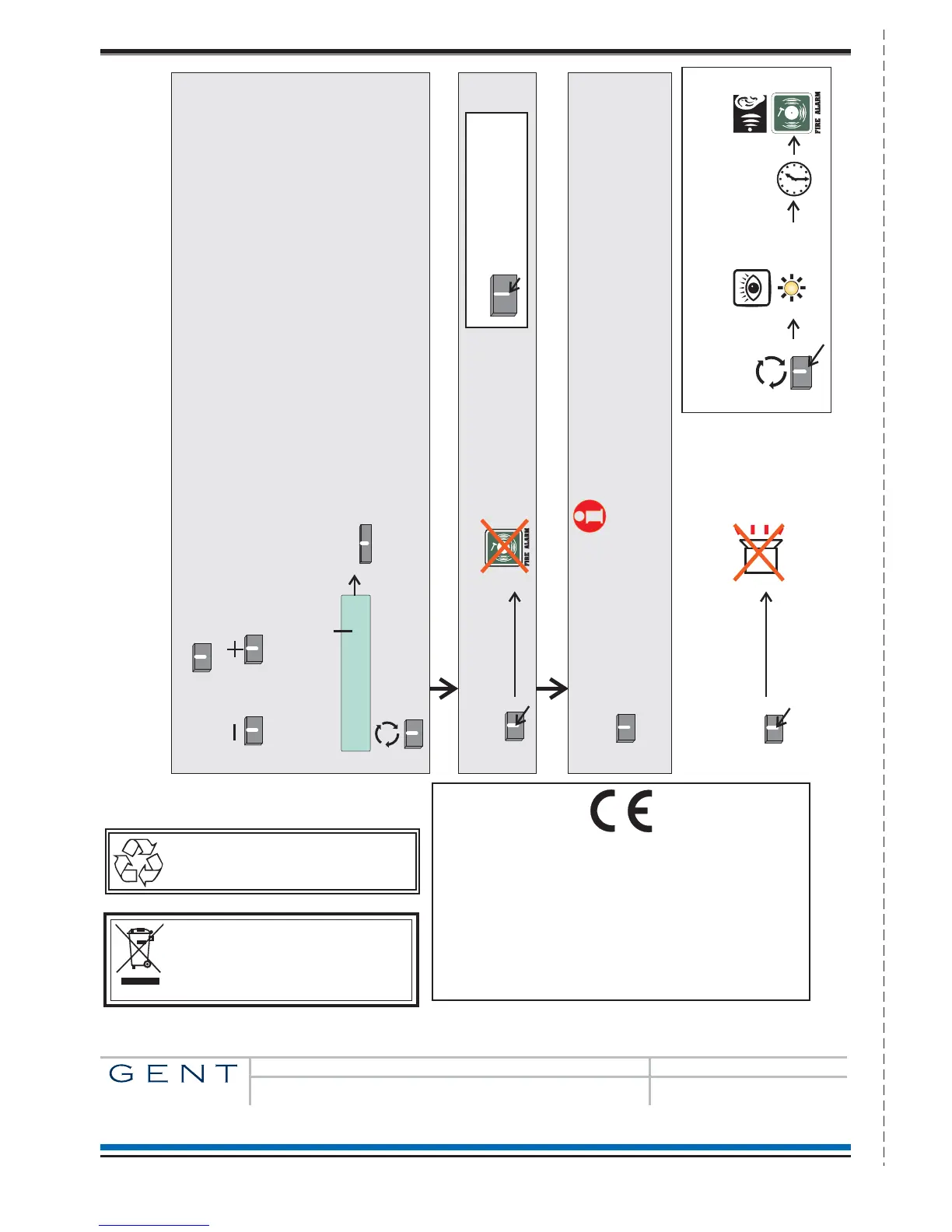
Enter User Code : [0***]
Accept
To move to the next character
position (PIN code number) position.
Use the - and + keys to scroll the number
range to show the first PIN number and
then repeat the sequence for the next
character (PIN code number) position.
On entry of all 4 digits select ‘Accept’.
To Silence Alarms
On pressing the button you will be prompted to enter
your password (a PIN Code) to access emergency controls.
Silence Alarms
To Reset System
Reset
To reset and return the system to normal condition first clear:
any residual smoke or heat from devices
reset any fire inputs and
reset Manual call point(s)
Ensure the fire system is checked by your servicing organisation
if there has been fire damage in the protected area.
How to Silence Alarms and Reset system
Quick Reference
Silence Alarms
To cancel the panel Buzzer
Cancel
Buzzer
Audible
Buzzer
To activate Verification delay
Verify
[amber LED]
Verify
delay
IF APPLICABLE
At any time you can press
the ‘Sound Alarms’ button
to activate alarms site wide.
You will need to be in the
Customer Mode
Sound
Alarms
(The factory set PIN for Customer mode is: 0000)
%
by Honeywell
0832
Gent by Honeywell
Hamilton Industrial Park, 140 Waterside Road, Leicester LE5 1TN, UK
0832-CPD-1257
Control and Indicating equipment for fire detection and fire alarm systems in buildings.
NANO-24
EN54-2: 1997, A1:2006
7.8 Output to fire alarm devices
7.11 Delays to action outputs
8.3 Fault signals from point
10 Test condition
Power supply equipment for fire detection and fire alarm systems in buildings.
EN54-4: 1997, A1:2002, A2:2006



 To Previous Page