30
CHAPTER 4
Tool Settings
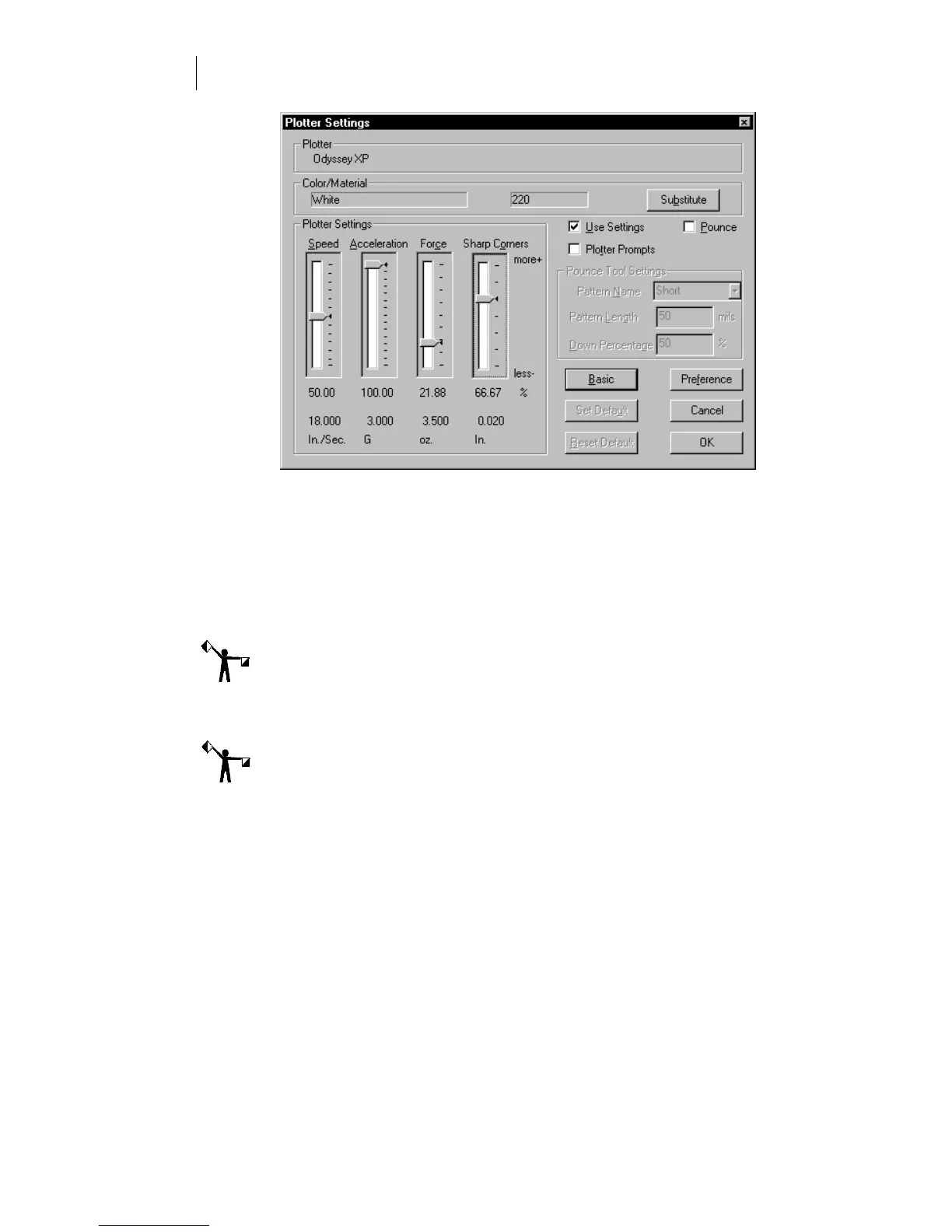
When an ODYSSEY XP plotter is selected, the color and material boxes
are filled. (In this example, Scotchcal 220.) This material is called a vinyl
family.
The GAPlot32/GSPPlot program has a rule set which is more
comprehensive than the rule set built into the plotter. The Plotter Setting
slide bars display the default settings for the material identified. (In this
example, Scotchcal 220.) To change those settings, use the slide bars.
Gerber software rule sets are saved with the spool file.
Note: Clicking Advanced displays the actual settings below the slide bars.
The plot program in GA version 6.0 (or earlier) does not contain a rule
set. With these versions, you must use the ODYSSEY XP control panel to
set tool force and corners.
Note: Changes to tool force take effect immediately. Other tool setting changes
made during a job might not take effect immediately. Existing data in the
plotter memory must be plotted before the other changes take effect.
Determining which rule set is used
If the Use Settings check box is turned on in Gerber software, the rule set
for the displayed material is sent to the plotter. A Gerber software rule
set is used unless the plotter is manually set to ignore the software rule
set.



 To Next Page