39
F1
OPERATIONAL SETUP
Settings System
Misc.
ENTER for Main Menu
F3
CURRENT SETTINGS
Speed Force
Accel Corners
ENTER for Main Menu
F1
F4
F2
4
Press F3 to increase the corners or F4 to decrease it. The range is 0.000"
to 0.030" in 0.0001" steps. (The default setting is 0.020".)
5
Press ENTER to accept the value and return to the Current Settings
menu or CANCEL to exit without saving the changes.
Setting the speed
The speed setting represents the maximum speed of the material and
carriage.
♦
Lower speeds are useful for very long jobs and can result in improved
material handling.
♦
Higher speeds are used for shorter jobs, such as those under 10 feet.
There are two ways to change the speed
♦
the first way is to make the choice in Gerber software
♦
the second way is to make specific numeric changes at the plotter
control panel
To make changes in Gerber software
Open the Plotter Settings dialog box in GAPLOT32/GSPPlot and use
the slide control to make the corner sharpness change.
To adjust speed settings at the plotter control panel
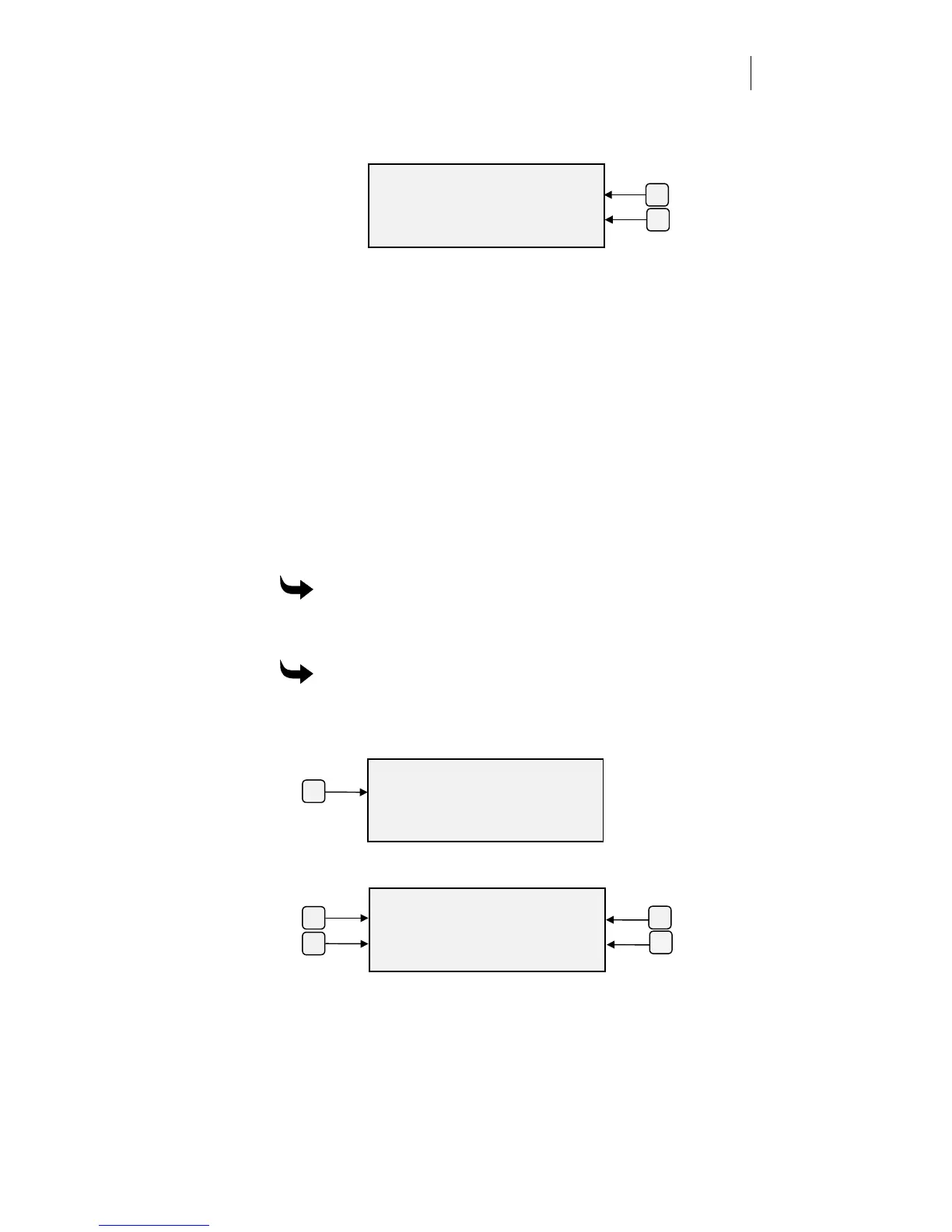
1
Press F3 while holding down the ENTER key for the Operational
Setup menu.
2
Press F1, Settings, to get the Current Settings menu.
F3
ENTER KNIFE CORNERS
Corners +
0.020 inches -
ENTER Ke
to Acce
t
F4



 To Next Page