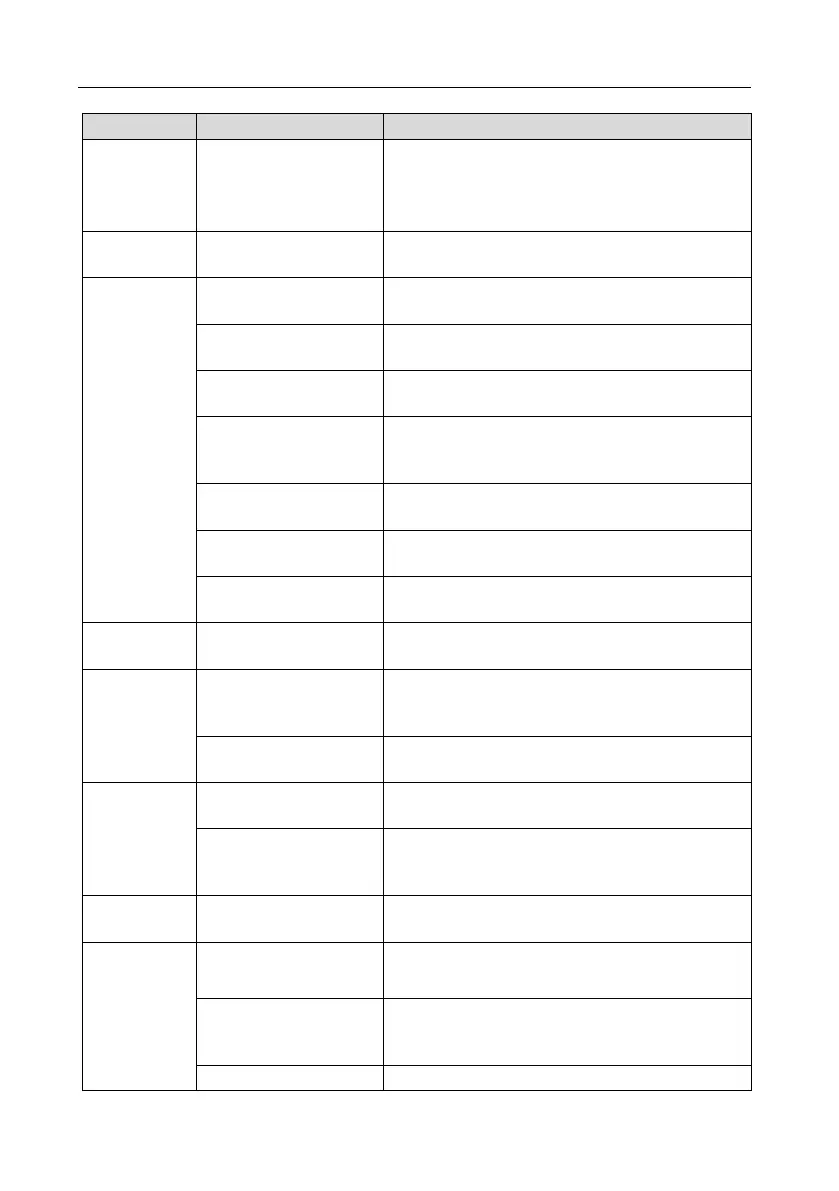
Start product test
Start brewer cleaning
Start tablet cleaning
Here you can make various settings for the payment
systems.
Here you can make various settings for the layout,
recipes and ingredients.
Here you can activate the jug function and select a
recipe to be prepared when using the jug function.
Here you can define the layout of the product
selection.
Here you can define a preselection for the product
selection (example: preselection for large cups and
small cups).
Here you can transfer prepared recipes to the
product selection by drag & drop.
Here you can create new recipes, edit or delete
existing recipes.
Here you can create and rename ingredients and
select them by checkbox.
prices
Here you can make price configurations and set
happy hour times.
Here you can make settings for the boiler, define
boiler service times, set the pump lead time and
clean the valves.
Here you can make settings for the boiler and the
temperature.
Here you can define the number of mixer motors and
assign a product to each powder screw.
Here you can view a schematic overview of the
assigned containers and change them using drag &
drop.
Here you can make settings for the shell fan and
case fan.
Animation
Here you can set the backlight and the time after
which a video should start.
Here you can make settings for the Ambilight
(choose colour and determine situation for which it
should be displayed, e.g. during sale or standby.
Here you can define your own videos via the USB


 To Next Page