37
Operations & Maintenance Manual: Cleaning & Disinfecting
1. Ensure the video monitor has been turned off.
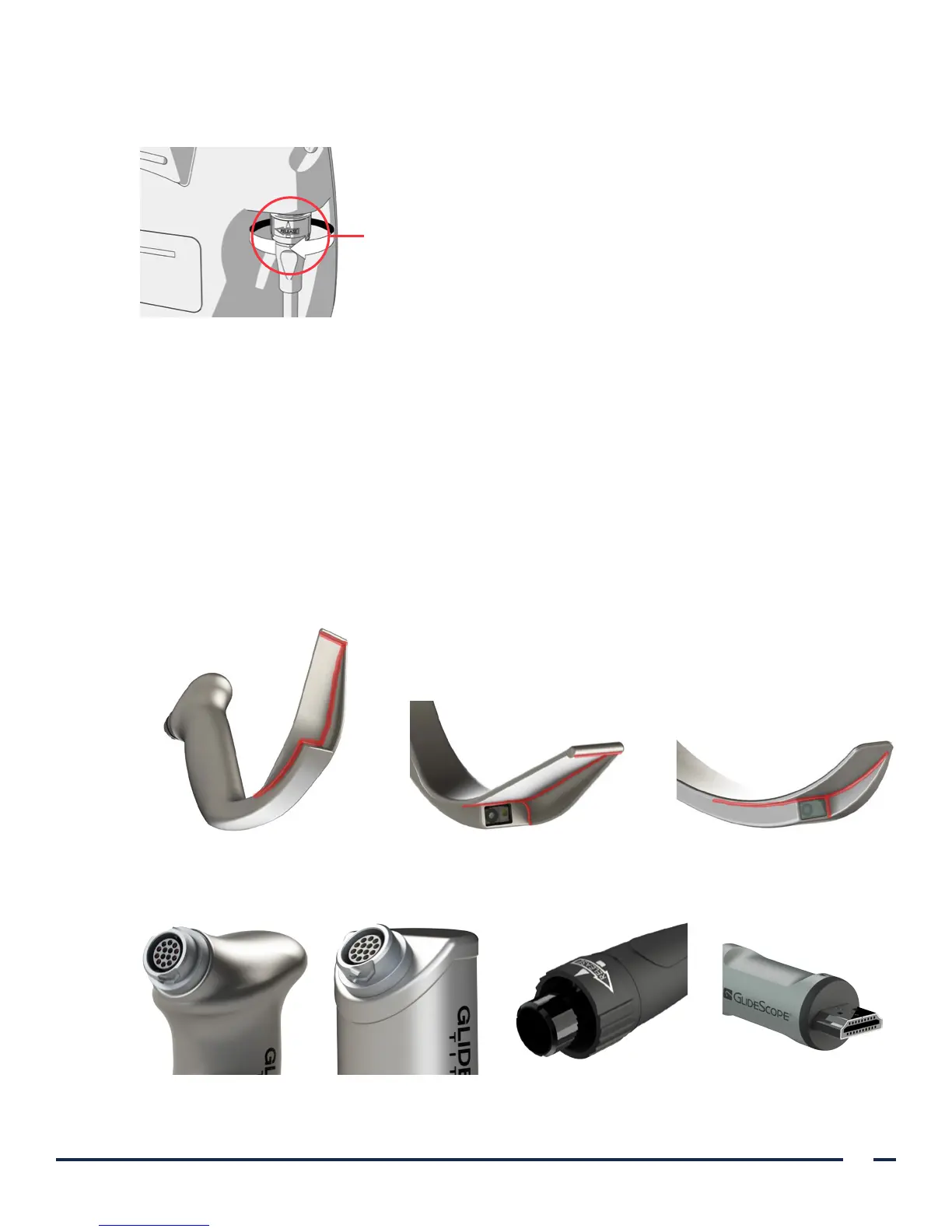
2. Detach the video cable from the monitor by turning the connector ring in the direction of the release arrow.
Connector ring
3. If you are cleaning a reusable system, detach the cable from the blade by rotating the connector ring in the
direction of the release arrow, and then pulling gently in order to disconnect the components.
If you are cleaning a single-use system, detach the cable from the blade by holding the GlideScope
Smart Cable connector in one hand and the blade handle in the other, and then pulling. Dispose of the
single-use blade.
4. If you are using a wipe method to clean the component, skip to Step 9.
5. Using the water temperature specified in Table 8, rinse the component in clean tap water and scrub with a
soft-bristled brush until all visible contamination has been removed.
If you are cleaning a reusable video laryngoscope, to prevent damage, use a cotton swab in order to clean
around the camera window. Pay extra attention to cleaning the areas highlighted in the following figures:
around the tip, inner corners, and camera.
LoPro T3 or T4 Blade LoPro T3 or T4 Blade MAC T3 or T4 Blade
6. Examine all connectors for contamination.
LoPro T3 or T4 Connector MAC T3 or T4 Connector Smart Cable ConnectorVideo Cable Connector


 To Next Page