79
CP30 INSTRUCTION MANUAL
Power Saving Menu
1. Press the programmed Power Saving Menu key to access the Power
Saving menu.
2. Rotate the Channel Selector knob or press the keys to select
OFF, LO or HI.
• Select OFF to switch the Power Save function O. The radio
will remain active at all times and will draw the most amount of
power from the battery.
• Select LO to enable the Power Save function at a conservative
setting. The radio will sleep during periods of inactivity but will
respond quickly to incoming signals.
• Select HI to enable the Power Save function at a more
aggressive setting. The radio will conserve the most amount of
power but may not be as responsive to incoming signals.
3. Press the
MENU
F
key to exit or wait a few seconds for the menu to time-out.
Set PRI
Press the programmed Set PRI key to save the currently selected channel to the
designated priority channel memory (priority channel 1 or 2). This channel can
then be instantly recalled using the programmed PRI key.
PRI
Press the programmed PRI key to switch immediately to the designated priority
channel (priority channel 1 or 2). This channel may be preset using the dealer
software or saved using the Set PRI key (above).
Dual Watch
1. Choose your selected channel using the Channel Selector knob or the
keys.
2. Press the programmed Dual Watch key to activate Dual Watch.
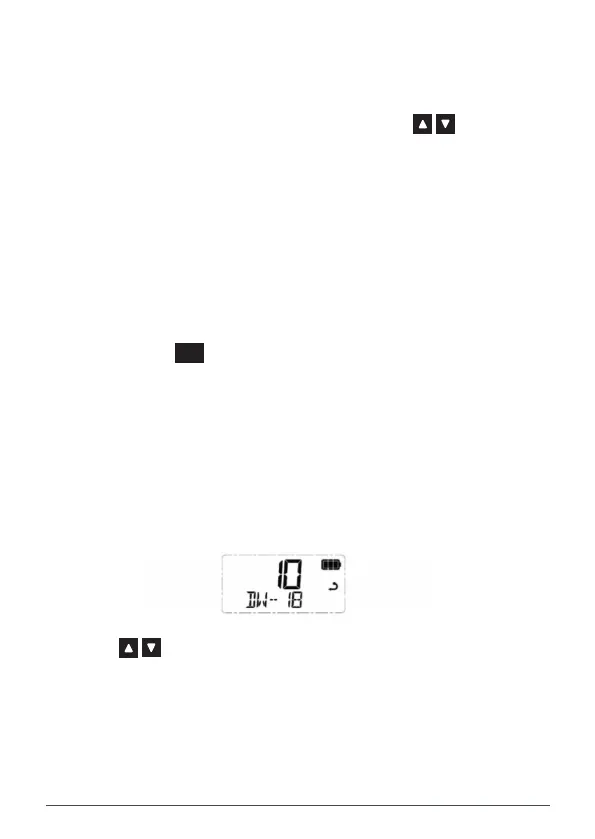
3. DW – xx is displayed (where xx is your last selected priority channel)
and the icon will animate. The radio is now watching both the selected
channel and the last selected priority channel.
NOTE: If the selected channel and the priority channel are the same, Dual Watch
will not start and SCAN ERROR will be displayed. In this case please select
another channel.



 To Next Page