10–3
³115815
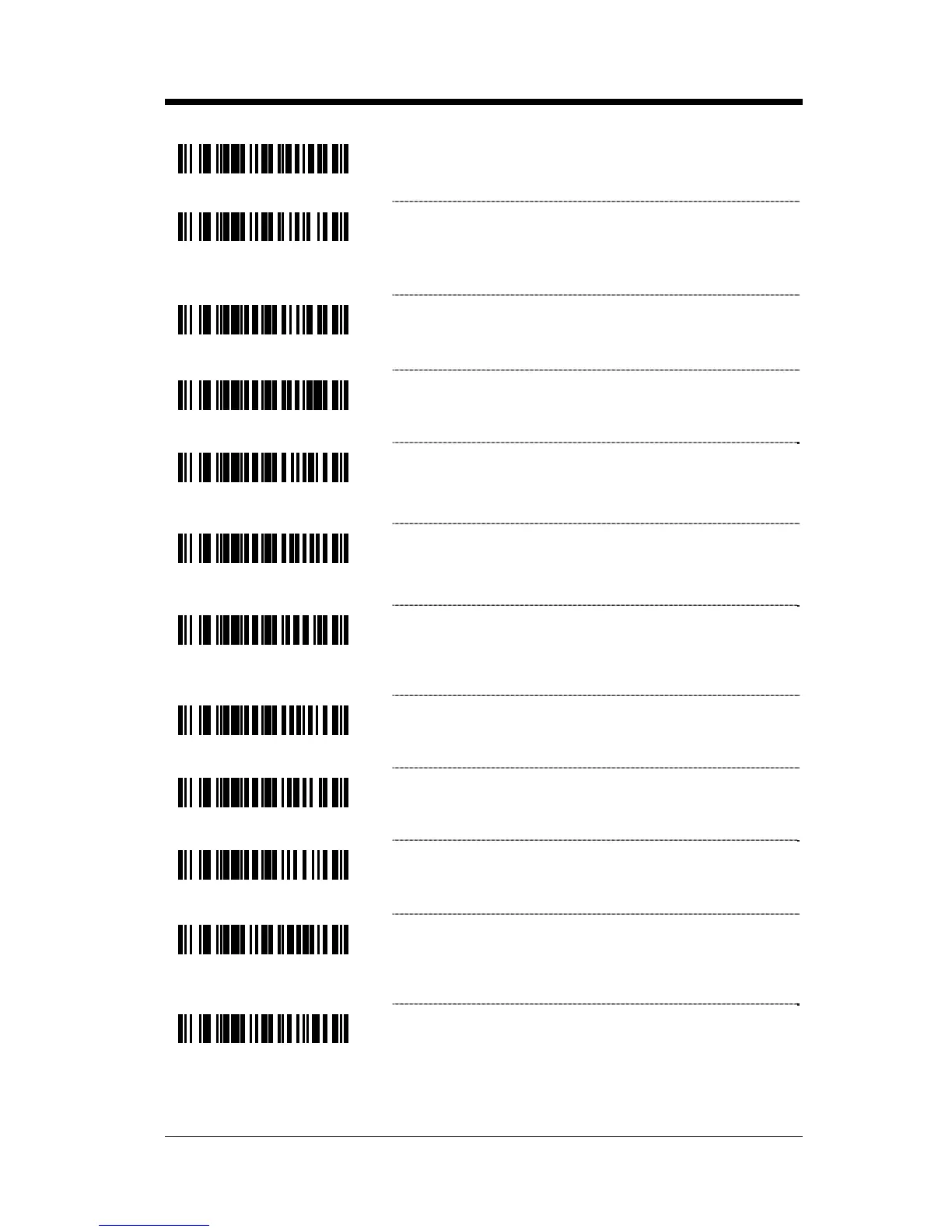
* Character RTS/CTS – Activates/Deactivates
RTS signal for each character.
³115805
Message RTS/CTS – Activates RTS before
sending the first character and leaves it active
until after the last character has been
transmitted.
³124510
Invert RTS Polarity (RSV1)
-12V = Active +12V = Inactive
³124500
* Standard RTS Polarity – Use standard RTS
polarity
-12V = Inactive +12V = Active
³124511
Invert CTS Polarity (RSV2)
-12V = Active, +12V = Inactive,
OK to send Do not send
³124501
* Standard CTS Polarity
-12V = Inactive, +12V = Active,
Do not send OK to send
³124512
Activate RTS, Do Not Wait for CTS (RSV3) –
Activate RTS for transmission but do not wait for
CTS to send.
³124502
* Activate RTS, Wait for CTS – Wait for CTS after
activating RTS.
³124513
Test CTS Not Present Before RTS (RSV4) – Do
not activate RTS if CTS is already present.
³124503
* Do Not Test for CTS Present Before RTS
³115817
Enable DTR Support – The scanner will stop
scanning when the Data Terminal Ready (DTR)
signal goes inactive.
³115807
* Disable DTR Support



 To Next Page