77
MDE-LEDI-1099V3.4
3.2.8. Temperature option
► Connect the temperature sensor on the both terminal marked : Probe T°C of the
terminal (no polarity).
► Temperature probe is provided with a 4 meters cable, this cable might be extended
(25 meters length maxi.)
☛ In case of an indoor temperature display, the sensor must be placed
between 1.5 to 2 meters from the ground and as far as possible from any
heat source.
☛ In case of an outdoor temperature display the sensor must be placed
under a ventilated shelter, to avoid the inuence of solar radiation.
☛ Beware greenhouse effects
☛ In case of a pool temperature display, the sensor must be placed below
the surface of water.
☛ In wireless version, the radio transmitter must be placed out of
the water. 1000m maximum distance of transmission (and depends of
environnement, see ANNEXE 1)
4. CONFIGURATION VIA THE CLOCK (BUTTONS)
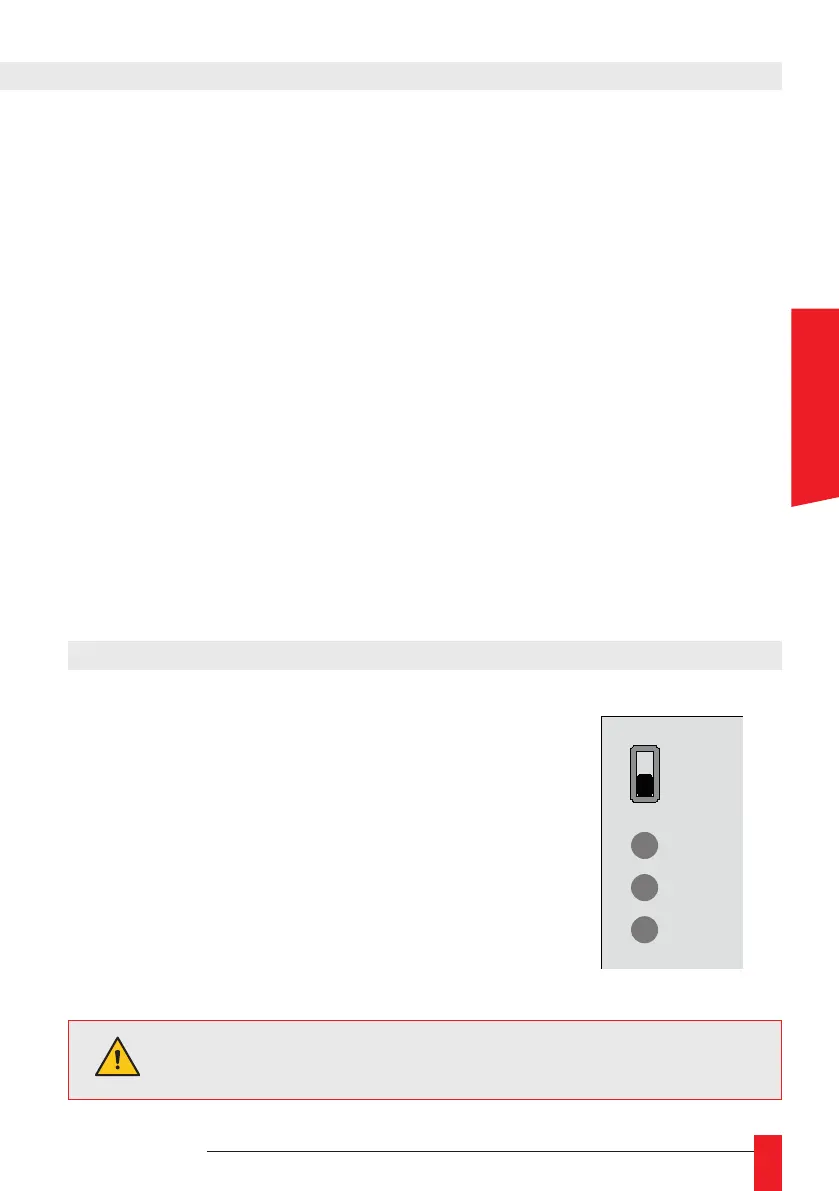
OFF
ON
-
+
PROG
You cannot make advanced settings from the timer.
► All settings are made using the 3 buttons ‘+’, ‘-’ and
‘PROG’ at the back of the product.
► You can scroll quickly by holding down the push-
buttons.
► To exit a menu, just hold down the ‘PROG’, button
► or leave the buttons inactive for more than 70 se-
conds.
► You can adjust the display brightness, without going
to the menu, by pressing the buttons ‘+’ and ‘-’.
ENGLISH



 To Next Page