88
MDE-LEDI-1099V3.4
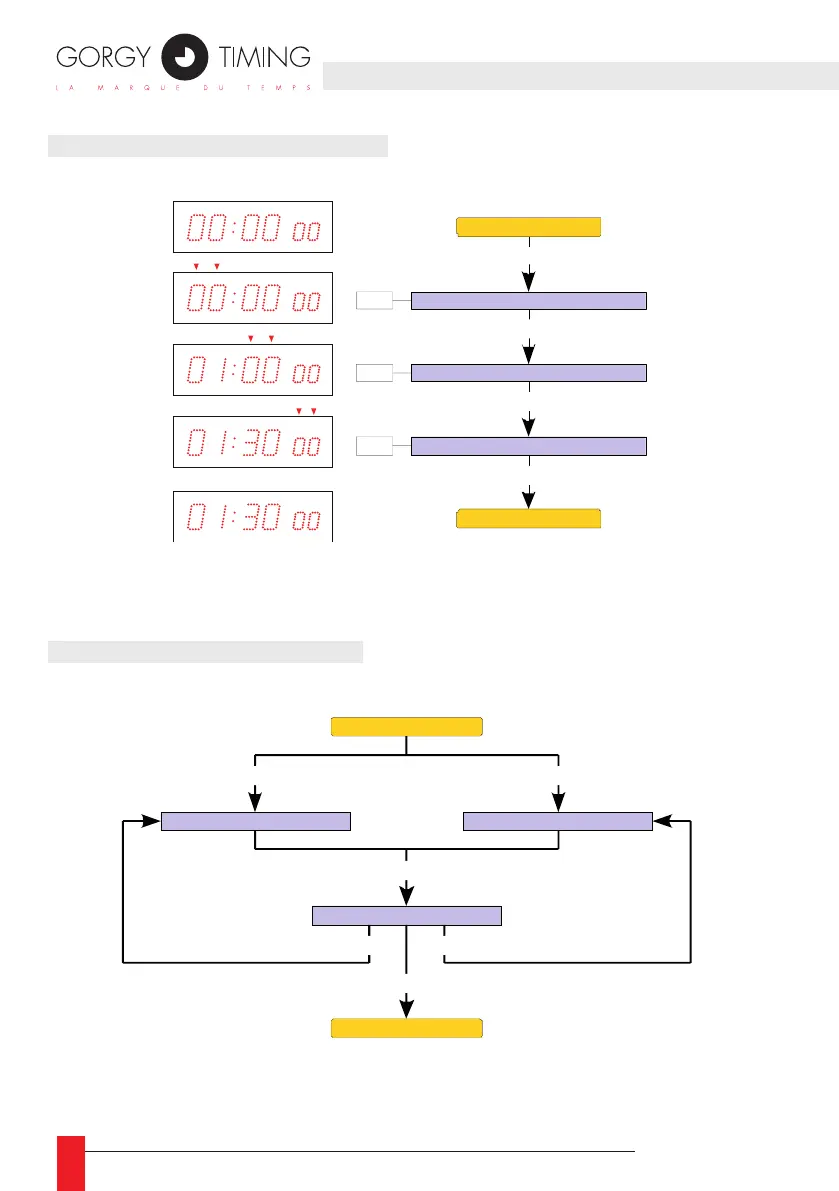
5.2. SETTING THE STOP CLOCK
☛ To reset the stop clock, simply set the hours, minutes and seconds
at zero.
5.3. USING THE STOP CLOCK
☛ In stop clock mode and after counting is completed, the display starts
ashing to show that counting has ended.
Stop clock hour setting
+ /
-
Prog
Stop clock minutes setting
+ /
-
Prog
Stop clock second setting
+ /
-
Prog
Prog
Stop clock display
Stop clock display
Stop clock display
Increment the counter
Decrement the counter
Stop the counter
Start -
Start +
Stop
Reset
Start -
Start +
Stop clock display



 To Next Page