91
MDE-LEDI-1099V3.4
6.1. MAIN PAGE
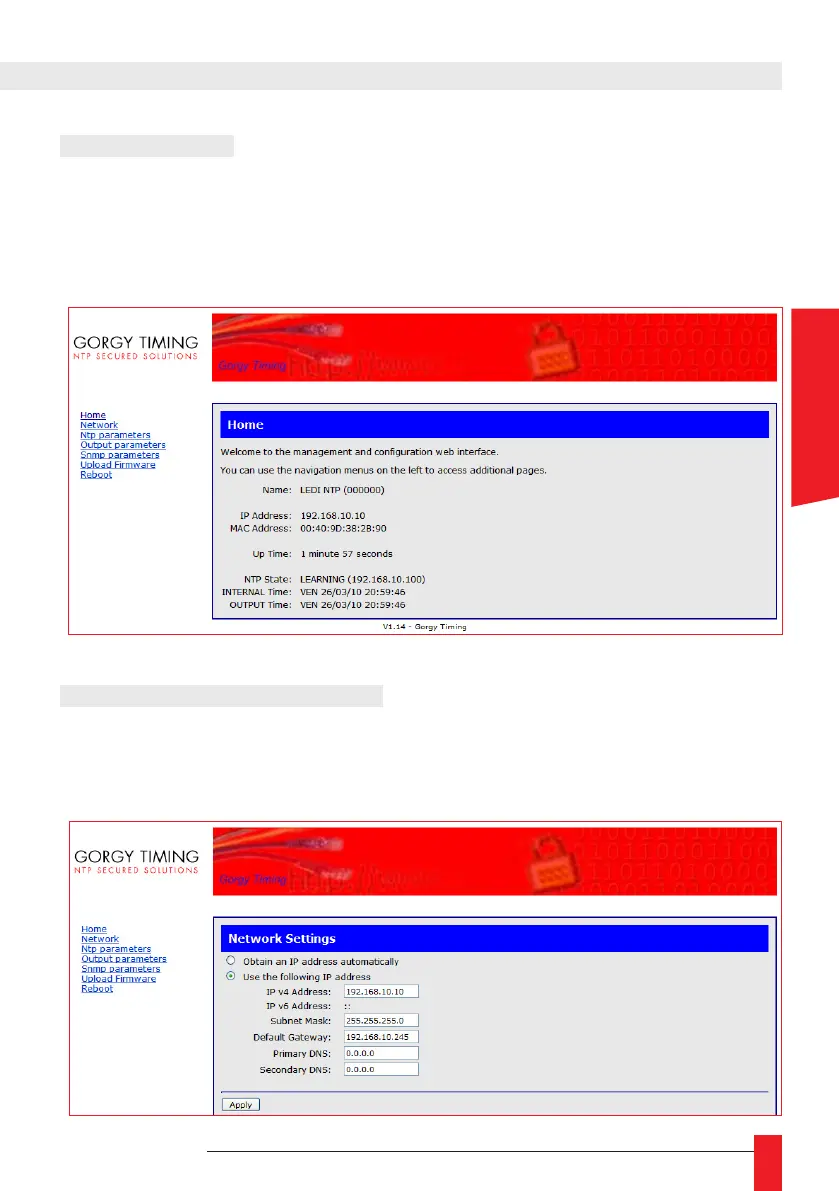
The main page contains information on status of the clock. You can view time of internal
clock, time of clock display, …
► You can navigate from page to page by using the menu on the left of web page.
6.2. NETWORK PARAMETERS
► This page allows to congure the network to which the clock is connected. The user can
choose an automatic conguration or manually assign an IP address, a subnet masque
and a default gateway.
ENGLISH



 To Next Page