95
MDE-LEDI-1099V3.4
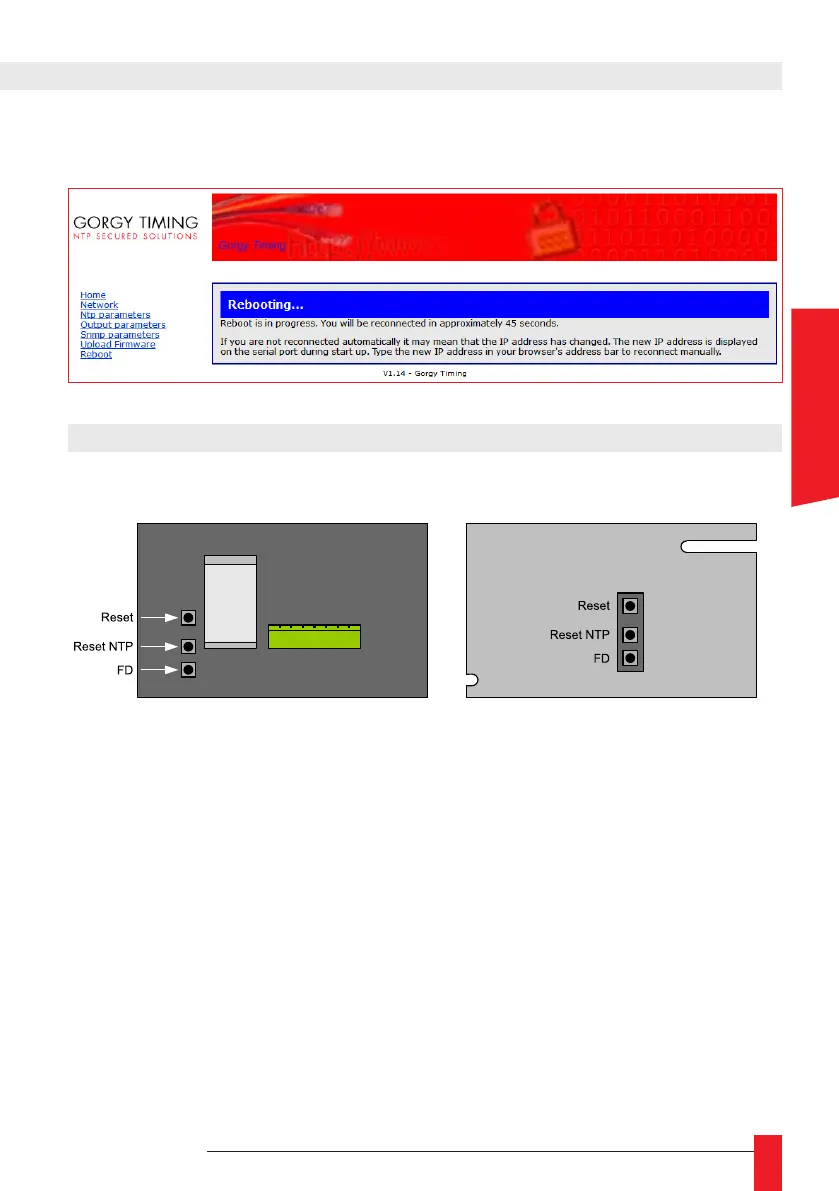
► When the user clicks on « Reboot » button, he may not have access to web interface
during about one minute.
7. REBOOT
Rear panel view from below
► Reset : press on « RESET » button located on rear panel of the clock. This operation
will keep all congurations done via web interface and some of the congurations via
clock itself.
► Reset NTP : press on « RESET NTP» button on rear panel of the clock. This operation
will activate reboot of web interface.
► FD (Factory Reset) : this operation will reset the clock to Factory Setting. All congu-
ration data stored will be erased.
► At rear panel of the clock, maintain the FD button pressed (Factory Default), then
press once on “RESET” button, FD button shall be kept pressed during 30 seconds.
LEDI Model: LEDI REVERSO Model :
ENGLISH



 To Next Page