STOP
RUN
AUX.
RESET
0
10
9
8
7
6
2
1
3
4
5
CF9
Component
Former
1
2
3
4
5
CF-9 User's Guide
09/30/92 GPD Global 7
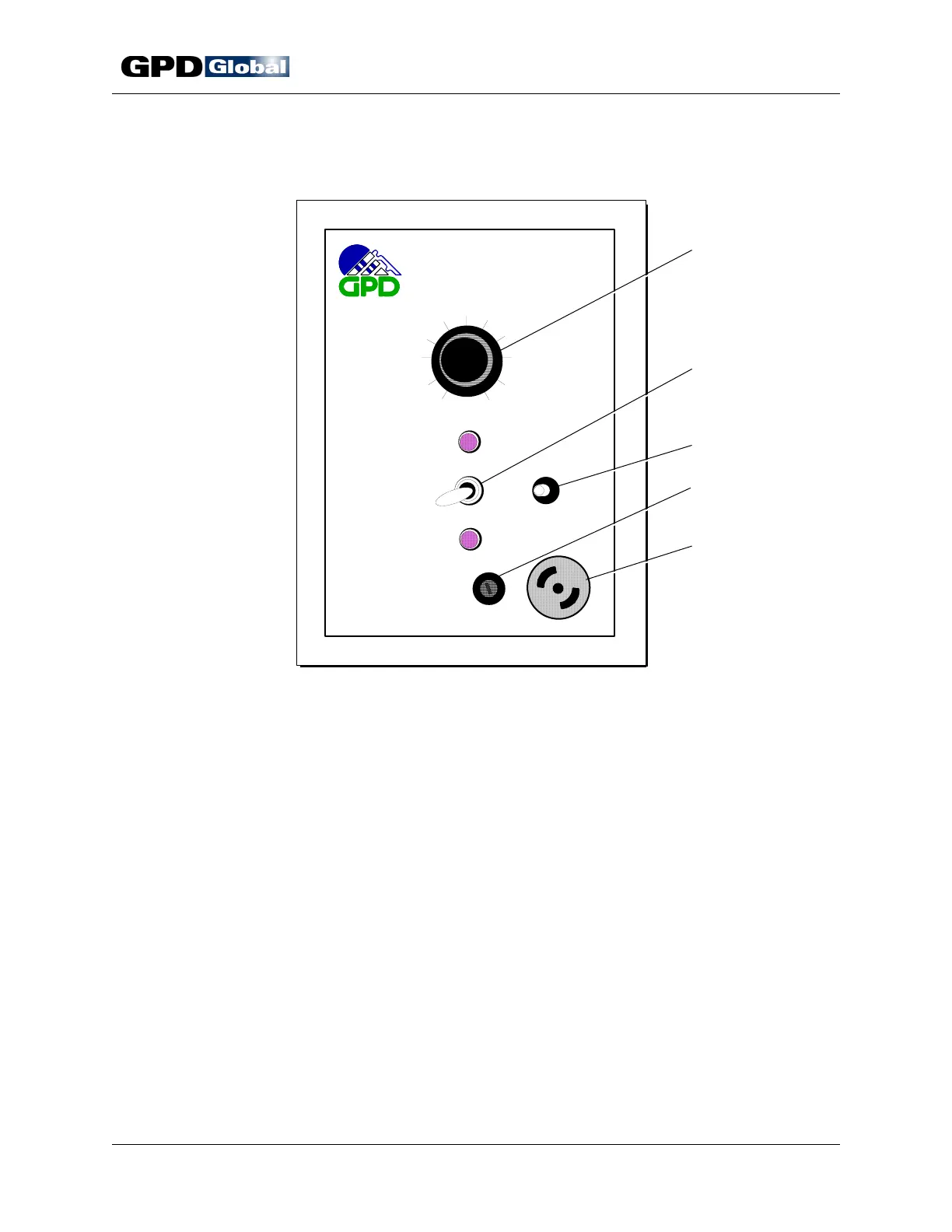
Figure 3 Control Panel
Control Panel
Item 1 Speed Control Item 4 Fuse
Item 2 Power Switch
(RUN, STOP, AUX)
Item 5 Accessory Outlet
Item 3 Reset Button
Speed Control
The speed control regulates both the variable speed motor and power supply and enables
the machine to operate in a range from 0 to 25,000 cycles per hour. The operator has full
freedom to select whatever speed is appropriate to the work being performed.
Reset Button
As a safety feature, power is not automatically restored by closing the safety shield. To
restore power, it is necessary to close the shield and then push the reset button. Normal
operation can then be resumed.



 To Next Page