EasyManua.ls Logo

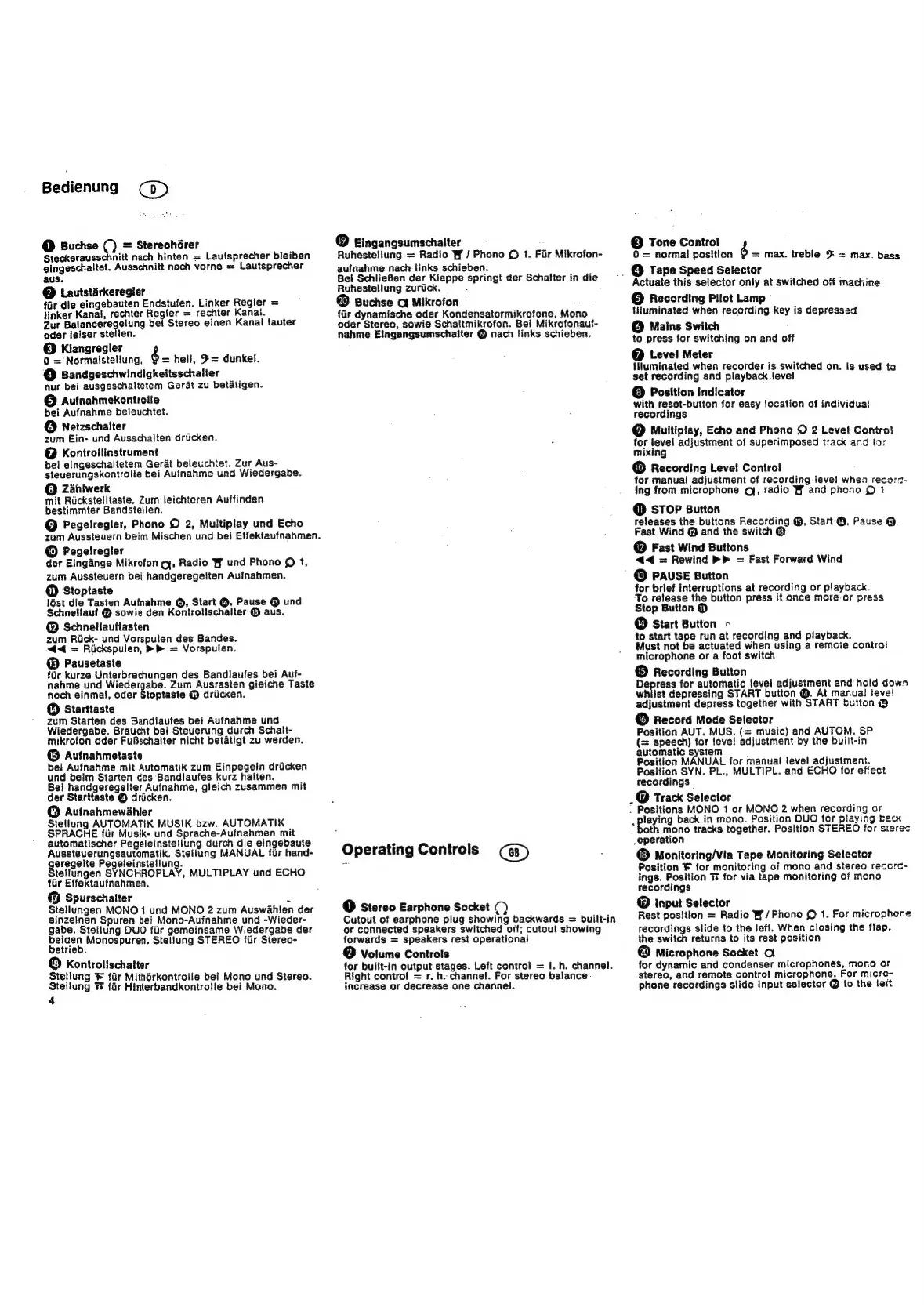
Grundig TK 847 - Operating Controls; Multiplay, Echo and Phono 2 Level Control; Recording Level Control; Recording Button

Grundig TK 847
42 pages
Print Icon
To Next Page IconTo Next Page
To Previous Page IconTo Previous Page
Loading...
Bedienung
a)
@
Buchse
Q
=
Stereohdrer
Steckerausschnitt
nach
hinten
=
Lautsprecher
bleiben
eingeschaltet.
Ausschnitt
nach
vorne
=
Lautsprecher
aus.
@
Lautstirkeregier
far
die
eingebauten
Endstufen.
Linker
Regier
=
linker
Kanal,
rechter
Regler
=
rechter
Kanai.
Zut
Balanceregelung
bei
Stereo
einen Kanal
fauter
oder
leiser
stelien.
@
Kiangregler
é
Q
=
Normaistellung,
=
hell,
#=
dunkel.
©
Bandgeschwindigkeitsschalter
nur
bei
ausgeschaltetem
Gerat
zu
betatigen.
©
Aufnahmekontrolle
bei
Aufnahme
beleuchtet.
@
Netzschalter
zum
Ein-
und
Ausschalten
driicken.
@
Kontrollinstrument
bei
eingeschaltetem
Gerat
beleuchiet.
Zur
Aus-
steuerungskontrolle
bei
Aufnahme
und
Wiedergabe.
©
Zaniwerk
mit
Rickstelltaste.
Zum
leichteren
Auffinden
bestimmter
Bandsteilen,
@
Pegelregler,
Phono
©
2,
Multiplay
und
Echo
zum
Aussteuern
beim
Mischen
und
bei
Effektaufnahmen.
@
Pegelregter
der
Eingange
Mikrofon
cy,
Radio
WY
und
Phono
©
1,
zum
Aussteuern
bei
handgeregeiten
Aufnahmen.
@
Stoptaste
Jést
die
Tasten
Aufnahme
@,
Start
@,
Pause
©
und
Schneliauf
@
sowie
den
Kontrolischalter
©
aus.
@
Schnellauftasten
zum
Rick-
und
Vorspulen
des
Bandes.
<4<
=
Riickspulen,
>
=
Vorspulen.
®
Pausetaste
fir
kurze
Unterbrechungen
des
Bandlaufes
bei
Auf-
nahme
und
Poe
tees
Zum
Ausrasten
gieiche
Taste
noch
einmal,
oder
Stoptaste
@
drilcken.
©
Starttaste
zum
Starten
des
Bandlaufes
bei
Aufnahme
und
Wiedergabe.
Braucht
bei
Steuerung
durch
Schalt-
mikrofon
oder
FuBschalter
nicht
betatigt
zu
werden.
©
Aufnahmetaste
bei
Aufnahme
mit
Automatik
zum
Einpegein
dricken
und
beim
Starten
ces
Bandlaufes
kurz
halten.
Bel
handgeregelter
Aufnahme,
gleich
zusammen
mit
der
Starttaste
©
dricken.
@
Aufnahmewdhler
Stellung
AUTOMATIK
MUSIK
bzw.
AUTOMATIK
SPRACHE
fiir
Musik-
und
Sprache-Aufnahmen
mit
automatischer
Pegeleinstetlung
durch
die
eingebaute
Aussteuerungsautomatik.
Stellung
MANUAL
fur
hand-
aieere
Pegeleinstellung.
tellungen
SYNCHROPLAY,
MULTIPLAY
und
ECHO
far
Effektaufnahmen.
«3
Spurschaiter
=
Stellungen
MONO
1
und
MONO
2
zum
Auswahlen
der
ginzelnen
Spuren
bei
Mono-Auinahme
und
-Wieder-
gabe.
Stellung
DUO
fiir
gemeinsame
Wiedergabe
der
poner
Monospuren.
Stellung
STEREO
fur
Stereo-
etrieb.
©
Kontrolischatter
Stellung
®
fir
Mithérkontrolle
bei
Mono
und
Stereo.
Steitung
TF
fir
Hinterbandkontrolle
bei
Mono.
4
©
Eingangsumschalter
Ruhestellung
=
Radio
Wf
/
Phono
©
1.
Fur
Mikrofon-
aufnahme
nach
links
schieben.
Bei
SchlieBen
der
Kiappe
springt
der
Schatter
in
die
Ruhestellung
zurick.
:
@
Buchse
O
Mikrofon
far
dynamische
oder
Kondensatormikrofone,
Mono
oder
Stereo,
sowie
Schaltmikrofon.
Bei
Mikrofonauf-
nahme
Eingangsumschalter
@
nach
iinks
schieben.
Operating
Controls
@
Stereo
Earphone
Socket
Q)
Cutout
of
earphone
plug
showing
backwards
=
built-in
or
connected
speakers
switched
off;
cutout
showing
forwards
=
speakers
rest
operational
@
Votume
Controls
for
built-in
output
stages.
Left
control
=
I.
h.
channel.
Right
control
=
r.
h.
channel.
For
stereo
balance
increase
or
decrease
one
channel.
©
Tone
Control
0
=
normal
position
=
max.
treble
¥
=
max.
bass
_
@
Tape
Speed
Selector
Actuate
this
selector
only
at
switched
off
machine
©
Recording
Pilot
Lamp"
{Huminated
when
recording
key
is
depressed
©
Mains
Switch
to
press
for
switching
on
and
off
@
Level
Meter
illuminated
when
recorder
is
switched
on.
is
used
to
set
recording
and
playback
level
@
Position
Indicator
with
reset-button
for
easy
location
of
individual
recordings
©
Multiptay,
Echo
and
Phono
©
2
Level
Contro}
for
level
adjustment
of
superimposed
track
and
for
mixing
@
Recording
Level!
Control
for
manual
adjustment
of
recording
Jeve!l
whea
record-
ing
from
microphone
qj,
radio
Wf
and
phono
©
1
©
STOP
Button
releases
the
buttons
Recording
@,
Start
@,
Pause
@.
Fast
Wind
@
and
the
switch
@
@
Fast
Wind
Buttons
<<
=
Rewind
=
Fast
Forward
Wind
©
PAUSE
Button
for
brief
interruptions
at
recording
or
playback.
To
release
the
button
press
it
once more
or
press
Stop
Button
@
©
Start
Button
-
to
start
tape
run
at
recording
and
playback.
Must
not
be
actuated
when
using
a
remcte
control
microphone
or
a
foot
switch
©
Recording
Button
pee
for
automatic
level
adjustment
and
hold
down
whilst
depressing
START
button
@.
At
manual
leve!
adjustment
depress
together
with
START
button
@
©
Record
Mode
Selector
Position
AUT.
MUS,
(=
music)
and
AUTOM.
SP
(=
speech)
for
leve!
adjustment
by
the
built-in
automatic
system
.
Position
MANUAL
for
manual
level
adjustment.
Position
SYN.
PL.,
MULTIPL.
and
ECHO
for
effect
recordings
_@
Track
Selector
.
Positions
MONO
1
or
MONO
2
when
recording
or
.
Playing
back
in
mono.
Position
OUO
for
playing
back
poth
mono
tracks
together.
Position
STEREO
for
sterec
_operation
©
Monitoring/Via
Tape
Monitoring
Selector
Position
for
monitoring
of
mono
and
stereo
recorc-
ings.
Position
T
for
via
tape
monitoring
of
mono
recordings
©
input
Selector
Rest
position
=
Radio
W/Phono
©
1.
For
microphone
recordings
slide
to
the
left.
When
closing
the
flap.
the
switch
returns
to
its
rest
position
@
Microphone
Socket
O
for
dynamic
and
condenser
microphones,
mono
or
stereo,
and
remote
contro!
microphone.
For
micro-
phone
recordings.
slide
Input
selector
@
to
the
ler

Related product manuals