User Manual 9065/9065plus
MAN10772-00 101
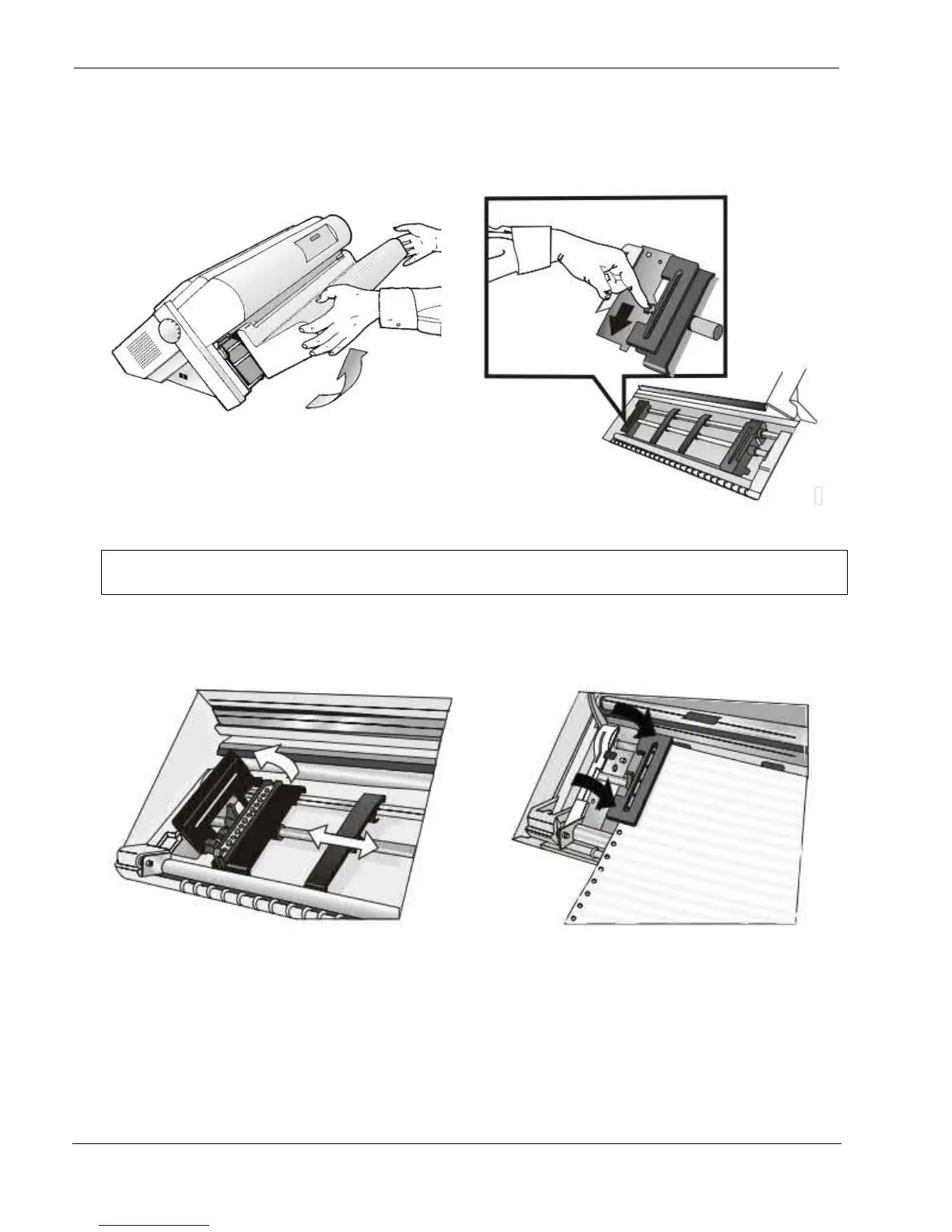
1. Open the Push tractors cover turning it upwards
and lay it on the top of the printer
2. Unlock the sprockets of the Front1 tractor moving
the sprocket levers down. Slide the left sprocket to
the first printing column.
Note: in some version the sprocket levers work in opposite way instead of the same way as
the indicated in the figures
3. Space the paper guides along the tractor bar.
Open the left and right sprocket covers.
4. Hold the fanfold paper in front of the sprockets
and insert the paper perforation on the left
sprocket pins and close the left sprocket cover



 To Next Page