User Manual 9065/9065plus
MAN10772-00 102
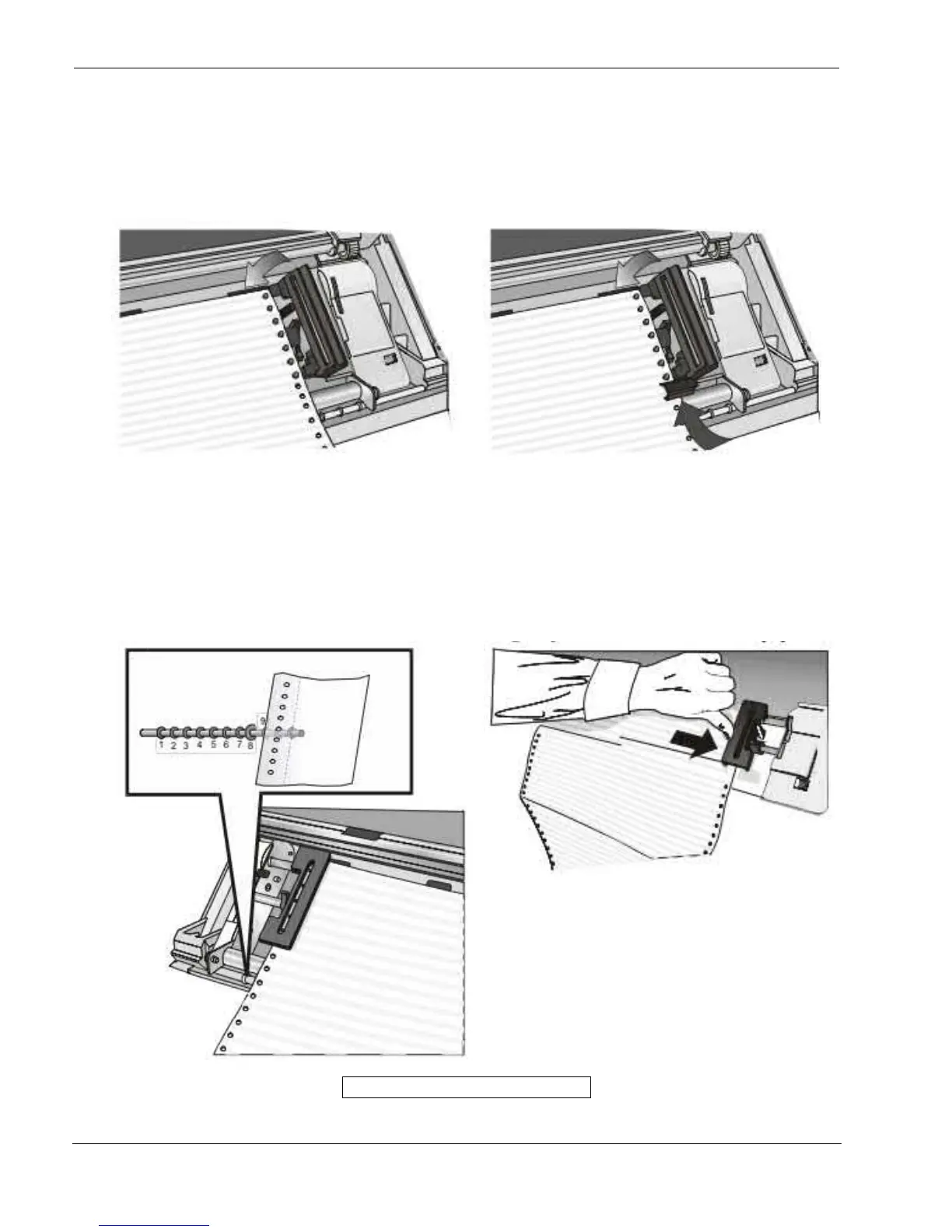
5. Insert the paper on the right sprocket pins and
close the right sprocket cover
6. If you are using the 6 pin Front1 Push tractor
option, make sure the paper goes under the paper
sensor, and close the right sprocket cover.
7. Match the left sprocket for the first printing
position, i.e. the left paper margin must match the
ninth mark on the printer cabinet
Note: Aligning the left-hand edge of the paper past
the 22nd spacer on the printer cabinet will cause the
paper to be misaligned with the Paper Load Sensor
resulting in a LOAD FORM' error.
8. Adjust the right sprocket gently to remove slack
from the paper
Make sure the paper is not taut



 To Next Page