User Manual 9065/9065plus
MAN10772-00 13
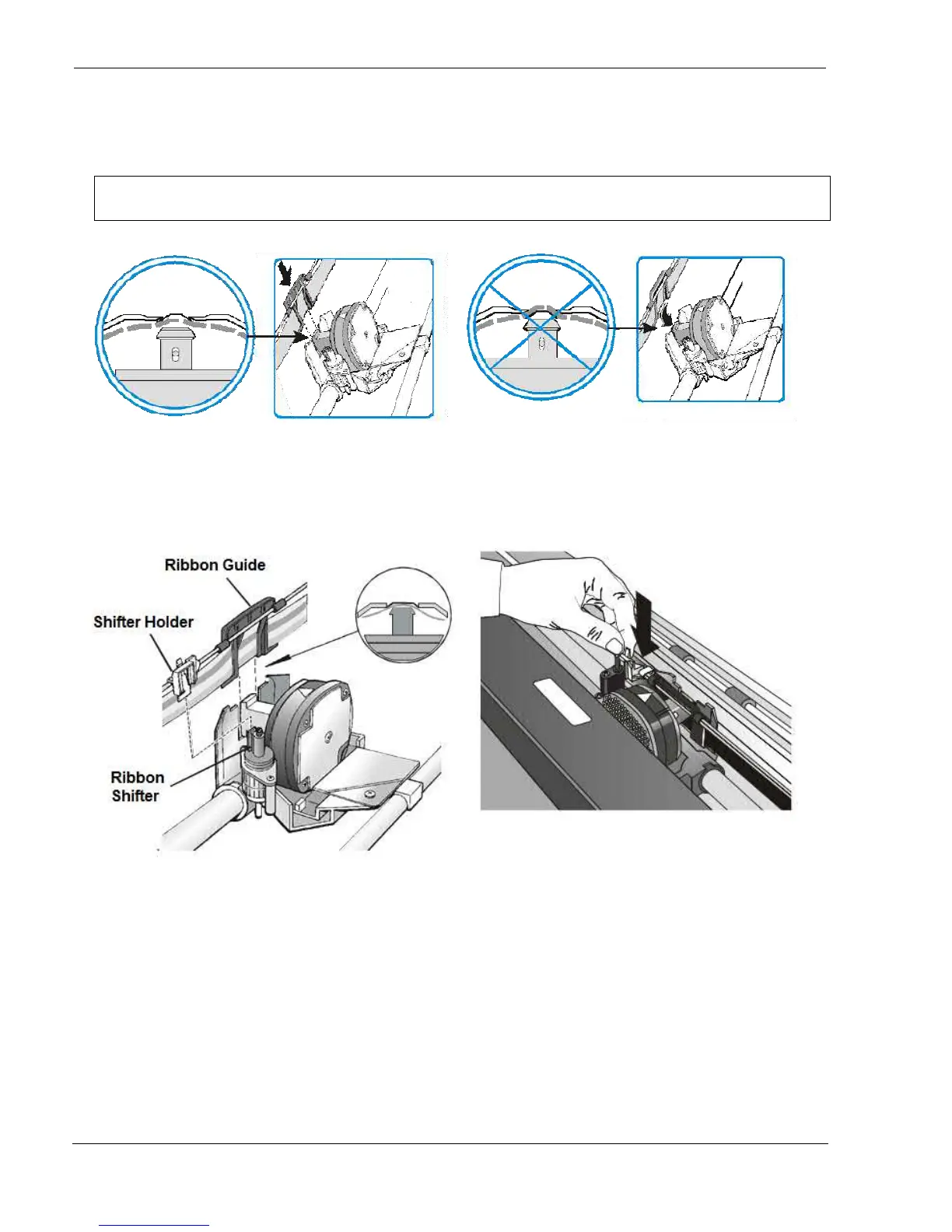
Slide and insert the ribbon guide between the print head and the ribbon guide mask holding it perpendicular to the print
head.
Make sure that the ribbon is inserted correctly between the print head and the print head
mask.
OK NO
8. If the shifter kit option is installed on your printer,
insert the shifter holder onto the ribbon shifter as
shown in this figure.
9. Insert the shifter holder onto the ribbon shifter as
shown in the following figure.
10. Turn the ribbon-winding knob in the arrow direction (located on the cartridge) to take up slack in the
ribbon.



 To Next Page