User Manual 9065/9065plus
MAN10772-00 49
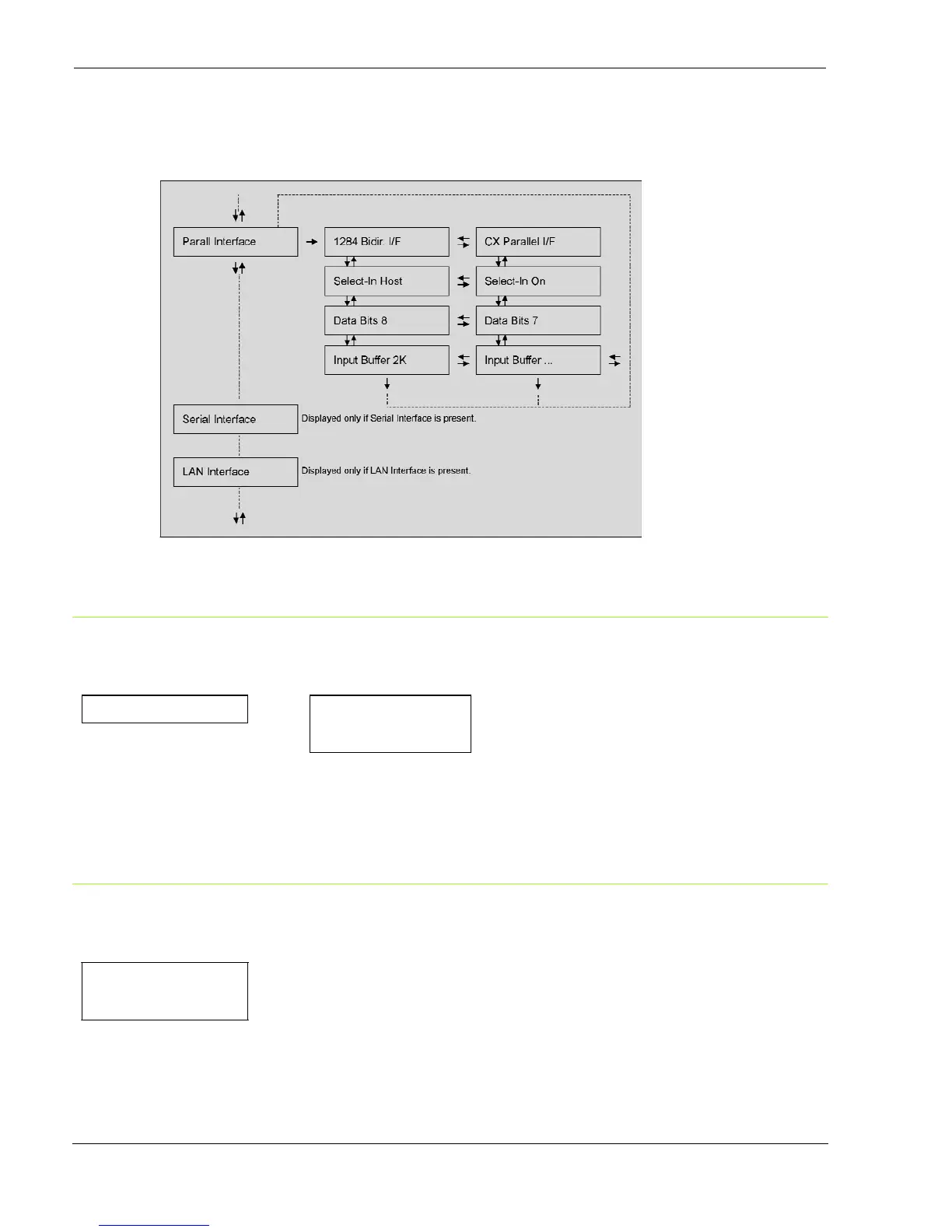
Parallel Interface
This
setup
defines
the
use
of
the
parallel
interface
and
is
structured
according
to
the
interface
specific parameters.
Setting the Parallel Interface Parameters
Interface Type
INTERFACE PARALL INTERFACE
↑
↑
PARALL INTERFACE
→
1284 BIDIR. I/F
→
or
↓
CX. PARALLEL I/F
→
or
SERIAL INTERFACE
↓
SELECT-IN HOST
1284
BIDIR.
I/F
Bidirectional IEEE 1284 parallel interface.
CX.
PARALLEL
I/F
Centronics type parallel interface (mono-directional).
Setting the Select-In Signal
1284 BIDIR . I/F
↑
SELECT-IN HOST
→
or
←
SELECT-IN ON
→
or
←
↓
DATA BITS 8
SELECT-IN
HOST
The printer checks the SELECT-IN signal coming from the host.
SELECT-IN
ON
The SELECT-IN signal of the parallel interface is ignored and treated always as ON.



 To Next Page