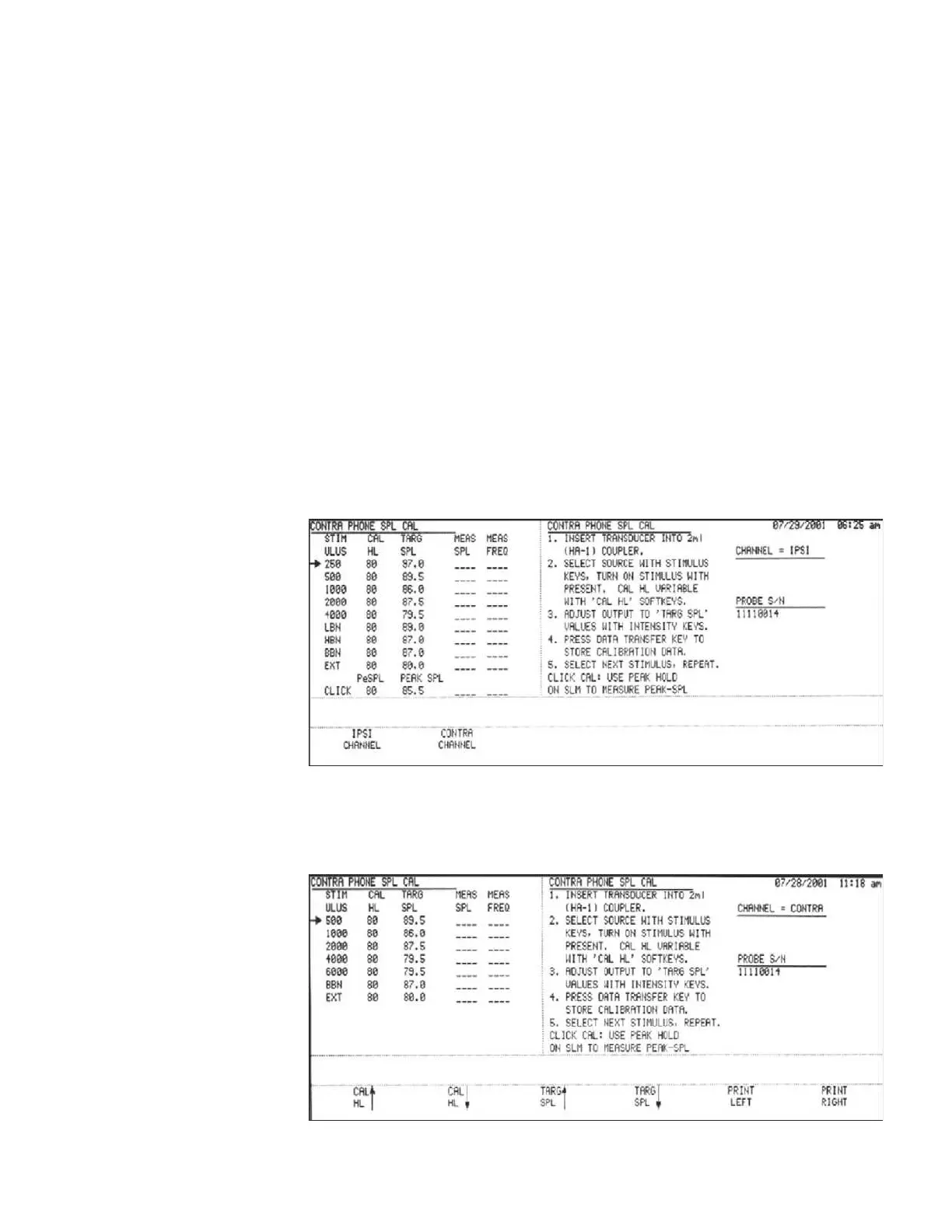
Calibration
Step 3
Adjust the overall calibration output level if necessary by pressing the Cal HL up/
down softkeys. The level can be adjusted up or down in 5.0dB increments.
Step 4 (Custom Mode only)
When a custom transducer is being calibrated as discussed earlier in Custom Trans-
ducers, the TARG SPL softkeys will be active.
Adjust the target SPL requirement for each frequency by pressing the TARG
SPL up/down softkeys. The level can be adjusted up or down in 0.5dB increments.
The final values must be within 10dB of the GSI defaults.
Step 5
Follow the instructions on the screen until all stimulus calibrations are complete.
Step 6
Press the RETURN hardkey to display the IPSI CHANNEL/CONTRA CHAN-
NEL softkeys.
Contra Channel Step 7
Press the CONTRA CHANNEL softkey. The CONTRA PHONE SPL CAL –
CONTRA CHANNEL screen will be displayed.
Step 8
GSI TympStar Version 1 and Version 2 Service Manual 4 - 57



 To Next Page