Chapter 3
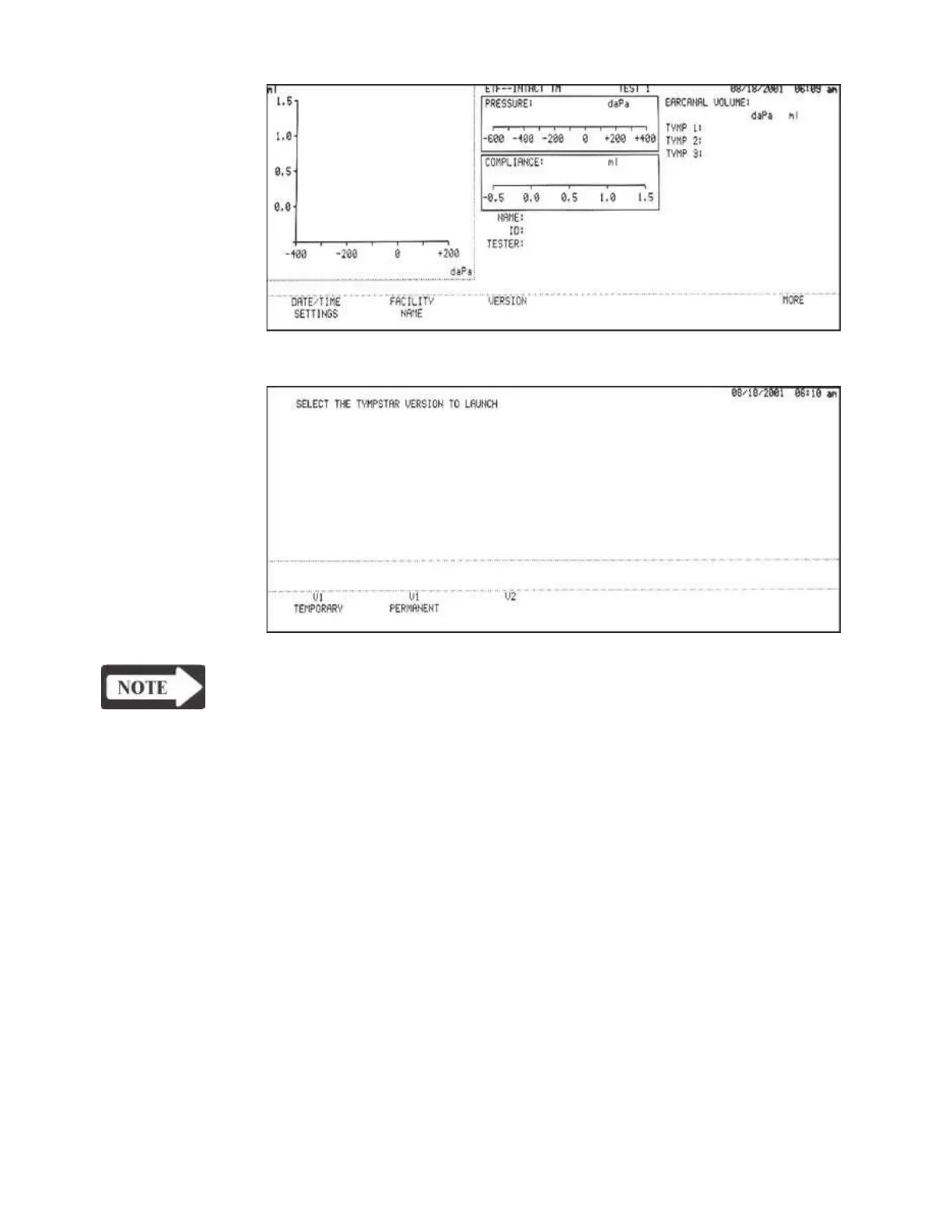
3) Press the VERSION softkey to display the Version Menu.
NOTE
To return to the Instrument Options menu with no version switching action
taken, press the RETURN hardkey from the Version menu.
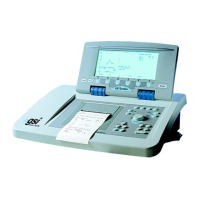
Obtaining a License 4) Press the V2 softkey. The following messages will appear:
Code YOU MUST OBTAIN A LICENSE KEY TO LAUNCH V2 TYMPSTAR
CONTACT YOUR GSI REPRESENTATIVE WITH THE FOLLOWING
CODE:
0A2B3C4E5D (example of lock code)
YOUR GSI REPRESENTATIVE WILL PROVIDE YOU WITH A LICENSE
KEY CODE.
ENTER THE LICENSE KEY CODE HERE:
THEN PRESS THE DATATRANSFER KEY
5) Press the PRINT hardkey to print out the lock code. Contact your GSI repre-
sentative with the lock code. If a V2 upgrade is purchased, you will be pro-
vided with a license key code and V2 probe. Once you have received the V2
Grason-Stadler


 To Next Page