Operation Summary
2) Press theYES softkey to switch the TympStar to a V1 instrument permanently.
The message: SWITCHING TO A V1 INSTRUMENT. WAITING FOR
WARM START will appear. The system will then reboot and reinitialize as a
TympStar Version 1.
Changing from a The Version function provides an easy way for a TympStar Version 1 to be
Version 1 to a upgraded to a Version 2 instrument. Version 2 functionality provides ex-
Version 2 panded testing capability and includes 678 and 1000 Hz probe tones, multi-
frequency tympanometry and ARLT testing. A license code must be obtained
from Grason-Stadler to upgrade a TympStar Version 1 to a Version 2.
To change from a TympStar Version 1 to a Version 2:
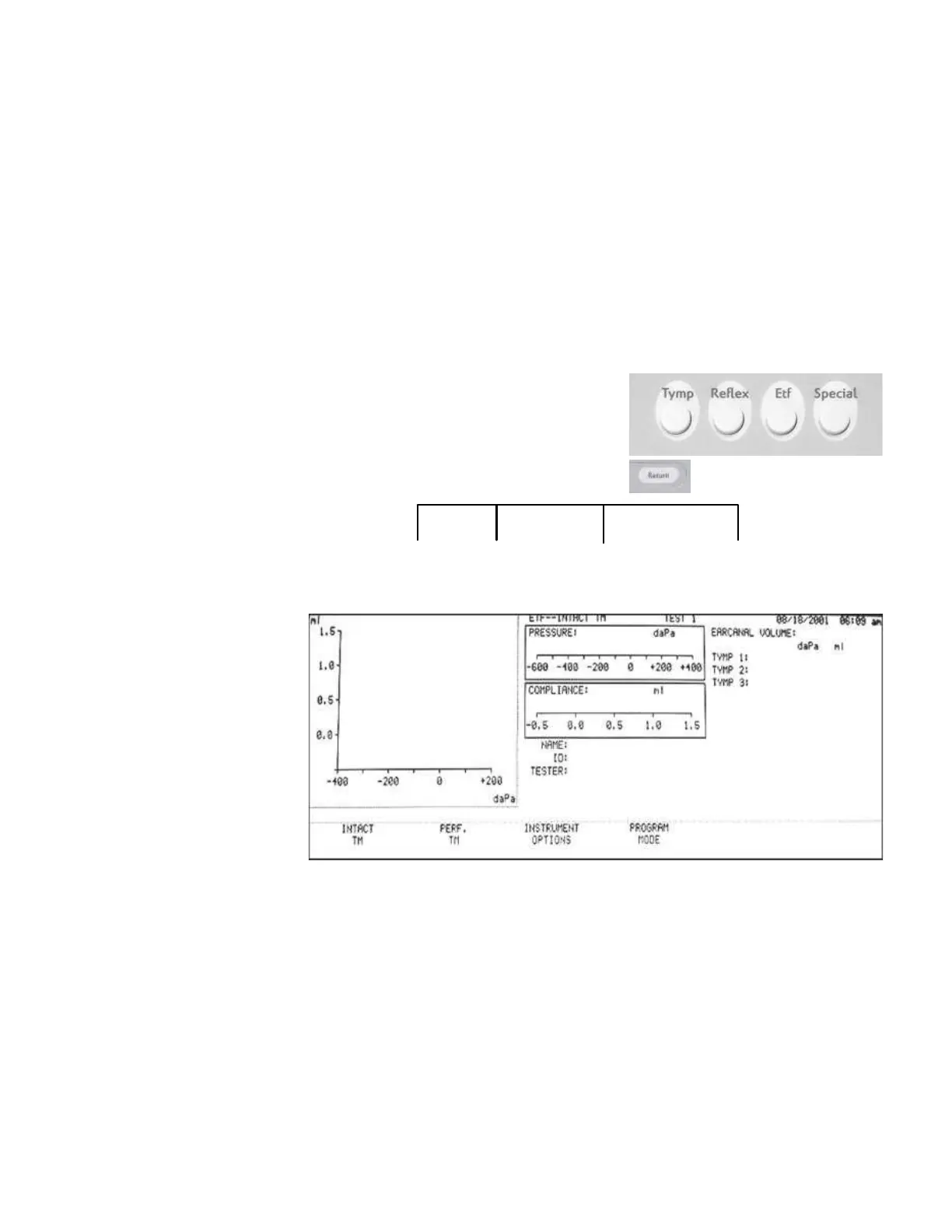
1) Press the ETF hardkey to select the
ETF test mode, then press the RETURN
hardkey to display the ETF sub-menu.
2) Press the INSTRUMENT OPTIONS
INTACT PERF INSTRUMENT PROGRAM
TM TM OPTIONS
MODE
softkey, then the MORE softkey to display the VERSION softkey selection.
GSI TympStar Version 1 and Version 2 Service Manual
3 - 13



 To Next Page