Calibration
MISC
.
DIAG
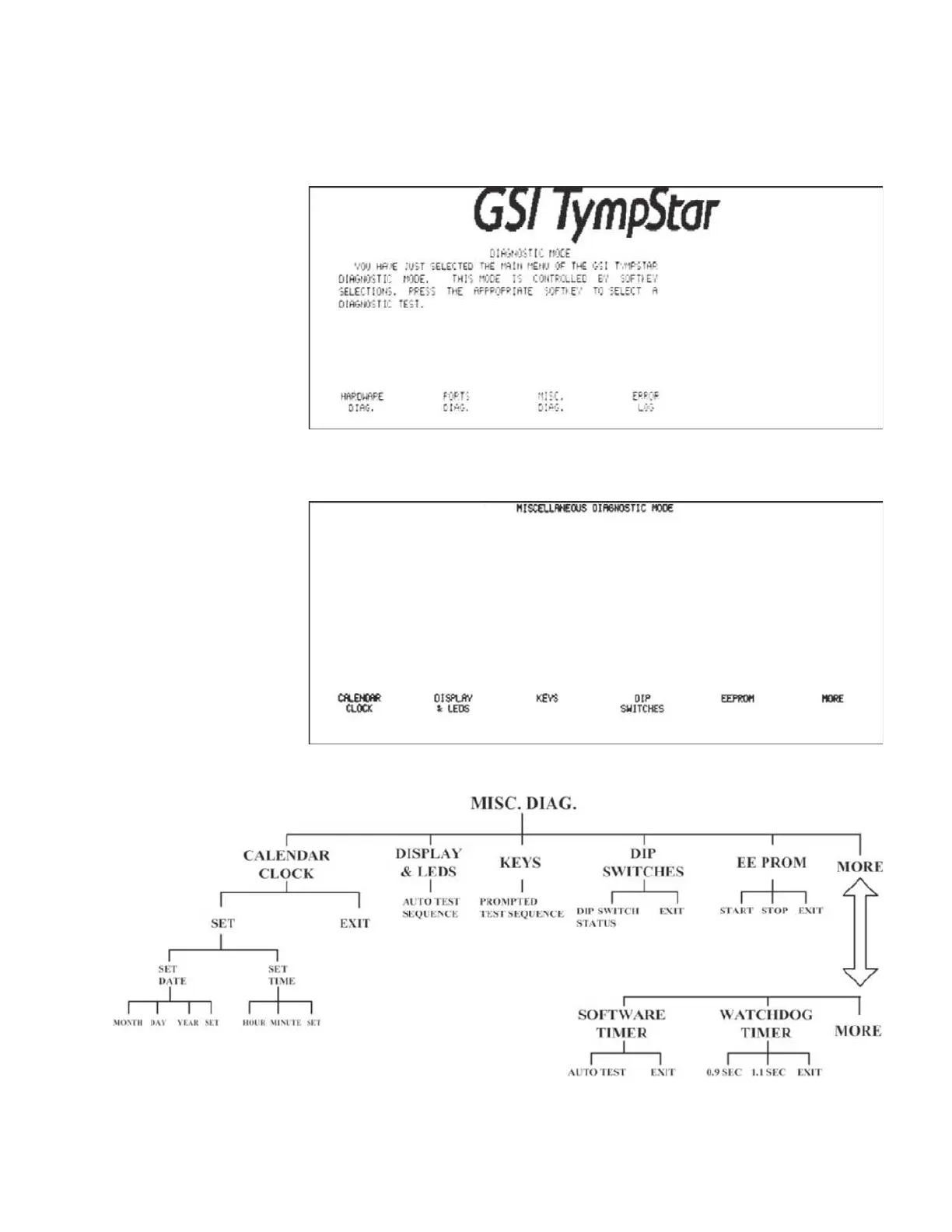
The miscellaneous diagnostics provide test functions for the display, probe LEDs,
panel hardkeys and softkeys, DIPswitches, system EEPROM, software timer, and
watchdog timer. The system calendar and clock can also be set from the MISC.
DIAG menu.
Pressing the MISC.
DIAG softkey displays the Miscellaneous Diagnostic Mode
screen.
The MISC. DIAG menu is displayed above the softkeys at the bottom of the LCD.
GSI TympStar Version 1 and Version 2 Service Manual 4 - 17



 To Next Page