Chapter 4
Step 1
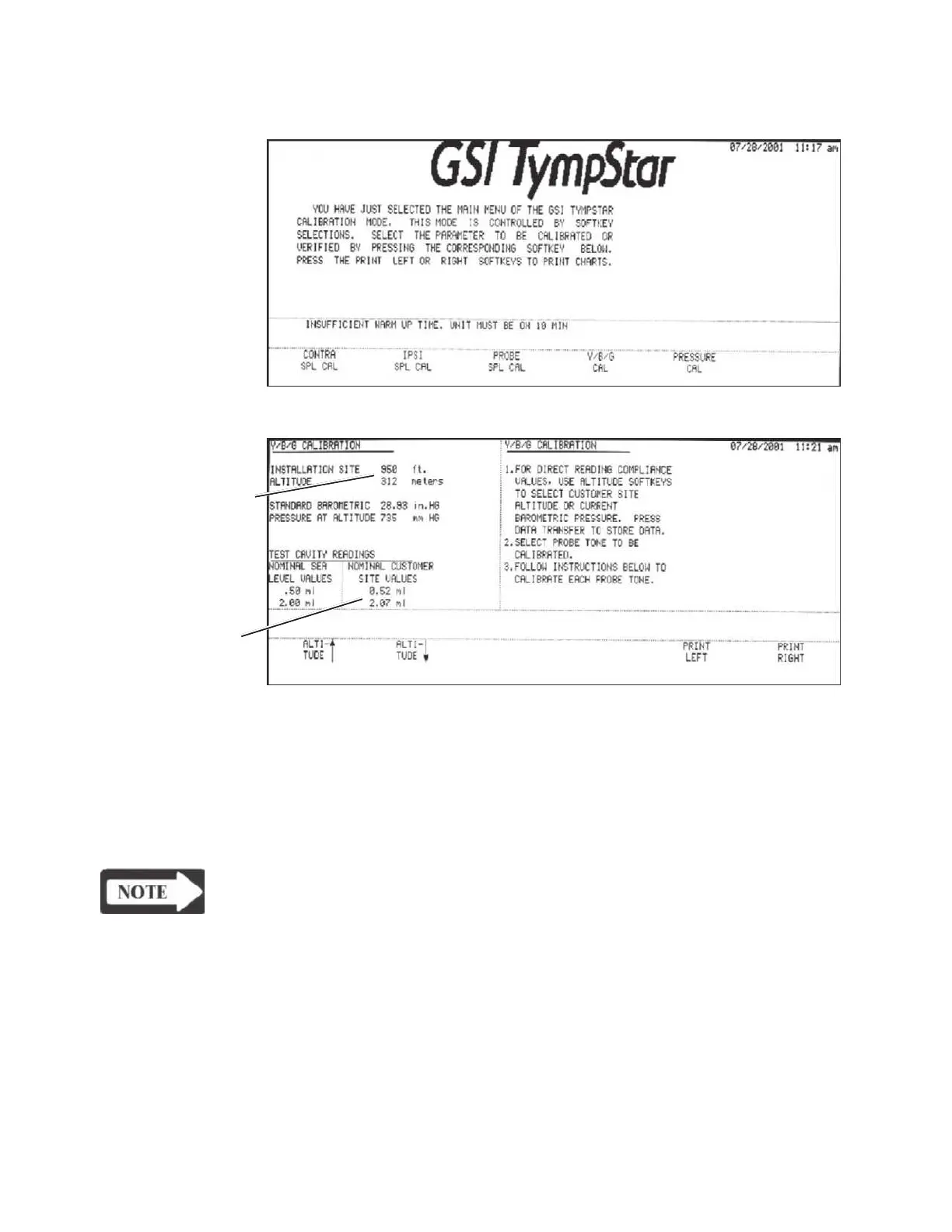
Press the Y/B/G CAL softkey.
The Y/B/G CALIBRATION screen will be displayed.
Altitude calibration is accomplished as an integral part of the Y/B/G Cal function.
Step 2
Verify that the altitude (elevation) displayed on the screen is correct for your site. If
it is not, increase or decrease the value using theALTITUDE up/down arrows. The
altitude can be increased or decreased in 50 foot (16 meter) increments.
NOTE
You will not be allowed to return to the Main Calibration menu without Y/B/
G calibration if the altitude was changed.
Grason-Stadler



 To Next Page