12
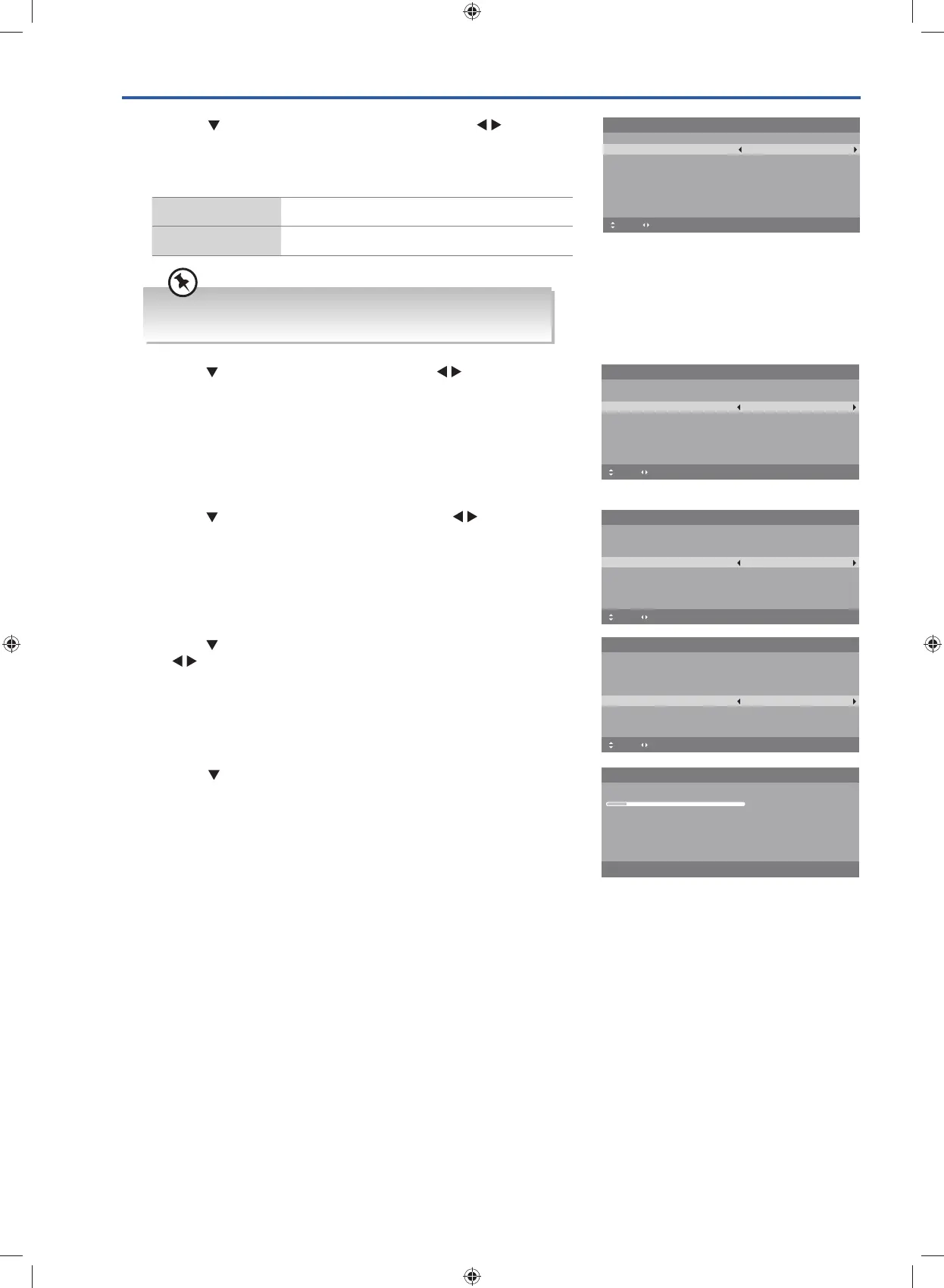
7. Press the button to select Start and then press the OK button.
Channel tuning will commence. This operation may take up to few
minutes. The display will show the progress of the tuning and the
number of channels found.
8. If you select DTV + ATV and you want to skip the DTV tuning during
scanning, press the MENU button to interrupt the tuning half way.
9. After tuning is complete, the channels are arranged in a preset
order. If you wish to skip channels, modify the preset order or
rename channels, select Channel Edit under the Channel menu
(refer to page 29-31 for details).
6. Press the
button to select LCN (Logical Channel Number). Press
the
buttons to select On / Off.
5. Press the
button to select Auto Scan. Press the buttons to
select DTV / ATV / DTV + ATV.
4. Press the
button to select Country. Press the buttons to
select the country option.
First Time Setup
OSD Language English
Mode Setting Home Mode
Country Australia
Auto Scan DTV
LCN
Move Adjust MENU: Return EXIT: Exit
On
Start
Please connect your aerial, change any settings you wish and select Start then
press OK to start tuning.
First Time Setup
OSD Language English
Mode Setting Home Mode
Country Australia
Auto Scan DTV
LCN
Move Adjust MENU: Return EXIT: Exit
On
Start
Please connect your aerial, change any settings you wish and select Start then
press OK to start tuning.
First Time Setup
OSD Language English
Mode Setting Home Mode
Country Australia
Auto Scan DTV
LCN
Move Adjust MENU: Return EXIT: Exit
On
Start
Please connect your aerial, change any settings you wish and select Start then
press OK to start tuning.
Auto Scan
Scanning CH22
Digital Channels Found:
DTV :0 Radio :0 Data :0
MENU: Stop EXIT: Exit
3. Press the button to select Mode Setting. Press the buttons
to select your desired mode. If select Store Mode, a pop-up menu
will be display. Press the OK button to confirm or press any button
to cancel and return to the Mode Setting menu.
Home Mode Intended for use in home environment.
Shop Mode Intended for use in retail environment.
First Time Setup
OSD Language English
Mode Setting Home Mode
Country Australia
Auto Scan DTV
LCN
Move Adjust MENU: Return EXIT: Exit
On
Start
Please connect your aerial, change any settings you wish and select Start then
press OK to start tuning.
For the best picture quality in your home environment, we
recommend setting the TV to Home Mode.
G24HTC16_IB_160630-V2_Annie.indd 12 30/6/16 下午6:05



 To Next Page