28
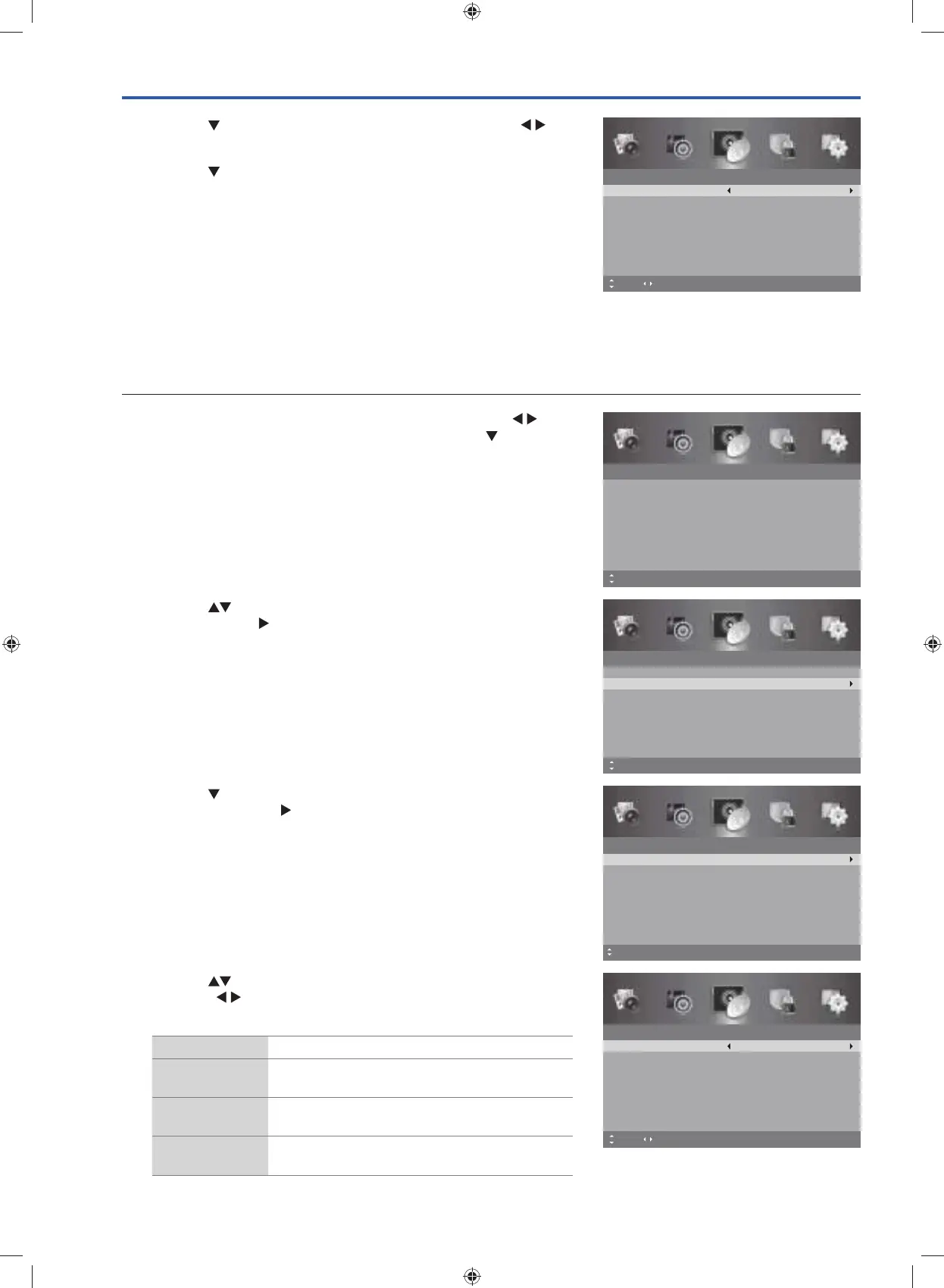
3. Press the button to select Analogue Manual Scan and then
the OK button or the
button to enter the Analogue Manual
Scan menu.
Manual Scan
Analogue Manual Scan
Move MENU: Return EXIT: ExitOK: Select
4. Press the button to select Digital Scan and then press the
buttons to selects the desired channel number.
5. Press the
button to select Start and then press the OK button to
commence the search of that channel. When the signal has been
tuned, the frequency and strength will be displayed on the screen.
6. Press the MENU button to return to the previous menu, press again
to return to the main menu.
7. Press the EXIT button to exit the menu.
ATV Manual Scan (ATV Mode)
Allows you to make manual fine tuning adjustments if the channel reception is poor under ATV mode.
1. Press the MENU button to display the main menu. Press the
buttons to select the Channel menu and then press the
button or
the OK button.
Digital Manual Scan
Digital Scan
Start
Frequency
Strength
CH 8
191.50 MHz
0
MENU: Return0~9: Input EXIT: ExitMove Adjust
Channel
Auto Scan
Manual Scan
Auto Channel Update
Channel Edit
Favourite Manager
Signal Information
On
MENU: Return EXIT: ExitMove
Channel
Auto Scan
Manual Scan
Auto Channel Update
Channel Edit
Favourite Manager
Signal Information
On
MENU: Return EXIT: ExitMove OK: Select
2. Press the buttons to select Manual Scan and then press the
OK button or the
button to enter the Manual Scan menu.
4. Press the buttons to select the following auto scan options, and
then press
buttons to adjust each option’s setting or OK button
to select the options.
Analogue Scan Selects the tune frequency.
Channel to
Save
Presets the channel number.
Colour System Selects the colour system: PAL / SECAM /
Auto.
Sound System Selects the sound system: I / BG / DK / L (for
SECAM).
Analogue Manual Scan
Analogue Scan
Channel to Save
Colour System
Sound System
471.30 MHz
CH001
PAL
BG
MENU: Return0~9: Input EXIT: Exit
AFC
Off
Start
Move Fine Tune
G24HTC16_IB_160630-V2_Annie.indd 28 30/6/16 下午6:06



 To Next Page