40
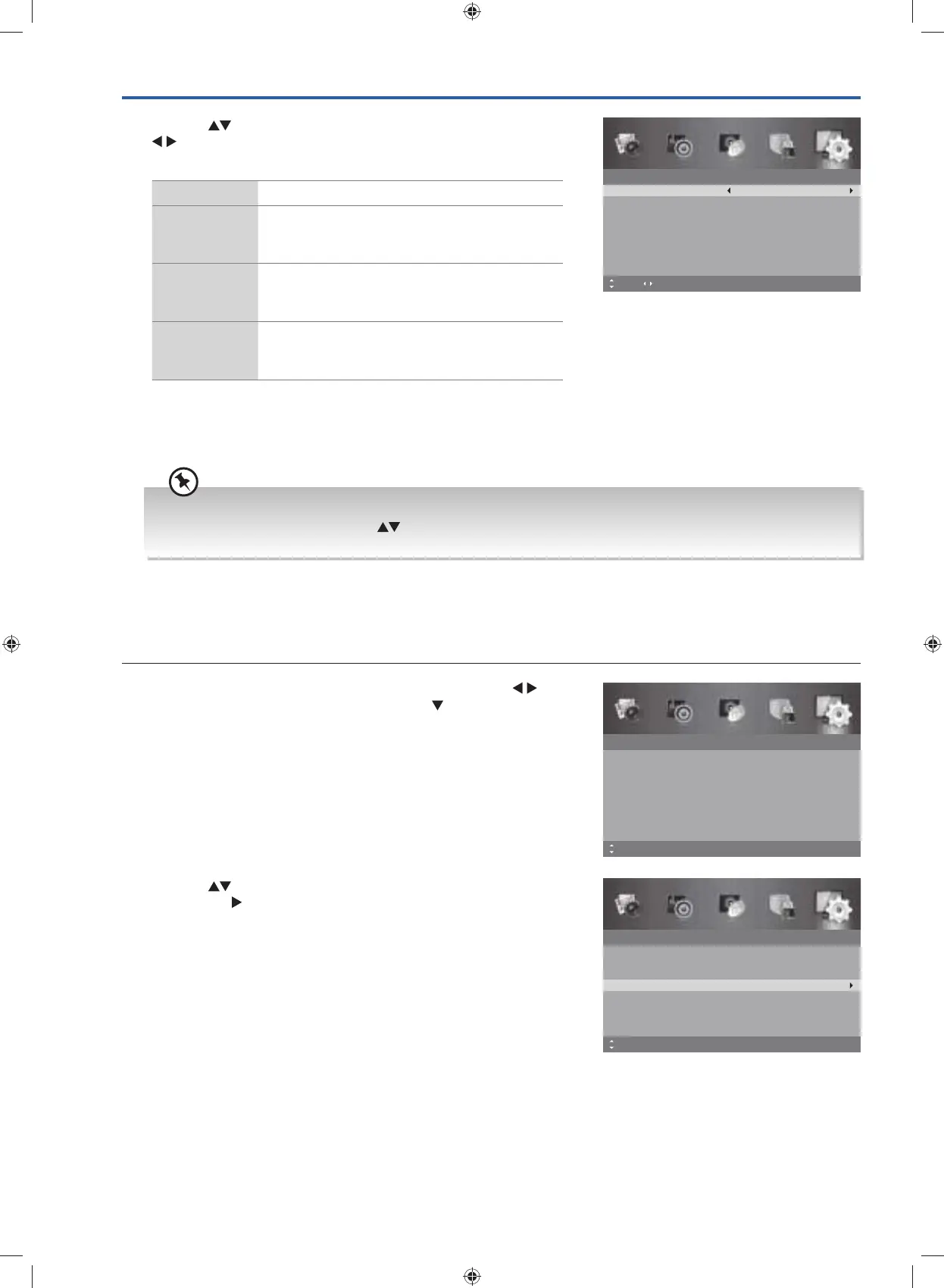
3. Press the buttons to select the following options, and then press
buttons to adjust each option’s setting or OK button to select
the options.
Mode Allows you to turn On / Off the subtitle.
Subtitle
Primary
Language
Allows you to select your desired subtitle primary
language.
Subtitle
Secondary
Language
Allows you to select your desired subtitle
secondary language.
Hearing
Impaired
Shows information for the hearing-impaired in
some programmes. (For DTV channels only if
available.)
4. Press the MENU button to return to the previous menu, press again
to return to the main menu.
5. Press the EXIT button to exit the menu.
Subtitle
Mode
Subtitle Primary Language
Subtitle Secondary Language
MENU: Return EXIT: Exit
Off
English
English
Hearing Impaired Off
Move Adjust
While watching a DTV programme, you can press the S button on the remote control to display the Subtitle
Language list and then press the
buttons to select the Subtitle Language OFF. Press the OK button to
confirm. (Only applicable when the TV programme has this feature.)
Teletext
Allows you to select your preferred Teletext language (if the language is being broadcast).
1. Press the MENU button to display the main menu. Press the
buttons to select the Setup and then press the
button or the OK
button.
Setup
OSD Language
Audio Language
Subtitle
Teletext
Blue Screen
Mode Setting
MENU: Return EXIT: Exit
English
On
Home Mode
Time Settings
HDMI CEC Control
Move
2. Press the buttons to select Teletext and then press the OK
button or the
button to enter Teletext menu.
Setup
OSD Language
Audio Language
Subtitle
Teletext
Blue Screen
Mode Setting
MENU: Return EXIT: Exit
English
On
Home Mode
Time Settings
HDMI CEC Control
Move OK: Select
G24HTC16_IB_160630-V2_Annie.indd 40 30/6/16 下午6:06



 To Next Page