48
EPG (Electronic Programme Guide) (DTV Mode)
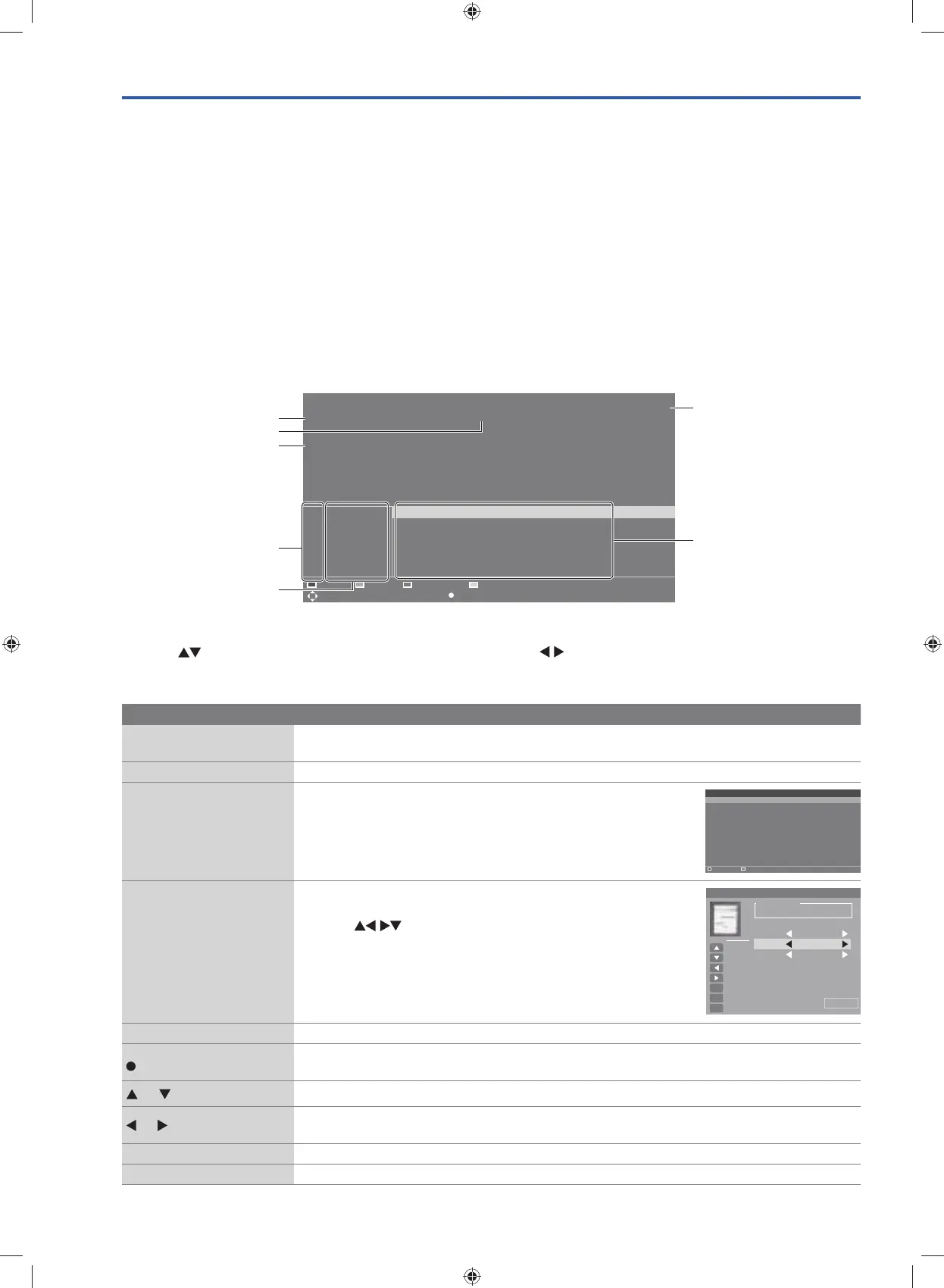
This system has an Electronic Programme Guide (EPG) to help you navigate through all the possible viewing options.
The EPG supplies information such as programme listings, start and end times for all available services. In addition,
detailed information about the programme is often available in the EPG (the availability and amount of programme
information will vary, depending on the particular broadcaster).
This function can be used only when the EPG information is broadcast by broadcasting companies.
The EPG displays the programme details for the next 7 days.
Switch On / Off EPG
1. Press the GUIDE button to switch on EPG.
2. Press the GUIDE button or the EXIT button again to switch off EPG and return to normal TV viewing.
Select a Programme
Press the buttons to select the desired channel and then press the buttons to select the desired programme.
Button Functions in a 7-Day Guide
Remote Control Button Function
Red (Prev Date)
• View the schedule of the previous day in EPG.
• Delete the selected preset reminder in the Schedule list.
Green (Info) View the schedule of the next day in EPG.
Yellow (Reminder List)
• View the preset reminders or scheduled recordings in the
Schedule list.
• Press again to return to the EPG.
BLUE (Reminder)
Press the BLUE button while on the selected programme, the
Reminder menu will be displayed.
Press the
buttons to adjust the settings and
then press the OK button to confirm the settings. After
confirmation, the Schedule list will then be displayed
with your preset reminders shown. Press the BLUE button
to return to the EPG. The TV will automatically tune to the
selected programme when it starts.
INDEX Enter to the PVR Settings.
(Recording)
• Timer Programming
See page 56 for details on Timer Programming.
or
Press to select a channel / programme / preset reminder.
or
• Switch a between channel window or programme window in EPG.
• Adjust the settings in Schedule list or Reminder.
OK View the selected programme information.
GUIDE / EXIT Switch off the EPG.
Reminder List
Time Date Channel Name Programme Name
Delete One
30/12/2014 18:40:04
Return EXIT: Exit
Reminder List
Time Date Channel Name Programme Name
Delete One
30/12/2014 18:40:04
Return EXIT: Exit
Setting Status
Setting Is Not In Use
Frequency Once
Save
Hot Key
Move Up
Move Down
Adjust
Adjust
Select
OK
Return
MENU
Exit
EXIT
Channel 4Music
Start Time 2014-12-30
0 1 4 7:
PROGRAM GUIDE
04 Apr 2015 18:15 - 04 Apr 2015 19:00
[Leisure hobbies]
Antiques experts travel across the UK as they complete to make the most money at auction. Anita Manning
and Mark Stacey travel from Wiston in South Lanarkshine to Edinburgh.
001 RED+MARKER 18:15 Antiques Road Trip
002 CVB
003 CROSS HATCH
004 4V3_MONOSCOPE
005 100%WHITE
006 BBE HD
PrevDate
Move Record
19:30 Francesco’s Mediterranean Voyage
20:00 Return of the Lost Boys of Sudan
21:00 Raymond Blanc’s Kitchen Secrets
21:30 MasterChef: The Professionals
19:00 Celebrity Eggheads
Antiques Road Trip
04 Apr 2015 18:40:04
NextDate Reminder List Reminder
INDEX: PVR Settings OK: Display EXIT: Exit
programme date and time
programme title
current date and time
programme information
programme information
channel no.
channel name
G24HTC16_IB_160630-V2_Annie.indd 48 30/6/16 下午6:06



 To Next Page