5
Guide to the Television
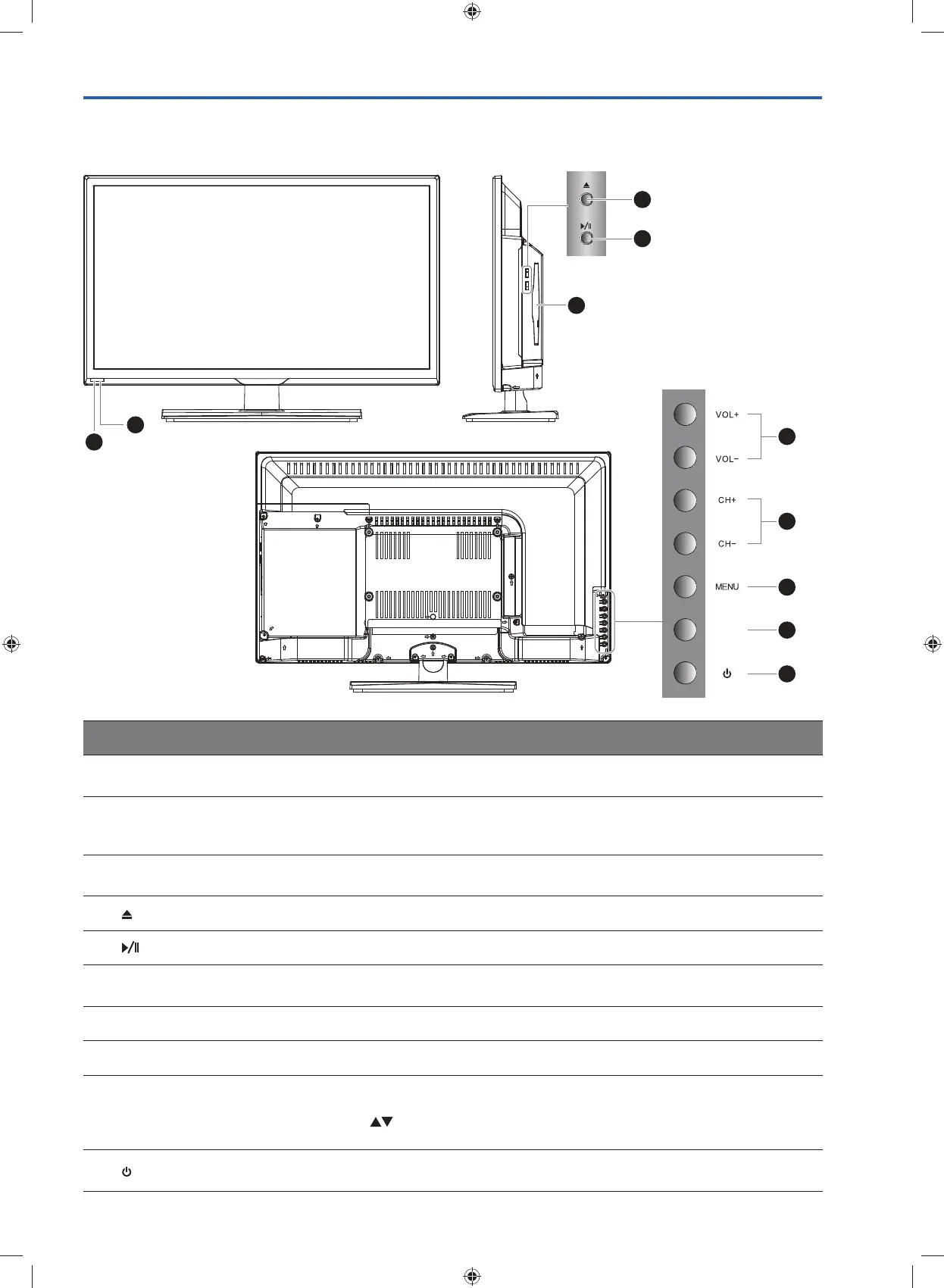
Front / Right Side View and Rear Controls
Item Description
1 IR (Infrared Receiver)
Receives IR signals from the remote control.
Do not put anything near the sensor, as its function may be affected.
2 POWER LED
Illuminates blue when the TV is turned on. Illuminates red when the TV is in
standby mode. The LED will illuminate blue and then blink red and blue confirming
that a timer recording programme has started in the standby mode.
3 Disc Slot
Insert a disc with the label side facing towards the front of the TV. (12 cm discs
only. Don't insert 8 cm discs.)
4
Press to eject disc. (DVD mode)
5
Press to start playback or pause. (DVD mode)
6 VOL + / –
Adjusts the volume.
Press to select and adjust a setting in the OSD menu.
7 CH + / – Press to select a channel or select a sub-menu from the OSD menu.
8 MENU Displays the OSD (on screen display) menu.
9 INPUT
Press to select among different input signal sources:
DTV / ATV / AV / YPbPr / HDMI / PC / USB / DVD.
Use the
buttons on the remote control to select the input, and then press the
OK button to confirm.
10
Switches the TV on from standby mode.
Switches the TV back to standby mode.
3
1
2
4
5
6
7
8
9
10
INPUT
G24HTC16_IB_160630-V2_Annie.indd 5 30/6/16 下午6:05



 To Next Page