31
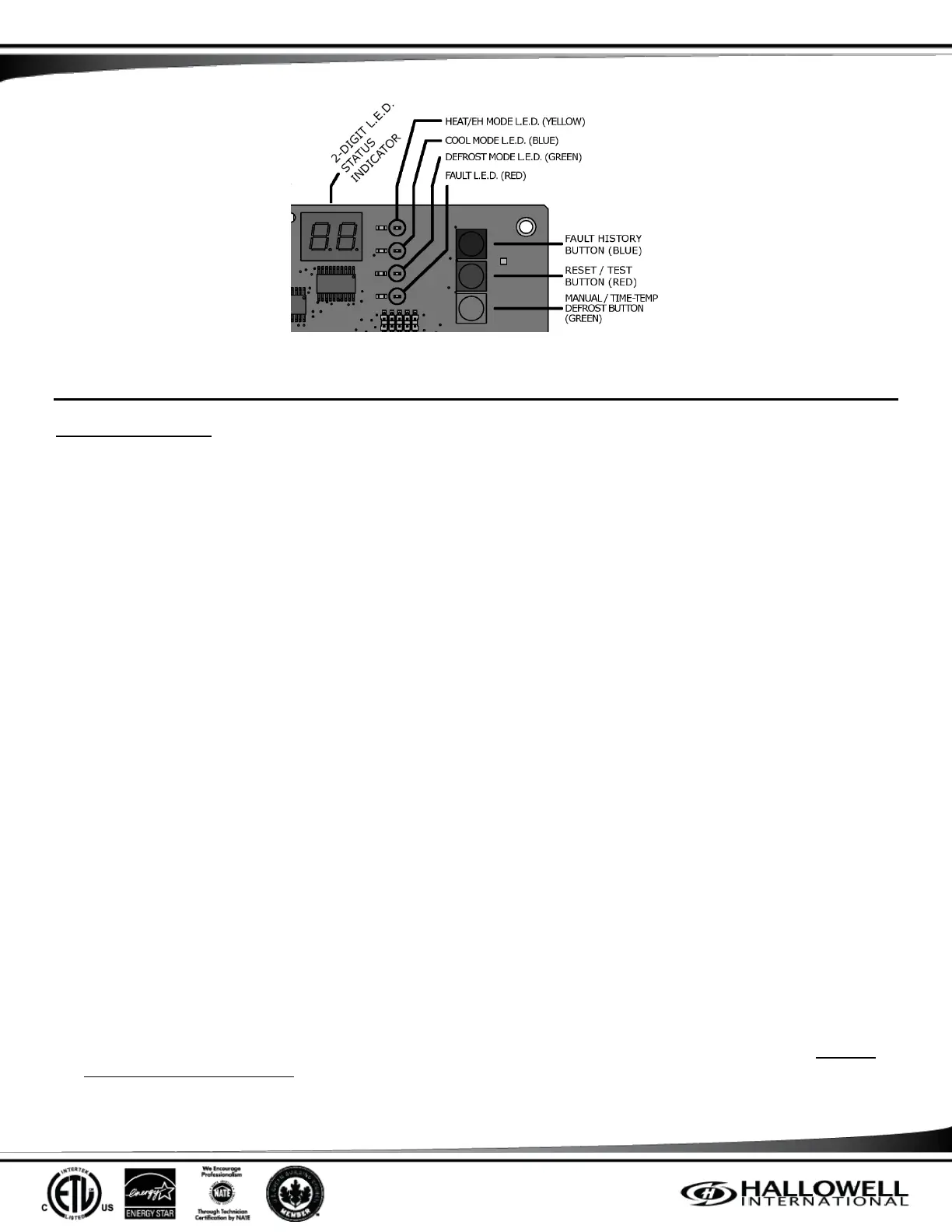
Figure 2 – Diagnostics Exploded View
FIELD TEST MODE
FIELD TEST MODE (FTM)
The purpose of the Field Test Mode (FTM) is to validate the functionality of the system after the field technician has repaired any
faults with the system. The typical scenario will be to have the field technician check the error codes on the 2 digit display, fix any
problems, and then run the field test mode.
1. Entry into FTM: Press the Reset button for 1 second when the Controller is in one of the following states: Standby, Load Shed,
or Emergency Heat.
2. Upon entry into FTM, the display will change to "FT" and any faults will be CLEARED from the history list.
3. During the test, the following faults cause the FTM to terminate immediately and return to the Anti-Cycle state:
Line Over Voltage / Under Voltage
24VAC Short Circuit Fault
High or Low Pressure Fault
Line Temperature Fault
Line Temperature Sensor Fault
Fuse Blown Fault
Internal Board Fault
(NOTE) The normal operation for many of these faults is to go into an Auto-Restart state. Since the field technician is attempting
to diagnose a problem, the controller will go into an Anti-Cycle state which will timeout and go into standby.
Specifically, the FTM will continue to run if the following faults exist:
Coil Temperature Sensor Fault
Ambient Temperature Sensor Fault
4. At anytime during the FTM, the thermistor temperatures can be read by:
Pressing the Fault History will display the Ambient temperature in °F.
Pressing the Reset switch will display the Line temperature in °F.
Pressing the Manual/Time-temp switch will display the Coil temperature in °F.
(NOTE) The temperatures in °F and shall be integer values only. Negative temps will be displayed as 2 seconds of "-" and 2
seconds of the temperature. Temperatures over 99 will be displayed as 2 seconds of "1" and 2 seconds of "nm". Example:
132⁰ will be "1” followed by "32".



 To Next Page