!
#
$
"
%
Planer-Thicknesser
A3-26 / A3-31 / A3-41
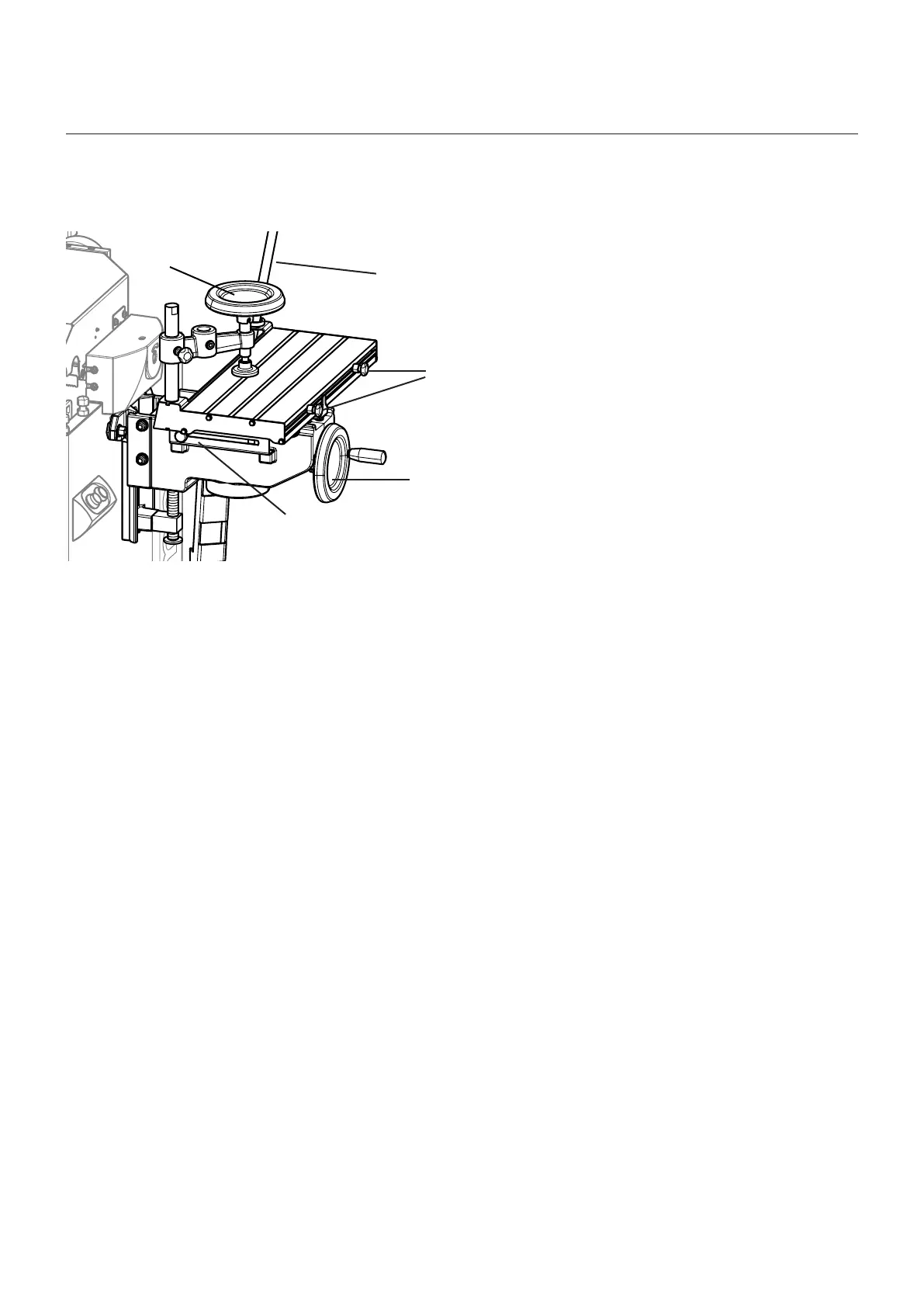
8.6 Adjusting the drilling support
• Height adjustment – Infinitely variable with system
handwheel
• Longitudinal adjustment – With the one-hand lever
• Depth adjustment – With the one-hand lever
• Mortising depth limit stop – With depth stop
• Mortising length limit stop – With the two lateral stops
• Stabilising the workpiece on the table – With the
rotating clamp
! Rotating clamp
" Single-hand lever
# Longitudinal stops
$ System handwheel
% Depth stop
Note: Use the digital display (accessory) to adjust the drilling height precisely
(See assembly instructions „Digital clock“).
Fig. 8-7: Adjusting the drilling support
Making adjustments and preparations



 To Next Page