"
"
"
"
#
$
%
#
!
#
Planer-Thicknesser
A3-26 / A3-31 / A3-41
Attention! Risk of material damage!
Do not over-tension the drive belt!. Turn the belt-tensioning screw only until the drive belt is sufficiently
tensioned to transmit power effectively.
1. Before beginning any maintenance work on the
machine, switch it off and secure it against acciden-
tally being switched on again.
2. Set the gear lever to the “0” setting
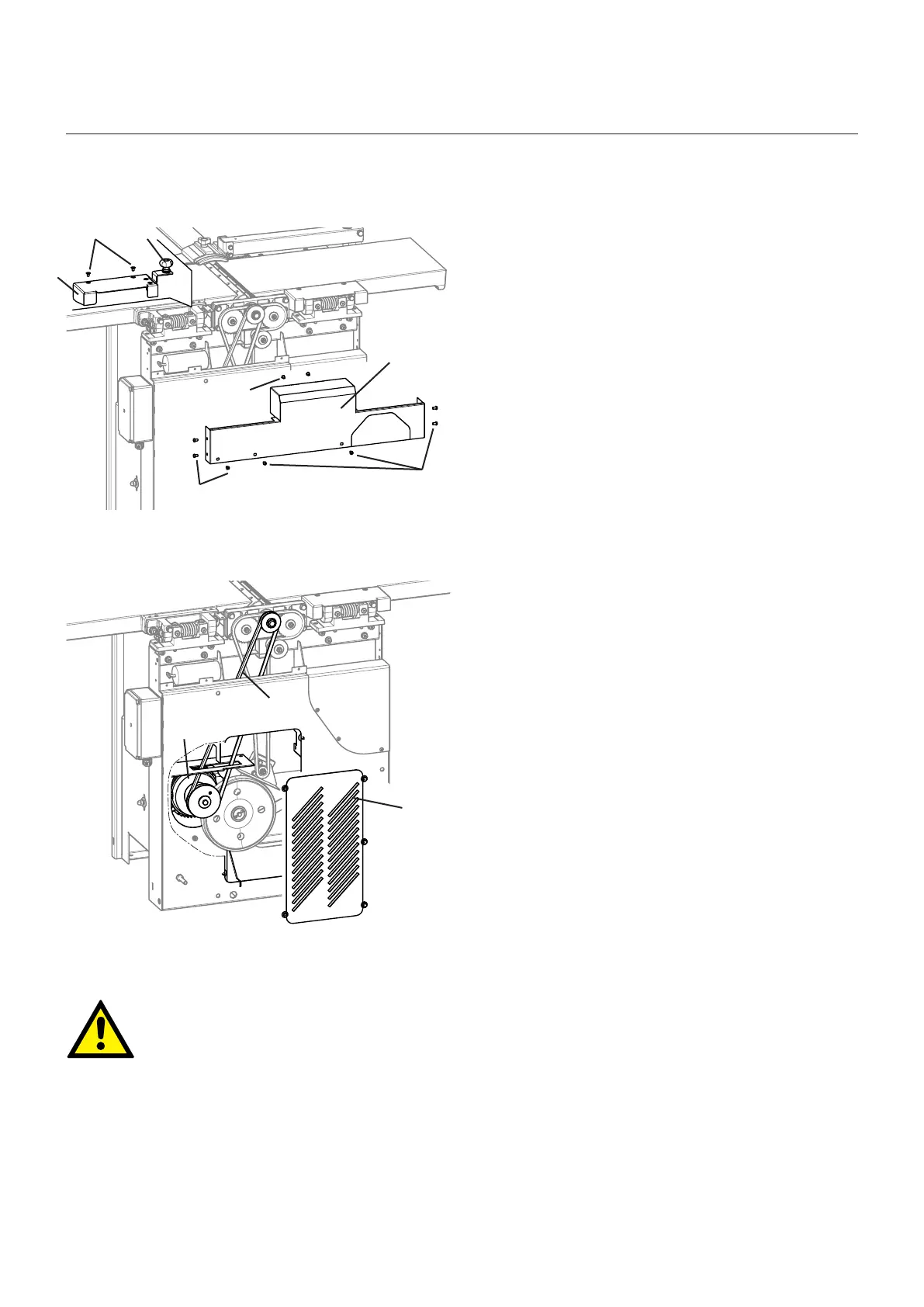
Remove the thumb nut
Dismantle the planer fence
3. Loosen the screw and take off the covering lid.
! Thumb nut
" Screws
# Cover
Replacing the drive belt:
Also see:
10.3.4 Retensioning the drive belt
4. Loosen the nuts.
5. Remove the old drive belt
6. Hook the new drive belt into place:
- First hook the belt onto the drive motor (if necessary,
open the gearbox cover
- Pull up the drive motor with the drive belt
- Hook the drive belt onto the cutterblock
7. Use the belt-tensioning screw to tension the
drive belt.
8. Tighten the nuts
9. Fit and screw the covering lid back on
# Gearbox cover
$ Drive belt
% Drive motor
Fig. 10-6: Replacing the drive belt
Fig. 10-7: Retensioning the drive belt
10.3.5 Replacing the drive belt
Service



 To Next Page