4 - System setup
4.105
Showing Prescriptions on the Map Screen
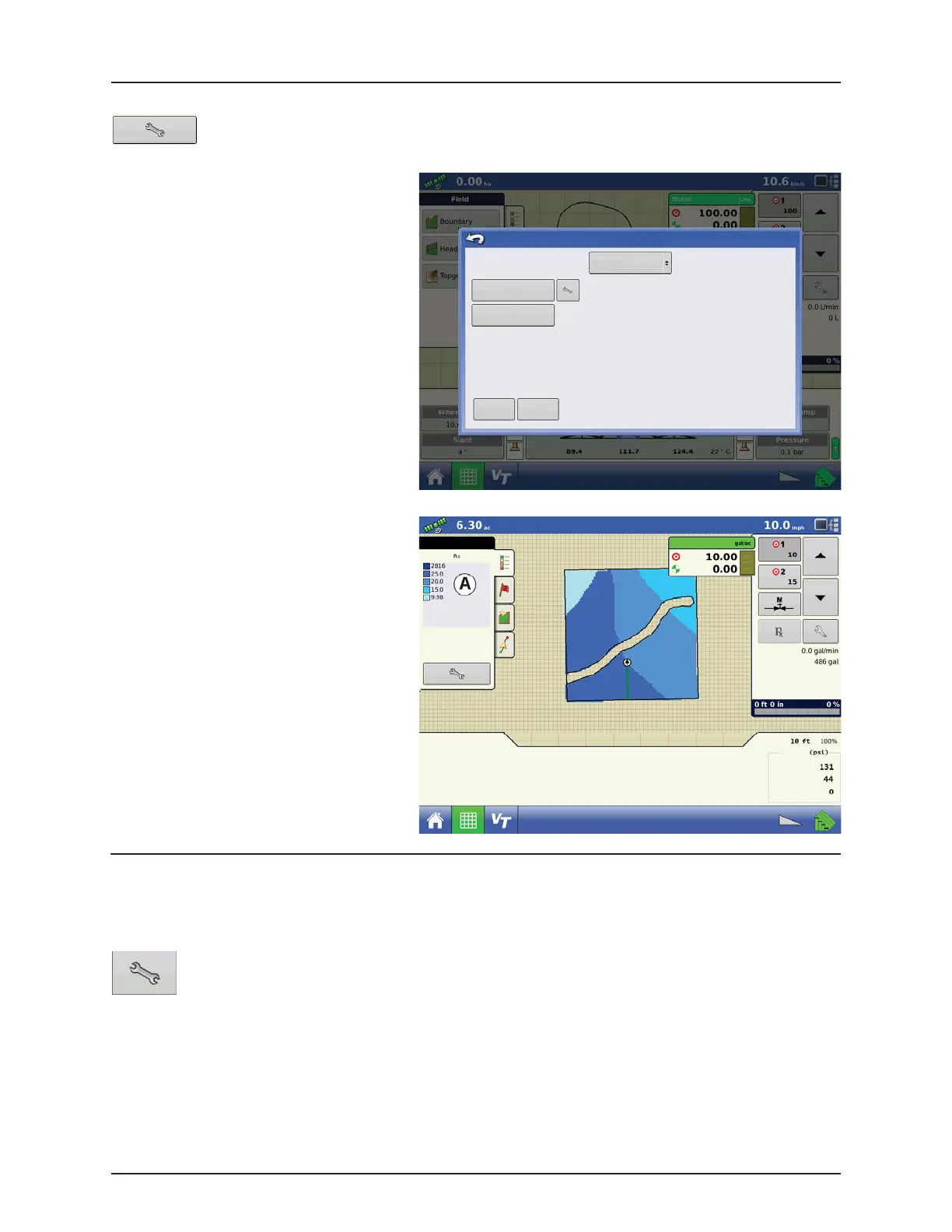
On the Map screen’s Mapping Toolbox, press the Legend Setup (wrench) tool and the Legend Select screen
appears. Notice that the “Rx” (prescription) button appears at this screen.
1. Press the “Rx” button to show a legend of the
prescription rate.
2. After pressing the “Rx” button, when you
return to the Map screen, the prescription
rate appears on the “Prescription Rate
Legend” (A). This legend is not editable.
Shape File Conversion
What is commonly called a shape file is actually a collection of three different files. All three of the files are required and must
be present on the USB drive for the system to use shape file groups for variable rate product application. A single "shape file"
can contain recommendation rates for multiple products.
To begin, press the Rate Setup button on the Product Control Toolbox.
Legend Select
Glyphosate
Rate
Rx
Clear Map
Load
Reference
Flow:
Container:
Main:
Agitation:
Auxiliary:
Pressure
Swath:


 To Next Page
 Loading...




