4 - System setup
4.10
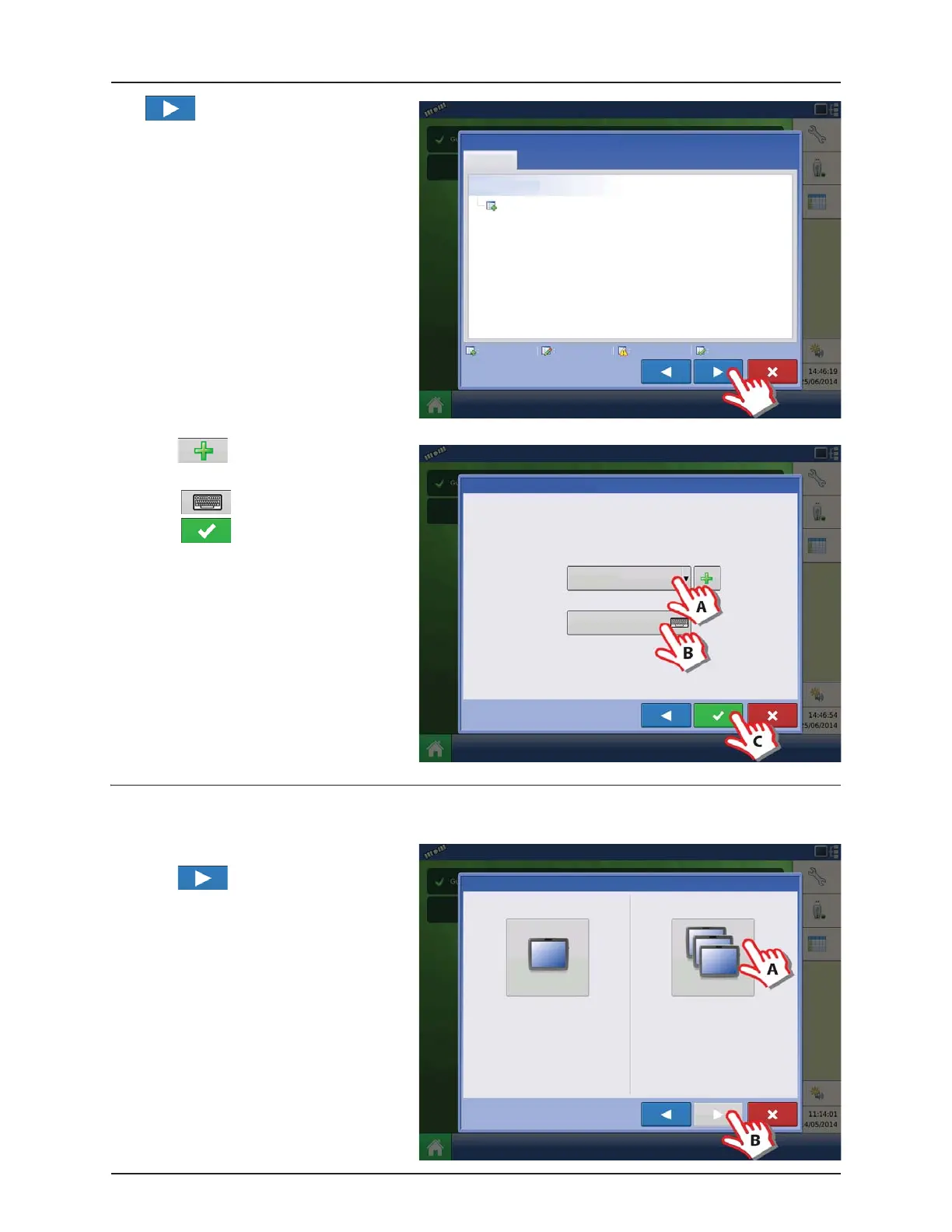
Press to accept and import setup file.
A. Press to select a Display Owner
(Business Name).
B. Press to enter a display nickname.
C. Press to accept the setup and
return to Home screen.
Multiple Displays
Setup First Display
A. Press “Multiple Display” button.
B. Press to continue.
Display Setup: Review Import
Management
Grower/Farm/Field
Allegon County
New Modified Conflicting Resolved
Display Setup: Set Owner
Display Owner (Business Name)
Display Nickname
Select “Single Display” if you only have one
Integra, Versa, Compass, or HC9500/HC8500 in
your operation.
Select “Multiple Displays” to share setup
items between Integra, Versa, Compass, and
HC9500/HC8500 displays.
Single Display
Multiple Display
Display Setup: Select Single or Multiple


 To Next Page
 Loading...




