4 - System setup
4.14
Import Setup Data
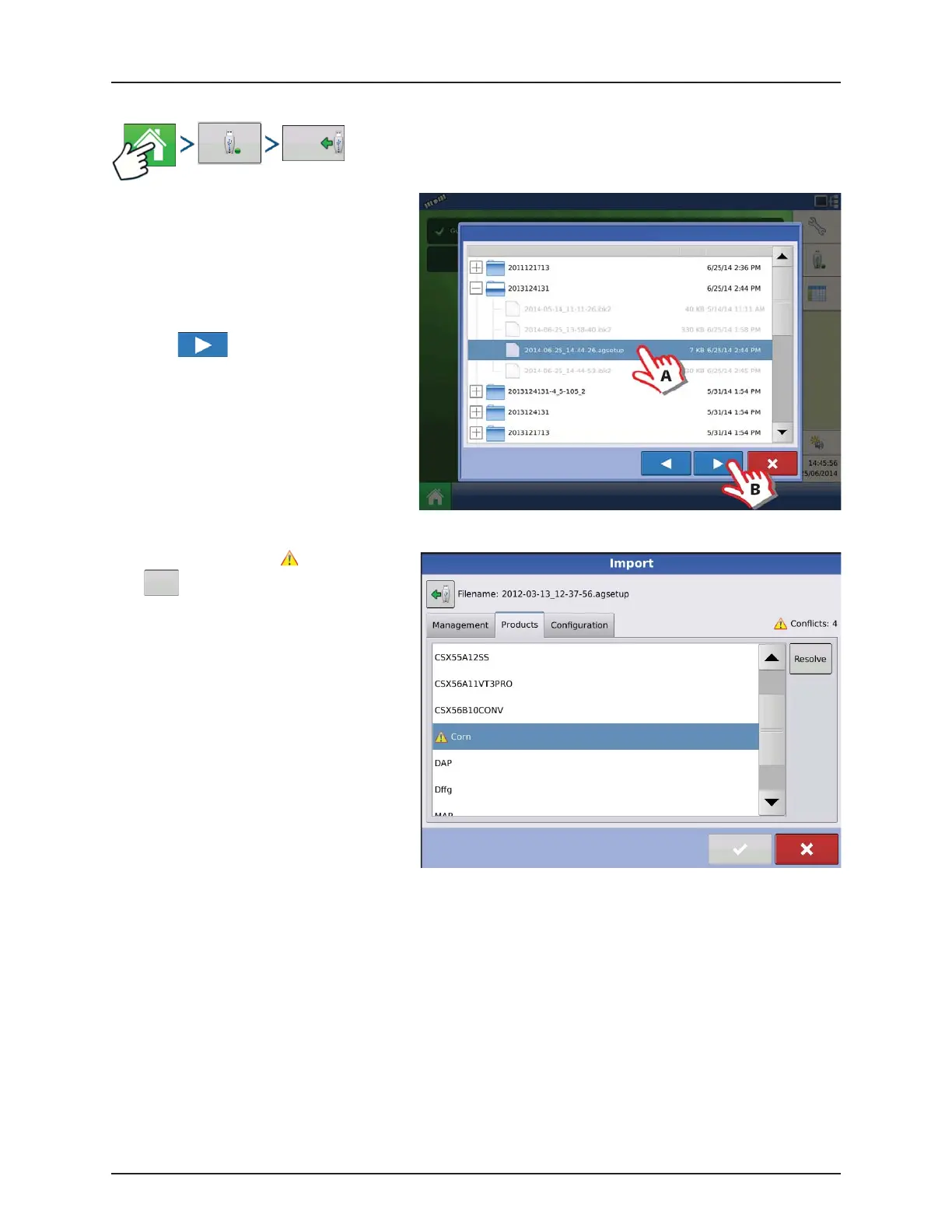
Use the scroll bar to find the file you wish to
import.
When a setup file is created, it is saved in a folder
titled with the displays serial number _nickname.
The file will include a date and have the .agsetup
suffix.
A. Select desired setup file from directory.
B. Press to continue.
Highlight item with conflict
.
Press .
Import
Files
Import Setup: Select AgSetup File
Name Size Date Modified


 To Next Page
 Loading...




