4 - System setup
4.46
Product setup
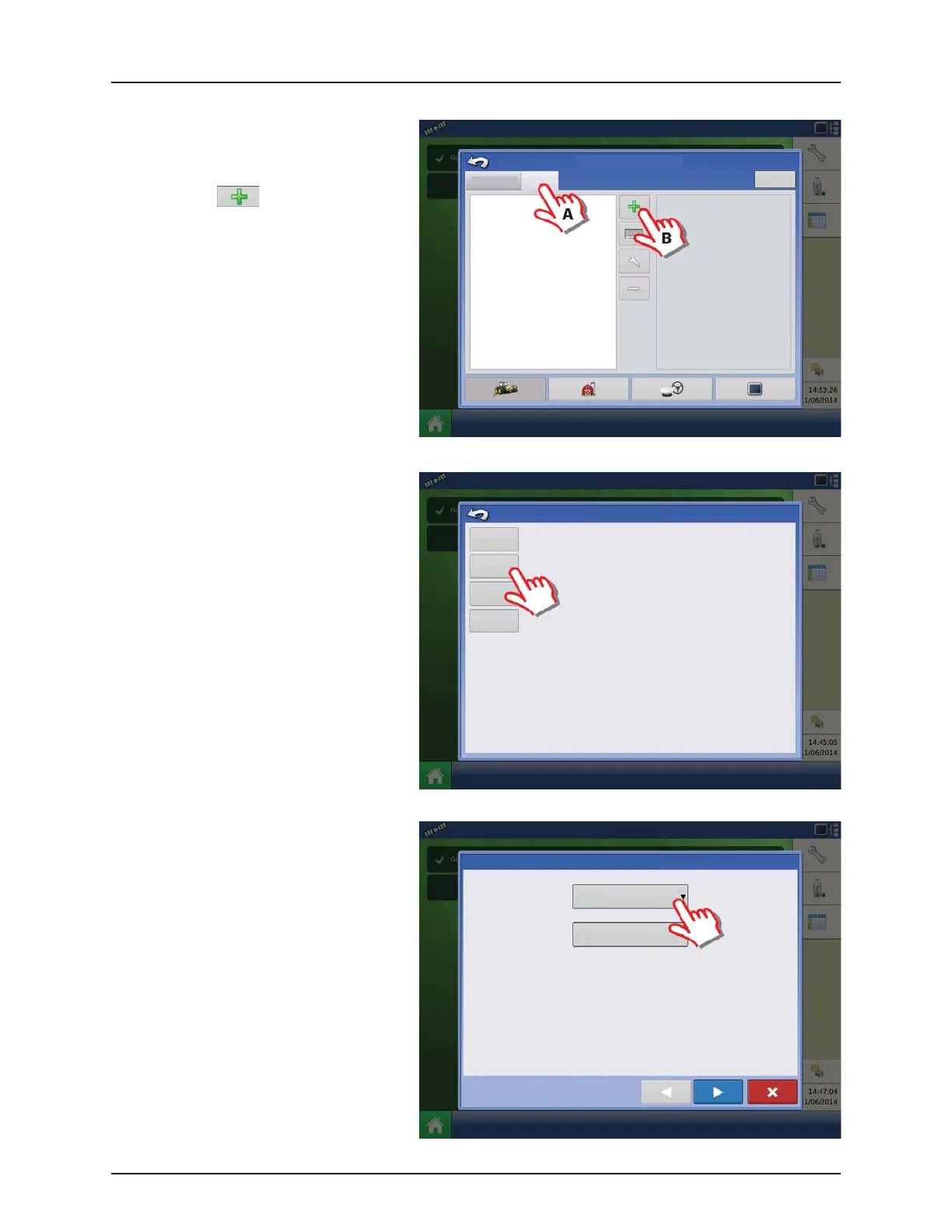
1. At “Configuration Setup” screen:
A. Select the Product tap to create a
product.
B. Press to add a product.
2. Select “Application Product” to create a
single product or a carrier.
ATTENTION! This example will show setup
with Water as Carrier.
3. Press the drop down menu to select Carrier
as Product Type.
Configuration Setup
Configuration Product
Equipment
Add Product
Seed
Variety
Application
Product
Mix/Blend
Harvest
Product
Create a seed product to be planted.
Create a single product to be added to a tank mix or to be applied by itself.
Tank Mix or Dry Blend of two or more products.
Create a new harvest product.
Product Setup Wizard: Product Type
Product Type
Fertilizer
Fertilizer
Anhydrous Ammonia


 To Next Page
 Loading...




