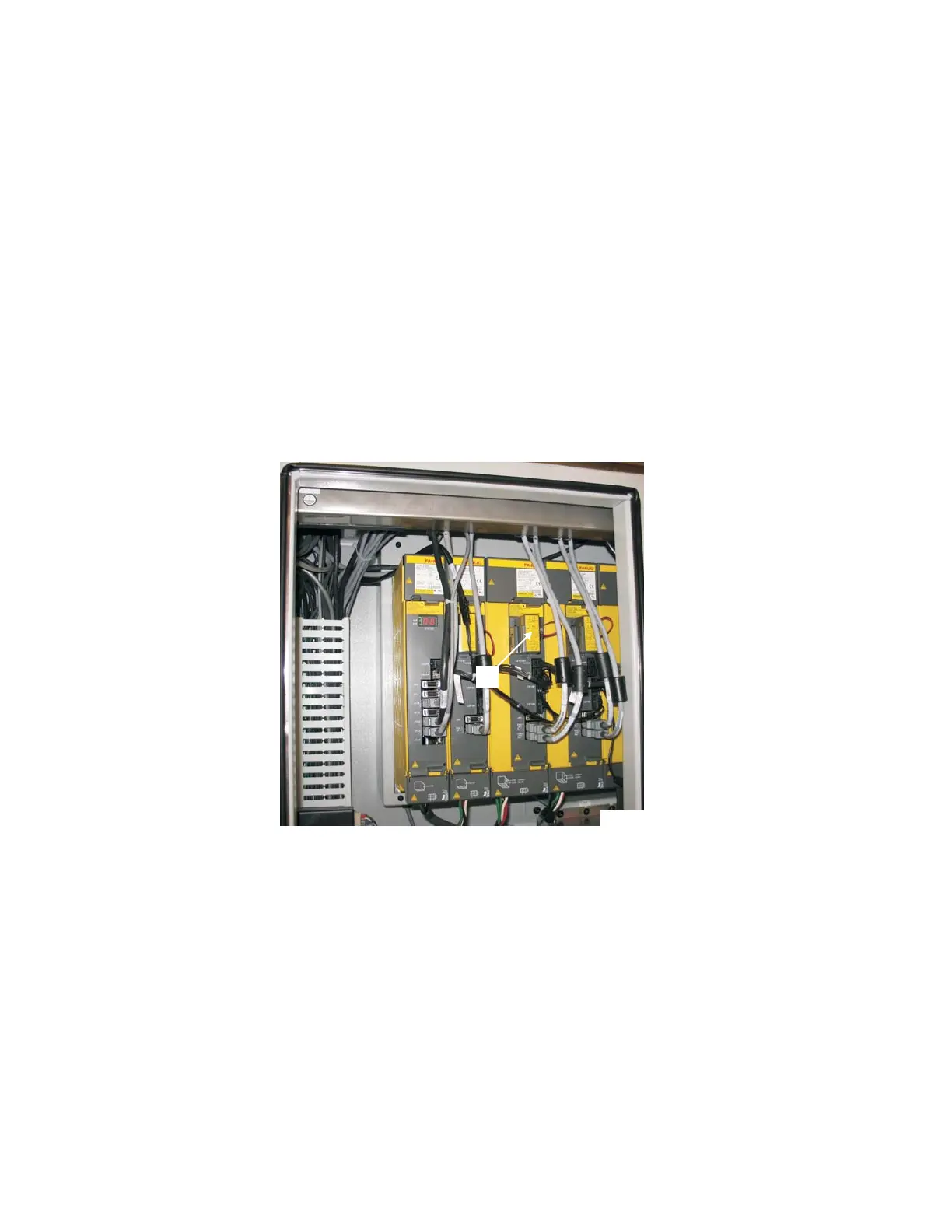
6. Remove battery cover “G”, Figure 2.5:
A) Squeeze the battery cover on the sides.
B) Tip the top of the cover outward.
7. Disconnect the battery plug from the receptacle.
8. Connect the plug from the new battery to the receptacle.
9. Put the new battery in the battery holder and replace the battery cover.
10. Repeat steps 6 through 9 for additional axis drive units.
11. Move main circuit breaker switch "E", Figure 2.3, to the OFF position.
12. Close and latch the power case doors.
13. Dispose of the old batteries properly.
2-4 M-507C
Figure 2.5 - Axis Drive Battery Units
TP7892
G



 To Next Page