31 ODROID C2 USER MANUAL
Blue LED solid glowing
The C2 has panicked or frozen, and a reboot is required.
Mouse/Keyboard not working
Ensure that it’s correctly plugged in, or try a different USB port.
You can change it while the C2 is running.
No desktop image
• Be patient, some SD cards require several minutes to boot and
anywhere from 30 seconds to 2 minutes to show the rst image.
Refer to the microSD card compatibility list above.
• Verify the HDMI cable is correctly plugged in.
• Edit the boot.ini on a PC and select the correct resolution, see
Chapter 1 for details.
• Some HDMI cables have compatibility issues, make sure to use
an ofcial Hardkernel HDMI cable.
• Some monitors have non-standard EDID functions. In this case,
you need to select the non-EDID mode in the ODROID congura-
tion utility.
• Some cable have a shorter plug, and it may be necessary to re-
move the plastic case for a better connection.
• If there is a USB host port on the monitor, connect a microUSB ca-
ble from the ODROID to the monitor, which creates a ground path
between the TV and the device.
• Add a short jumper wire between the outer casing of the microHD-
MI and micro-USB ports to create a ground path.
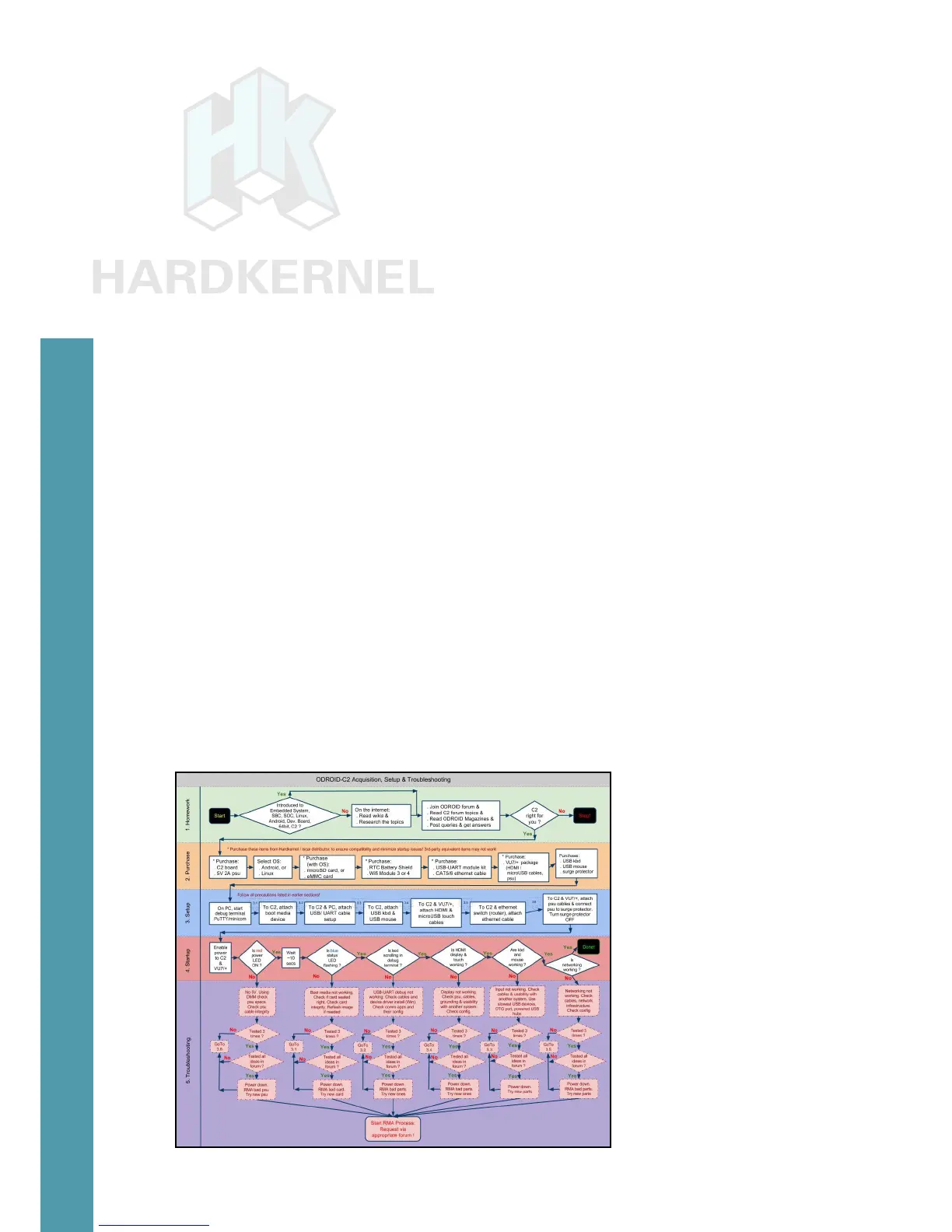
Acquisition, setup and troubleshooting
Chapter 2



 To Next Page