58 ODROID C2 USER MANUAL
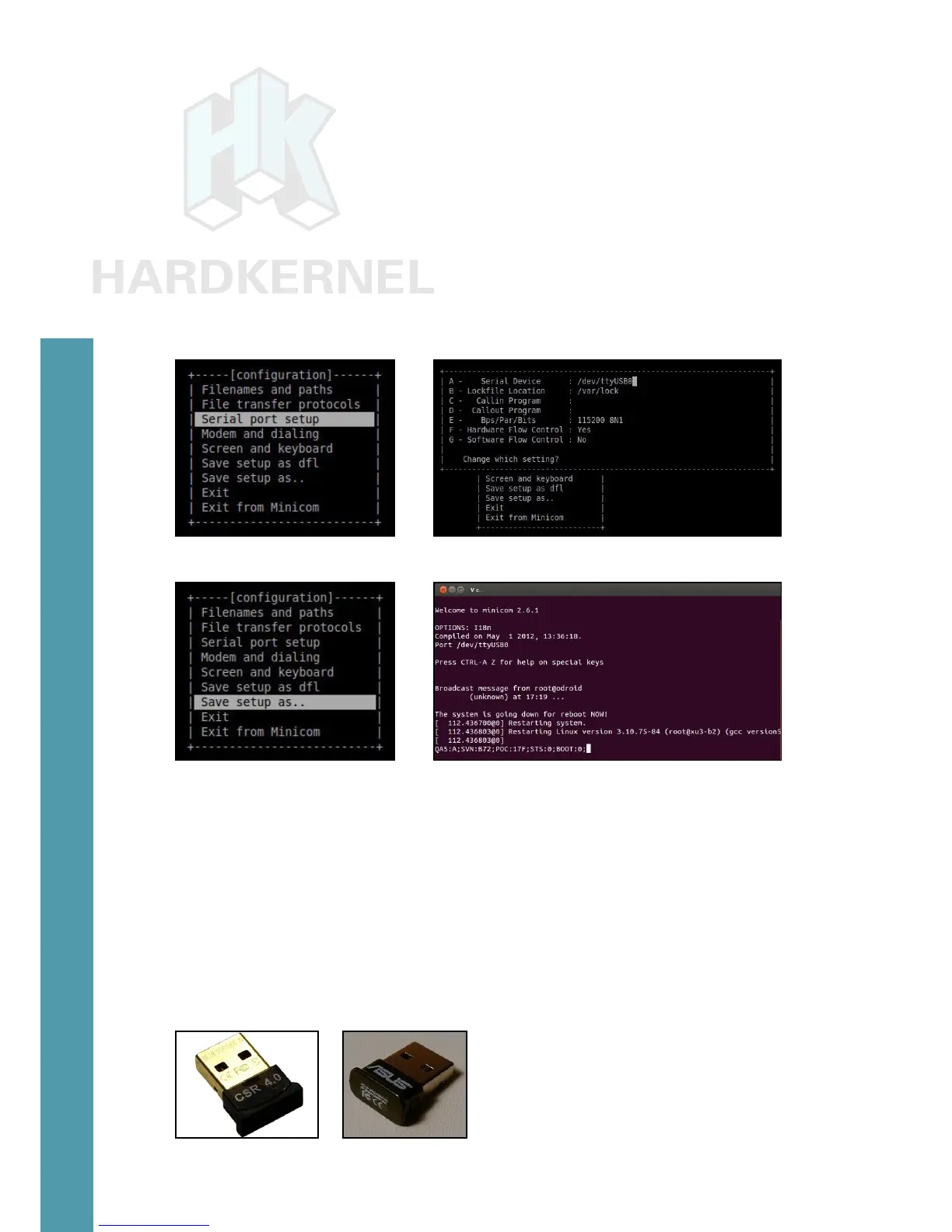
lockle location is what was obtained earlier. Likewise check option
E reects the information shown in the gure: 115200 8N1. Ensure
Hardware Flow Control is set to YES. Then hit the ENTER key to go
to the next screen.
In screen 3, select the “Save setup as …” option to save this cong
for future use. Enter a lename at the new prompt. Hit ENTER to accept
the lename. Then select Exit option to complete the cong process.
You will now return to the terminal windows. Reboot the
ODROID-C2 and you will observe boot-time information scroll through
the minicom (terminal) session.
Port option Serial port data
Save setup Minicom session
Bluetooth Module 2
Hardkernel offers a bluetooth adapter called the Bluetooth (4.0)
Module 2 which is certied to work with the ODROID-C2 under both
Android and Linux, in the following modes:
Classic Bluetooth v2.0: Android, Linux
Bluetooth High Speed v3.0: Linux
Bluetooth low energy v4.0 (BLE): Linux
Bluetooth Module 2 adapter and Asus BT400 adapter
Chapter 4



 To Next Page