77 ODROID C2 USER MANUAL
Chapter 4
$ df -h
Filesystem Size Used Avail Use% Mounted on
udev 733M 0 733M 0% /dev
tmpfs 172M 7.3M 165M 5% /run
/dev/mmcblk0p2 29G 6.2G 22G 23% /
tmpfs 859M 184K 859M 1% /dev/shm
tmpfs 5.0M 4.0K 5.0M 1% /run/lock
tmpfs 859M 0 859M 0% /sys/fs/cgroup
/dev/mmcblk0p1 128M 22M 107M 17% /media/boot
cgmfs 100K 0 100K 0% /run/cgmanager/fs
tmpfs 172M 4.0K 172M 1% /run/user/118
tmpfs 172M 24K 172M 1% /run/user/1000
/dev/sda1 46G 52M 44G 1% /media/odroid/odroid-c2-
hdd-01
You can also verify using the Console application by selecting
the Places > Computer menu from the desktop, which should show
that the HDD has been installed and mounted, and is ready for use.
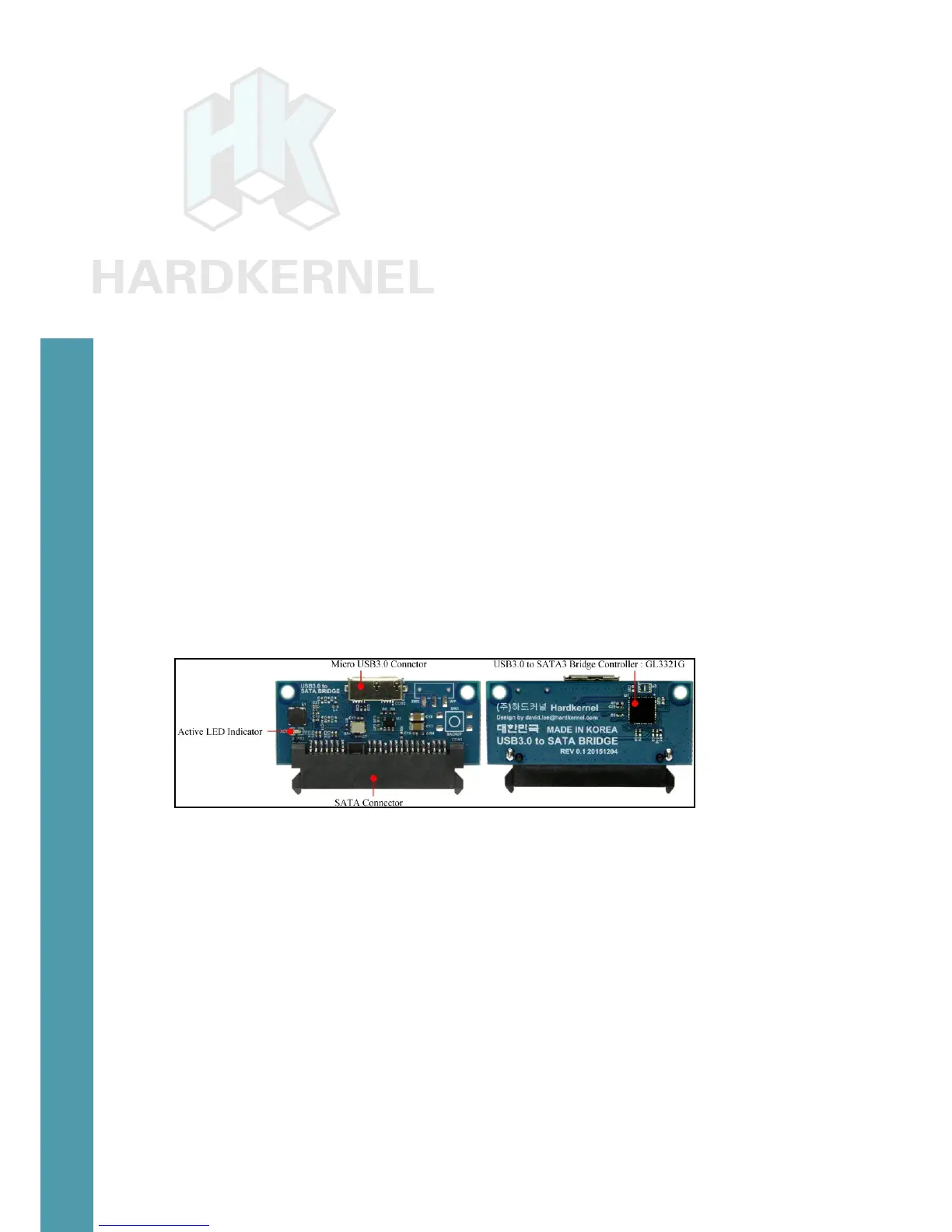
USB3 to SATA Bridge Board
This board contains a USB3.0 to SATA3 controller (Genesis
GL3321G) that allows interfacing of a single 2.5” SATA HDD/SDD.
While providing power to the storage, it also provides access to the
data stored on the attached SATA storage device.
SATA bridge board
To use the controller, rst power down the ODROID-C2, then in-
sert the compatible SATA storage device into the bridge board. Attach
the included USB cable to both the board and the ODROID-C2 and
power up the SBC.
Details about the accessory can be found using the following
commands:
$ lsusb
Bus 001 Device 004: ID 05e3:0735 Genesys Logic, Inc.
$ sudo lsusb -D /dev/bus/usb/001/004
Device: ID 05e3:0735 Genesys Logic, Inc.
Device Descriptor:
bLength 18
bDescriptorType 1



 To Next Page