68 ODROID C2 USER MANUAL
Additional details, such as, burning new rmware for the SHOW2
(or SHOW1) and sample applications can be found at http://bit.ly/
1toe7Pl.
One important aspect of the SHOW2 (or SHOW1) board, is the
presence of a Data Terminal Ready (DTR) reset jumper/switch. Its
role is important during burning of new rmware. The following pre-
cautions need to to be followed, regarding the DTR jumper:
•Itmustbeinstalledwhenyouuploadthermware.
•ItmustNOTbeinstalledduringnormalusagemode.
16x2 LCD I/O Shield
Hardkernel offers an I/O shield with a, 16 chars by 2 lines, white
on blue, LCD display, tactile switches and I/O pins. Its use requires
the WiringPi library, whose installation was discussed earlier. After in-
stalling the shield on the C2, the sample source can be obtained from
http://bit.ly/1fbtFlE.
Copy the sample code using the following commands:
$ cd ~ && mkdir lcdio && cd lcdio
$ mv ~/Downloads/lcd_cpuInfo.c .
Modify the source code to have CPU information displayed on
the LCD:
static int DispMode = 2;
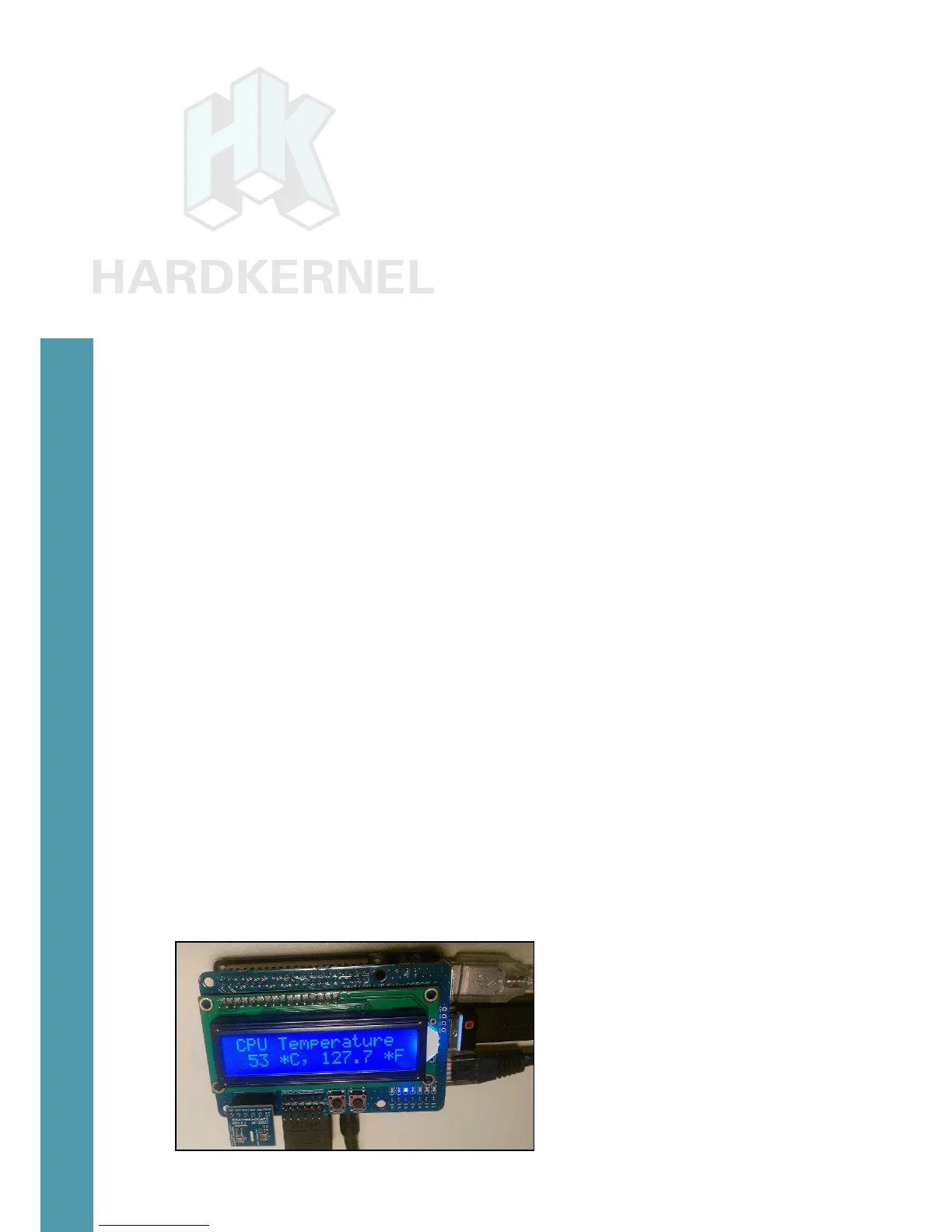
Then, build and launch the application using the following com-
mands, which should show a display similar to the image below:
$ gcc -o lcd_cpuInfo lcd_cpuInfo.c -lWiringPi -lWiringPiDev \
-lpthread
$ sudo ./lcd_cpuInfo
16x2 LCD – I/O shield showing some CPU data
Chapter 4



 To Next Page