53 ODROID C2 USER MANUAL
USB / UART Module Kit
It is benecial to get a view of the early boot process, especially
if you are working with newly added external devices or creating spe-
cial purpose boot images. Typically these activities can be debugged
by viewing their corresponding log entries using the dmesg applica-
tion. This can be achieved using the USB / UART module and an
microUSB male to USB male cable, which is typically used to charge
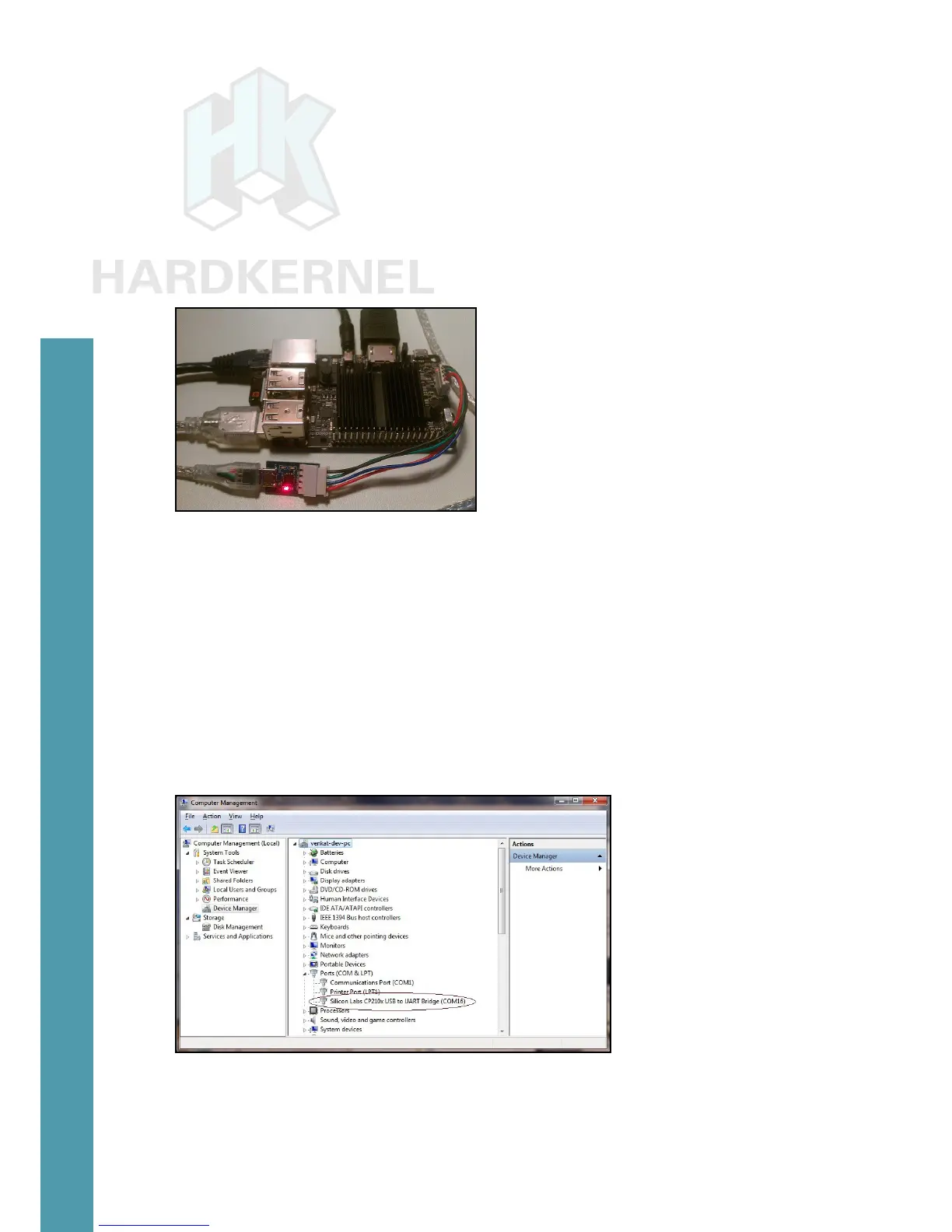
smartphones and tablets. Together, they form the kit shown below:
USB / UART kit
When using Microsoft Windows 7+ as a host PC system, you
will need to install a terminal application such as PuTTY. This can be
used to set up commonly used congurations in order to access the
C2 either via a serial connection or SSH.
Prior to setting up the kit, power off the ODROID-C2. Attach
one end of the USB / UART module to the C2. Attach the other (micro
USB) end of the USB / UART module to the USB cable. Attach the
free end of the cable to an available USB port of the host PC system,
then power on the device.
USB / UART module on COM16
Windows Host Setup
The Windows 7+ host PC system will recognize the module as a
Silicon Labs CP210x USB to UART Bridge and install the appropriate
Chapter 4



 To Next Page