84 ODROID C2 USER MANUAL
built-in HDMI (ODROIDHDMI):
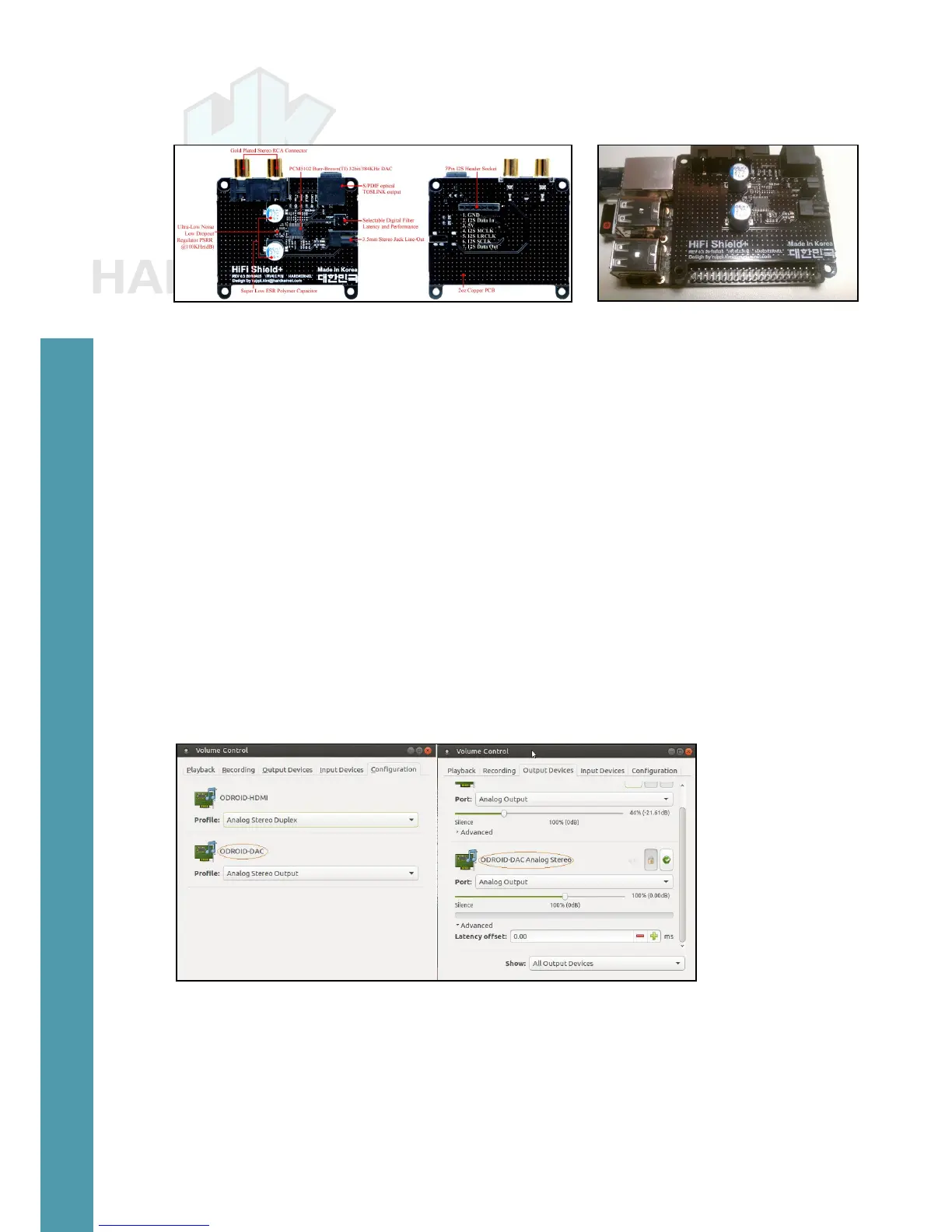
HiFi Shield+ in detail and plugged to the ODROID-C2
$ sudo modprobe snd-soc-pcm5102
[sudo] password for odroid:
$ sudo modprobe snd-soc-odroid-dac
$ aplay -l
**** List of PLAYBACK Hardware Devices ****
card 0: ODROIDHDMI [ODROID-HDMI], device 0: I2S dit-hi-0 []
Subdevices: 0/1
Subdevice #0: subdevice #0
card 1: ODROIDDAC [ODROID-DAC], device 0: I2S pcm5102-0 []
Subdevices: 0/1
Subdevice #0: subdevice #0
Following the same steps listed in the S/PDIF section, you can
congure the setup using the available Pulse Audio tool, with the S/
PDIF cable attached. Next page we demonstrate how the default An-
alog Audio option is selected. The Digital S/PDIF option may also be
selected similarly.
HiFi Shield+ conguration
RTC Shield
Like many of the earlier ODROID models, the ODROID-C2 does
not come with RTC support on the main PCB. However, Hardkernel
has a developed a special add-on shield that can be mounted on the
available GPIO header, at the designated pins shown below.
Chapter 4



 To Next Page