82 ODROID C2 USER MANUAL
output from the board while moving the board around:
$ sudo cat /dev/ttyACM0
$RPY,58,7.95,1.95,79.85*59
$RPY,61,75.92,66.04,132.32*6A
$RPY,62,88.22,59.02,148.94*6B
$RPY,70,-12.06,59.27,48.14*7E
$RPY,85,4.25,22.07,41.41*68
…
ODROID-C2 specic sample applications can be obtained from
http://bit.ly/2bFcAjO. Run the following commands to test an OpenGL
sample:
$ cd ~ && mkdir ahrs/ && cd ahrs/
$ svn export https://github.com/withrobot/myAHRS_plus/trunk/com-
mon_python
$ cd common_python/basic_example
$ sudo apt-get install python-serial
$ sudo python python_example.py /dev/ttyACM0
WiFi Module 4
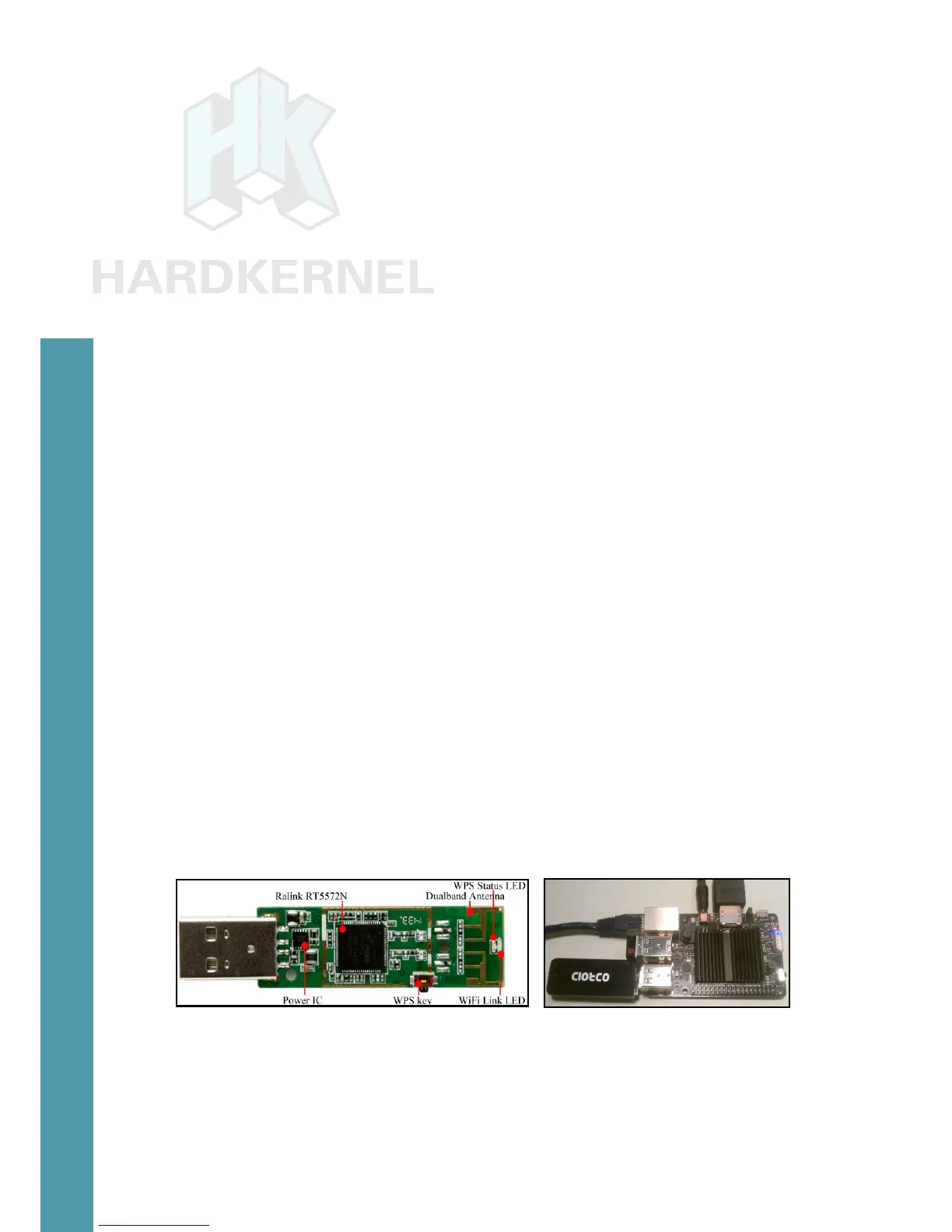
The WiFi Module 4 is the latest generation WiFi module offered
by Hardkernel. Some of the features that the module supports includes
the following:
• IEEE 802.11a/b/g/n WLAN module with on-board 2.4Ghz and
5Ghz Dual band antenna
• USB 2.0 host interface
• LED for WiFi Link Activity and WPS status indicators
• MediaTek(Ralink) RT5572N chipset
Attach the module to the ODROID-C2 as shown in the image
below, and wait for a few moments.
WiFi module and it attached to an ODROID-C2
Details of the device can be found using the following commands:
$ lsusb
...
Bus 001 Device 014: ID 148f:5572 Ralink Technology, Corp. RT5572
Chapter 4



 To Next Page