81 ODROID C2 USER MANUAL
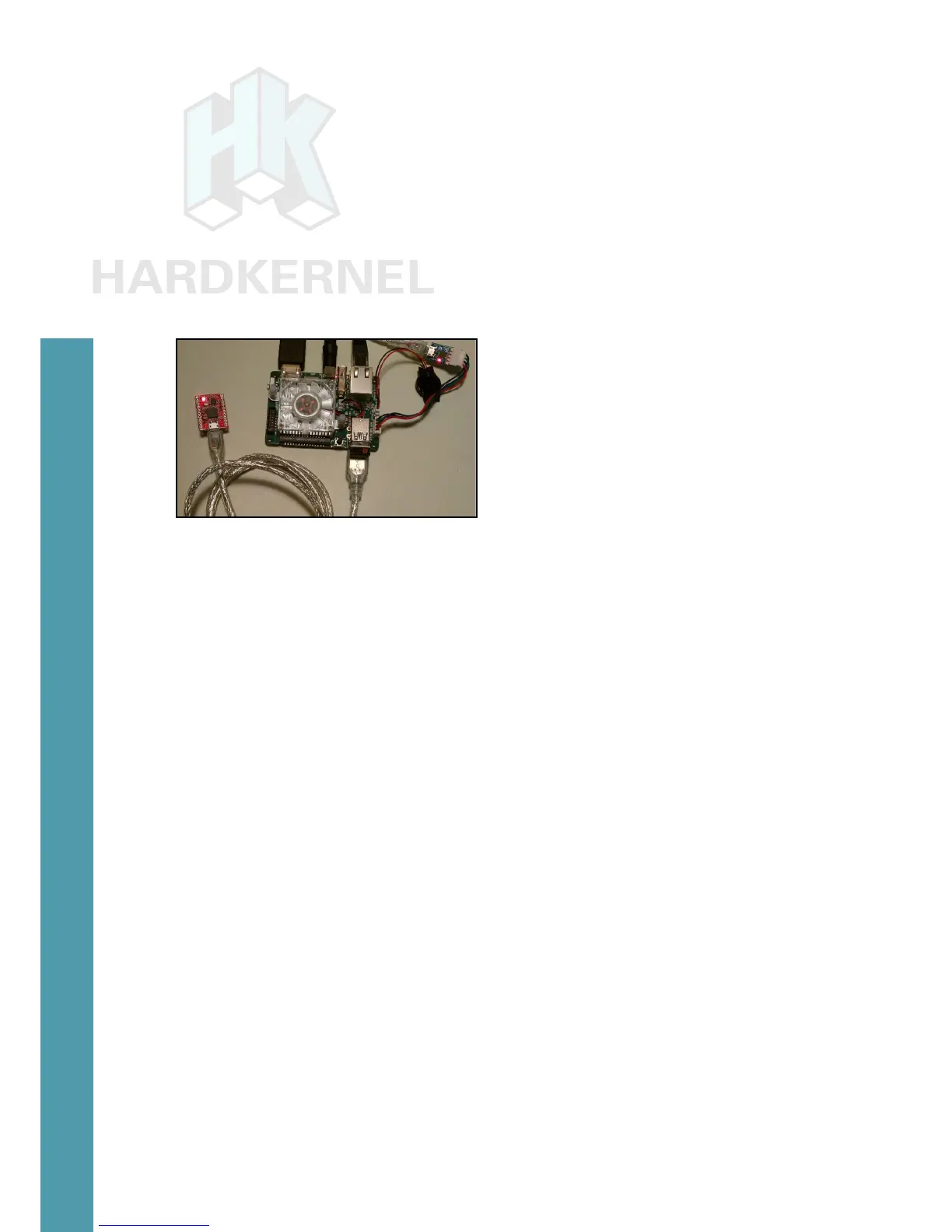
Attach the board to the USB2 port on the ODROID-C2. After a
few moments, you should observe the following two LEDs:
• Red LED:
When ON, the myAHRS+ is connected to PC via USB correctly.
• Yellow LED:
When blinking, it means that myAHRS+ is in normal state.
myAHRS+ attached to an ODROID-C2
To get the device information, type the following commands:
$ lsusb
…
Bus 001 Device 010: ID 0483:5740 STMicroelectronics STM32F407
…
$ sudo lsusb -D /dev/bus/usb/001/010
Device: ID 0483:5740 STMicroelectronics STM32F407
Couldn’t open device, some information will be missing
Device Descriptor:
bLength 18
bDescriptorType 1
bcdUSB 2.00
bDeviceClass 2 Communications
bDeviceSubClass 0
bDeviceProtocol 0
bMaxPacketSize0 64
idVendor 0x0483 STMicroelectronics
idProduct 0x5740 STM32F407
bcdDevice 2.00
iManufacturer 1
iProduct 2
iSerial 3
bNumCongurations 1
...
The board can be congured using the steps described at
http://bit.ly/1TGve9g. Run the following command to view typical
Chapter 4



 To Next Page